
Table of Contents
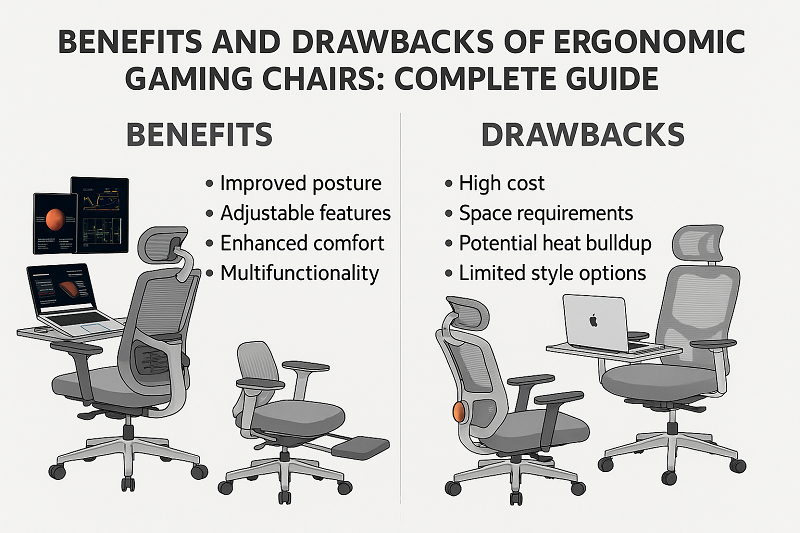
You want more comfort. Better focus. Longer, steadier sessions. An ergonomic gaming chair promises all three—but only when the fit, materials, and adjustments match your body and your gaming setup. This balanced guide goes deeper than marketing. You’ll see real benefits, candid drawbacks, how to prioritize features that matter, and a fast setup checklist. Three embedded tables compare pros vs. cons, gaming vs. office ergo designs, and a 60-second fit sequence—so everything you need is right where you need it.
What “Ergonomic” Means in a Gaming Chair
“Ergonomic” isn’t a style; it’s a system that fits you. Done right, ergonomics reduces strain, improves posture, and supports consistent performance across long PC gaming sessions and casual console play.

Core ergonomic principles
Neutral spine: preserve your natural lumbar curve; avoid sustained flexion.
Open hip angle: slight recline lowers disc pressure and boosts comfort.
Forearm support: correct armrest height reduces shoulder shrug and wrist deviation.
Eye–screen alignment: monitor top near eye level; head stays neutral to prevent forward craning.
Key design elements
Backrest curve: should track your thoracic and lumbar contours.
Seat pan shape: flat/wide pans free the thighs; bucket bolsters “hug” but may pinch.
Headrest geometry: should cradle the occiput (back of head), not push the chin down.
Ergonomic gaming chair vs office ergonomic chair
Gaming chairs often emphasize deep recline, thick cushions, and 4D armrests. Office-ergo models typically add mesh breathability, seat depth sliders, and neutral styling. Hybrids blend both: cleaner looks with gaming-grade adjustability. Choose by fit, climate, and session length, not just by aesthetics.
Benefits of Ergonomic Gaming Chairs
Features only matter when they become outcomes: less pain, steadier aim, more gaming chair comfort over the long term.
Spinal support & disc load reduction
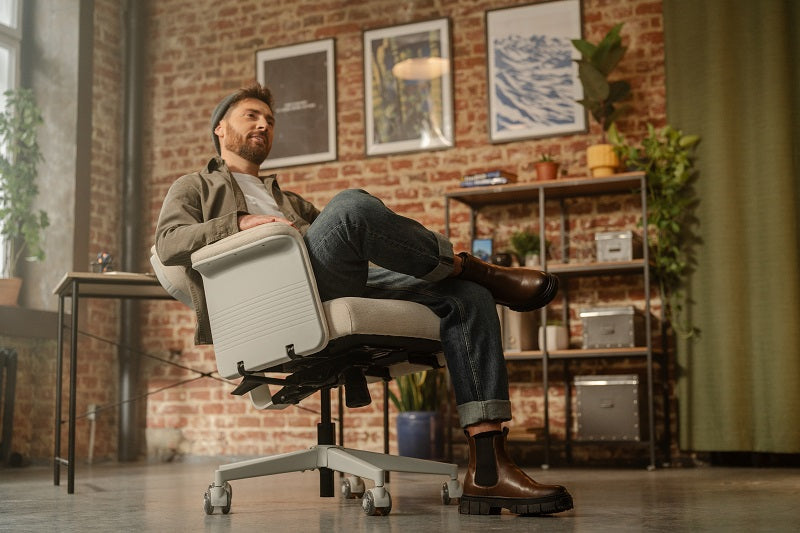
Adjustable or dynamic lumbar maintains a neutral lower back. Pair it with a gentle recline (≈100–115°) to open the hip angle and reduce compressive load. You slouch less. You recover faster. You can sit longer with fewer symptoms.
Arm, shoulder, and wrist relief
3D/4D armrests—height, width, depth, and inward sweep—let your forearms rest while your shoulders relax. Less ulnar deviation at the wrist. Better mouse control. Smoother tracking when it matters.
Focus, endurance, and micro-reclines
Rigid “perfect posture” fails in long sessions. Micro-reclines restore circulation and attention. Small changes prevent big aches. You fidget less and stay engaged longer.
Fit ecosystem & accessories
Refine the system: well-shaped pillows, ergonomic gaming chair with footrest or under-desk platform for shorter users, floor-matched casters, and accurate sizing charts. Tiny tweaks create lasting comfort.
Drawbacks of Ergonomic Gaming Chairs
No design is flawless. Know the trade-offs before you buy.
Bucket seat limitations
Racing wings stabilize you, but they can squeeze broader thighs and restrict cross-leg sitting. Big-and-tall gamers often prefer flatter, wider pans or XL frames.
Heat and material wear
PU leather wipes clean but runs hotter and can peel if neglected. Fabric breathes better but needs stain care. Mesh stays coolest yet feels firmer. Choose by room temperature and sweat profile.
Adjustability gaps vs office chairs
Seat-depth sliders are rare on gaming chairs. Some lumbar pillows slide; some headrests are fixed. If you need millimeter-level tuning, consider a hybrid or office-ergo option.
Cost of ownership
Low-density foam compresses early. Cheaper 4D armrests wobble. Limited spare parts increase replacement risk. Read warranties closely and check parts catalogs up front.
Aesthetics and workspace fit
Racing aesthetics shine on stream, but may clash in a conservative office. Hybrids deliver a subtler look without sacrificing ergonomics.
Ergonomic Features That Actually Matter (and Why)
Skip spec bloat. Focus on features that change how you feel and perform.
Synchro-tilt vs simple recline
Synchro-tilt opens the hip angle while keeping hands aligned to the desk—great for keyboard/mouse control. Simple recline is fine for rest breaks but can pull you too far from the desk at deeper angles.
4D/full-metal armrests
Metal-cored arms stay steadier under load; plastic-cored designs often creak and flex. If precision matters, stable arm pads matter.
Lumbar types
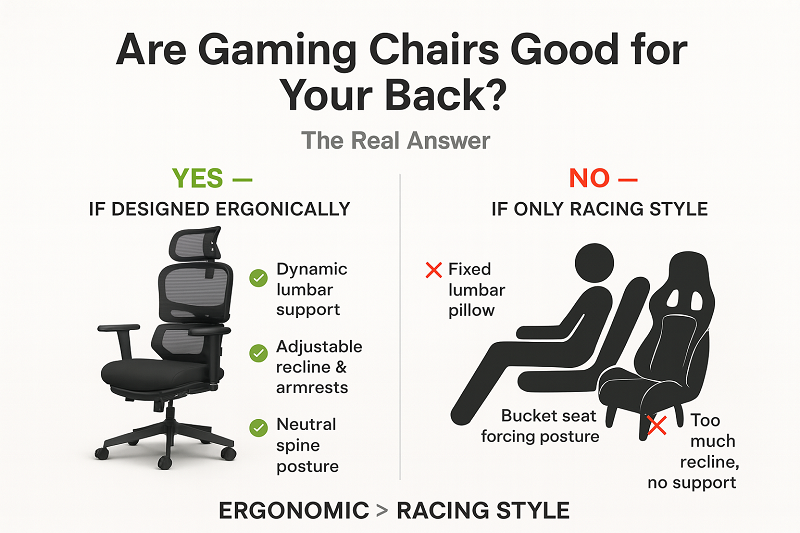
Pillow: affordable, but placement drifts; may miss your curve.
Dial-adjustable: consistent contact; better for repeatability.
Dynamic lumbar: moves with you; often the most natural feel in posture changes.
Seat base geometry
Flatter, wider pans suit thicker thighs and posture shifts. Bolstered buckets “hug” during quick moves but can pinch. Pick by body shape and play style.
Fit & Sizing Guide (Petite, Standard, Big-and-Tall)
The wrong size ruins any chair. The right size disappears under you.

Body–chair matching
Start with height/weight charts, then confirm shoulder width vs wing clearance. If the wings press your shoulders at rest, size up or choose a flatter profile.
Seat width, seat depth, and thigh clearance
Aim for 2–3 fingers between the front seat edge and the back of your knee. If thighs press into wings, choose a wider or flatter seat. If you slide forward, you likely need more depth or stronger lumbar contact.
Gas-lift range and backrest height
Feet should be flat (or on a foot platform) with elbows level to the desk. The headrest should support the back of the head, not the neck.
When to choose office-ergo or hybrid
Need mesh breathability, seat-depth adjustability, or neutral styling? A hybrid or office-ergo model will feel cooler, fit finer, and blend better at work.
Materials, Breathability & Care
Material = climate control + longevity + maintenance.
PU leather, fabric, hybrid leatherette, knit mesh
PU leather: easiest to wipe; warmer; condition periodically to prevent cracks.
Fabric: cooler and softer; treat spills quickly.
Hybrid leatherette: durable look; still warmer than fabric.
Mesh/knit: top breathability; firmer feel; great in hot rooms and long gaming setups.
Cooling foams and density
Denser foam resists bottoming out and supports long term comfort. Cooling gels spread heat but may feel firmer. Try a 15–20-minute sit to spot pressure points.
Cleaning & maintenance
Weekly wipe-downs. Monthly hardware checks. Vacuum fabric/mesh. Condition PU occasionally. Small habits prevent early wear.
Setup & 60-Second Fit Checklist
Great features need great setup. This embedded table keeps the sequence at your fingertips.
60-second sequence (keep this open while you adjust)
|
Step |
What to Do |
Target |
|
Seat height |
Raise/lower until elbows align with desk |
Elbows level; feet flat or on footrest |
|
Lumbar |
Slide/dial until you feel gentle support |
Contact without pushing you forward |
|
Armrests |
Set height/width/depth/inward sweep |
Forearms fully supported; shoulders relaxed |
|
Back angle |
Lock a slight recline for control |
~100–115° for keyboard/mouse |
|
Screen |
Raise/lower monitor and distance |
Top near eye level; ~arm’s-length away |
Micro-break protocol
Every 30–45 minutes: stand 60–90 seconds, stretch, blink to distance, sip water. Small breaks beat big aches and keep focus steady.
Common mistakes
Typing while too reclined, armrests too low or too wide, headrest pushing the chin forward. All easy to fix—if you check them.
How to Choose the Best Chair for Long Gaming Sessions
Buying is easier with a clear decision map. Prioritize what affects comfort and control most.

Feature matrix (what to value more)
Tilt type: synchro > simple recline for desk-bound aim.
Armrest stability: full-metal cores reduce wobble.
Lumbar tuning: dial or dynamic beats a drifting pillow.
Seat width/depth: fit first; specs second.
Breathability: mesh/fabric stays cooler than PU.
Hybrid options
Hybrids pair office-ergo silhouettes with gaming features: 4D arms, simple styling, breathable backs, and dial lumbar. You keep ergonomics and lose the racer vibe.
Foam cushion
Plusher feel and vibration damping on hard floors; can run warmer than mesh. Choose denser foams for durability.
Mesh backrest
Cooler in warm rooms and marathon streams; firmer feel but better moisture control.
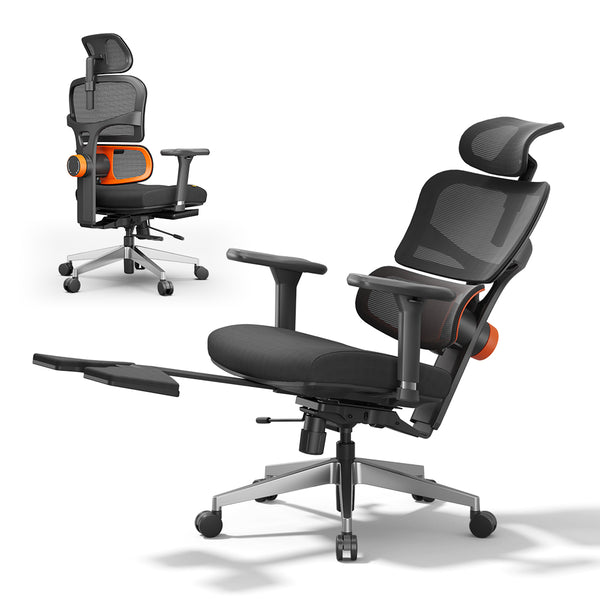
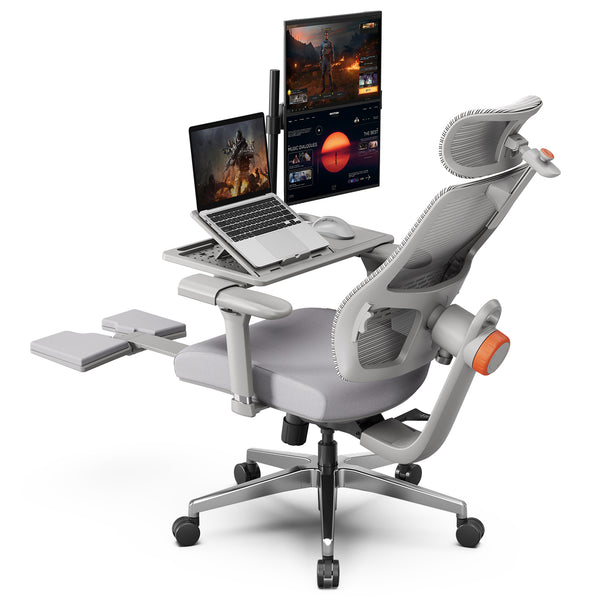
Best ergonomic gaming chair: NT002-B + Laptop Table
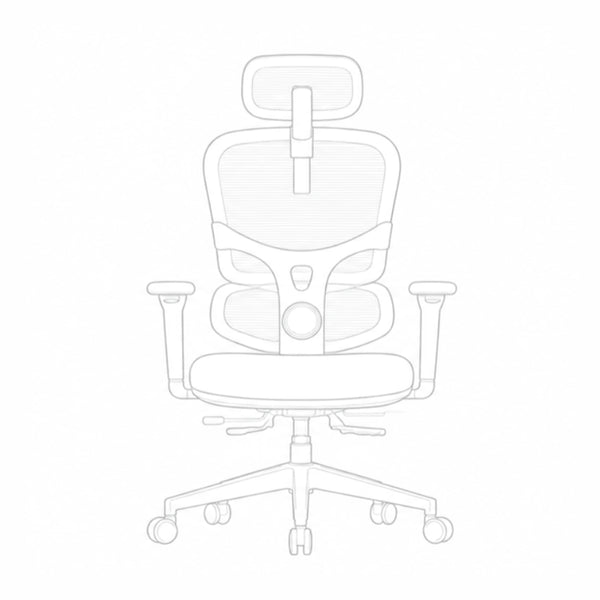
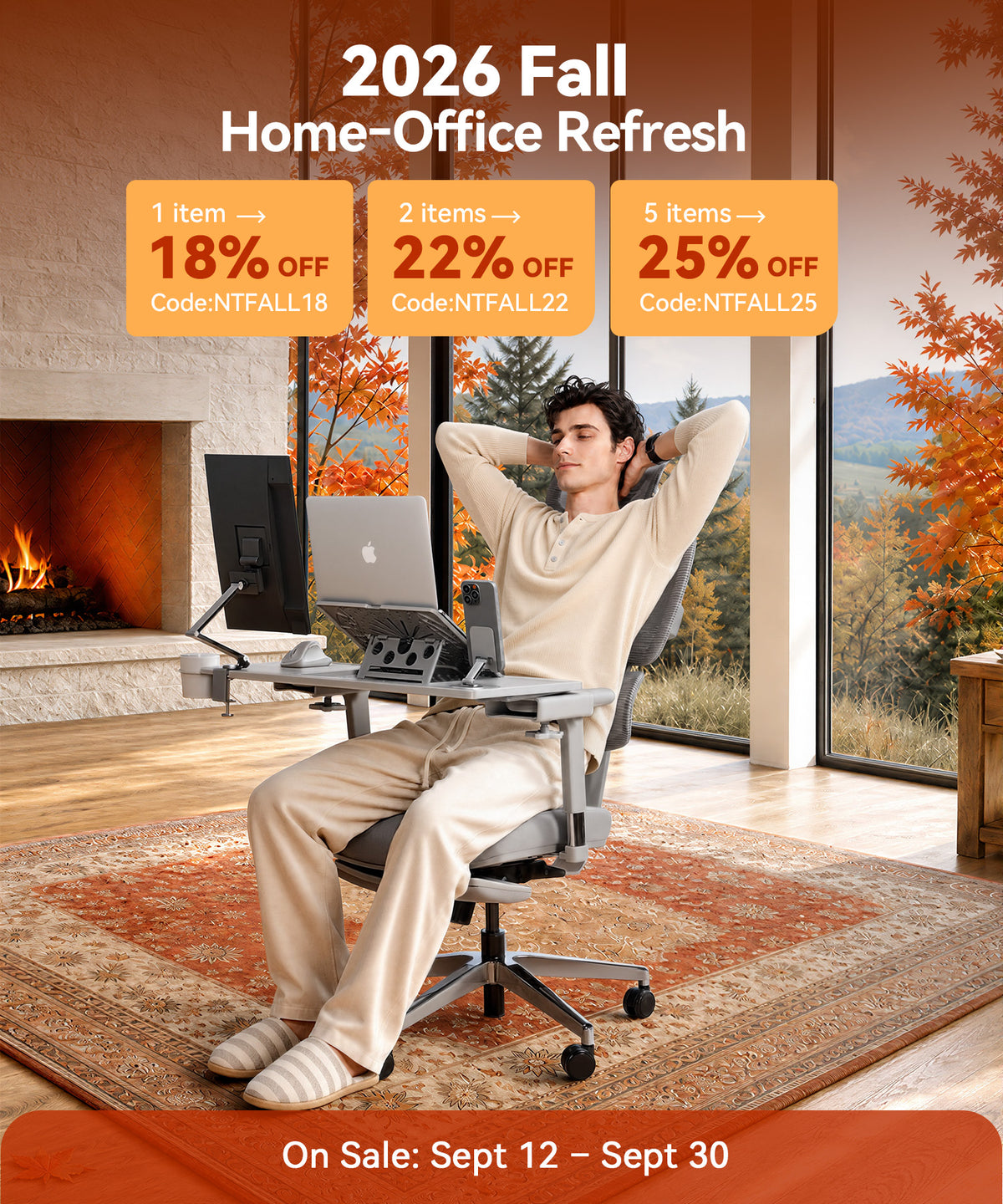
Want a work-and-play combo? The NT002-B Ergonomic Office Chair with Laptop Table blends smooth tilt, supportive back geometry, and flexible surface positioning for streams, studying, or dual-monitor gaming setups.
blog18
Best budget gaming chair: Magic H-GPro
For value seekers, Magic H-GPro brings adjustable support and a calmer aesthetic than flashy racers—more ergonomic than typical budget office chairs at a similar price.
Blog18
Use-case guidance
Streamers: prioritize armrest stability and headrest comfort for on-camera marathons.
Dorm rooms: compact bases, easy-clean materials, and simple assembly.
Corporate offices: hybrid styling with mesh and neutral colors.
Console lounge: deeper recline, stable head/neck support, and a reliable foot position.
Ownership: Warranty, Parts & Total Cost
Comfort today is only half the story. Plan for year three.
Warranty terms & what they cover
Differentiate frame vs. foam vs. mechanism. Five-year frames are common; foam and arm pads may be shorter. Understand what “wear and tear” excludes.
Spare-parts ecosystem
Can you order arm pads, gas lifts, casters, or tilt mechanisms later? If yes, you reduce total cost of ownership and extend chair life.
Signs of early wear
Foam hot spots after a few months. Arm wobble that tightening can’t fix. Tilt creaks under light load. Contact support early while you’re in-warranty.
Pros vs. Cons (with mitigations)
This table is embedded here—right after ownership—so you can weigh trade-offs before you buy.
|
Topic |
Benefit |
Drawback |
How to Mitigate |
|
Lumbar support |
Neutral spine; less fatigue |
Pillow can drift/miss curve |
Prefer dial-adjustable or dynamic lumbar |
|
4D armrests |
Better aim; shoulder relief |
Wobble on budget builds |
Choose metal cores; re-tighten hardware |
|
Seat shape |
Buckets stabilize quick moves |
Thigh pressure; narrow feel |
Pick flatter/wider pans or XL frames |
|
Materials |
PU easy to clean; fabric/mesh breathe |
PU runs hot; fabric stains |
Match to climate; clean/condition regularly |
|
Recline/tilt |
Micro-reclines refresh focus |
Over-recline for typing |
Lock ~100–115° at the desk |
Gaming Chair vs Office Ergonomic Chair (Side-by-Side)
Direct comparison matters. Use this table to decide faster.
|
Feature |
Gaming Chair (Typical) |
Office Ergo (Typical) |
Who Should Choose |
|
Tilt |
Simple recline; some synchro |
Synchro-tilt common |
Desk-bound typists and mouse users |
|
Seat depth |
Usually fixed |
Often slider |
Long thighs; precision fit needs |
|
Lumbar |
Pillow or dial |
Dial/dynamic more common |
Users needing exact curve tuning |
|
Breathability |
PU/fabric |
Mesh/fabric |
Hot rooms; marathon streams |
|
Styling |
Racing/stream-friendly |
Neutral/professional |
Corporate offices; muted setups |
|
Price band |
Wider spread |
Mid to premium |
Tight budgets → gaming; premium → either |
8 FAQs on Ergonomic Chairs Benefits and Drawbacks of Ergonomic Gaming Chairs
Are ergonomic gaming chairs actually good for your back?
Yes—if they fit. Dial or dynamic lumbar plus a light recline lowers flexion and eases disc load. Poor fit erases those gains.
Why do some chairs feel narrow or restrict thighs?
Aggressive wings. They stabilize but pinch broader thighs. Choose flatter or wider seats, or an XL frame.
Fabric vs PU—what stays cooler and lasts longer?
Fabric and mesh stay cooler. PU is easy to clean but warmer and needs conditioning to avoid cracks. Longevity depends on foam density and care.
Do 4D armrests really help aim and comfort?
Yes. Correct height and inward sweep keep shoulders relaxed and wrists neutral, improving control over long sessions.
What recline angle is best for keyboard/mouse?
Lock around 100–115°. Deeper angles are for breaks, not precision input.
How long before foam sags—and can I replace it?
Quality foam should hold for years. Early sag points to low density or heat/humidity. Many brands sell replacement pads—check availability before buying.
What if I want gaming features but hate the racing look?
Pick a hybrid: mesh back, dial lumbar, 4D arms, neutral colors—game-ready without the race-car vibe.
Can add-ons fix a poor fit?
Sometimes. Better lumbar pillows, a footrest, or a seat cushion can help. But if the shell is too narrow or depth is wrong, swap the chair.




Leave a comment
All comments are moderated before being published.
This site is protected by hCaptcha and the hCaptcha Privacy Policy and Terms of Service apply.