
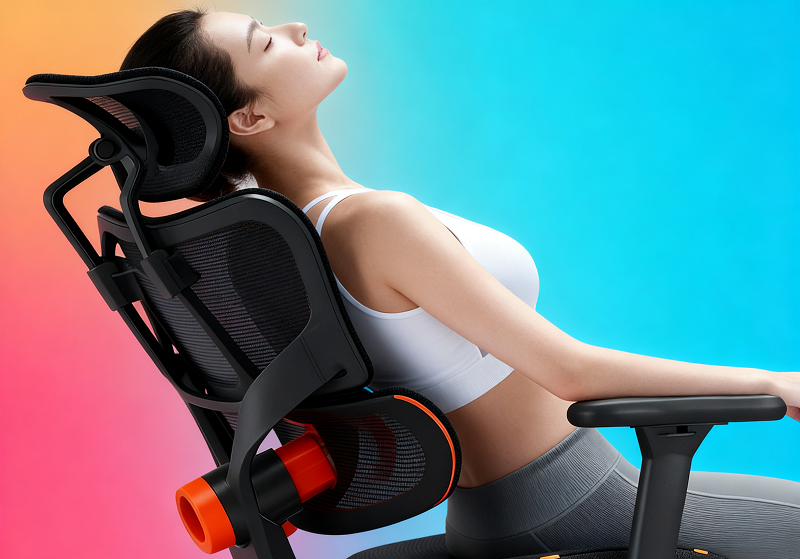
Sitting for eight hours a day in the wrong chair is one of the most effective ways to develop chronic back and neck pain. This guide breaks down what an ergonomic chair actually does, and how to choose and use one correctly.
What Makes a Chair Truly Ergonomic?
The word "ergonomic" is used loosely in furniture marketing. A chair only earns the designation in practice if it meets three standards: it aligns with the spine's natural shape, it accommodates different users through meaningful adjustability, and it sustains comfort across long sitting sessions.
Alignment with the Spine's Natural Curves
The spine has three natural curves forming an S-shape: a forward curve in the neck (cervical), a backward curve in the mid-back (thoracic), and a forward curve in the lower back (lumbar). Standard chairs with flat backrests ignore this geometry, increasing disc pressure and fatiguing the surrounding muscles.
A properly designed ergonomic backrest mirrors the S-curve: the lumbar zone protrudes slightly to fill the gap at the lower back, while the thoracic zone supports the upper back against rounding forward, keeping the spine in a mechanically efficient neutral position throughout the sitting session.
Adjustability for Different Body Types
No fixed chair can support the full range of human body types. At minimum, an ergonomic chair should allow adjustment of:
- Seat height
- Seat depth
- Lumbar support position
- Armrest height
These adjustments are what translate the chair's design intent into real support for a specific user, whether they are 5'1" or 6'3", lighter or heavier.
Sustained Comfort Over Long Sessions
A chair that feels comfortable after 30 minutes is different from one that remains comfortable after four hours. Standard foam compresses and loses resilience. Standard seat edges press into the underside of the thighs as posture shifts. Ergonomic chairs address this through waterfall-shaped seat edges that reduce thigh pressure and dense foam or breathable mesh that distributes body weight without bottoming out over the course of a long day.

Key Features of an Ergonomic Chair
Lumbar Support
Lumbar support is the most consequential single feature. A fixed foam cushion provides only static support, losing contact with the lower back the moment you lean forward or recline. Effective lumbar support adjusts in height and depth to match each user's lower-back curve.
And the most advanced designs go further. The Newtral NT001 uses a patented auto-following mechanism that tracks the backrest through its full range of motion, maintaining contact whether you are sitting upright or fully reclined. Newtral's testing indicates this reduces spinal pressure by up to 50% compared to unsupported sitting.
Seat, Backrest, and Recline
A 5 cm seat depth adjustment range allows users of different leg lengths to clear the seat edge from the back of the knees, preventing the vascular compression that causes leg numbness.
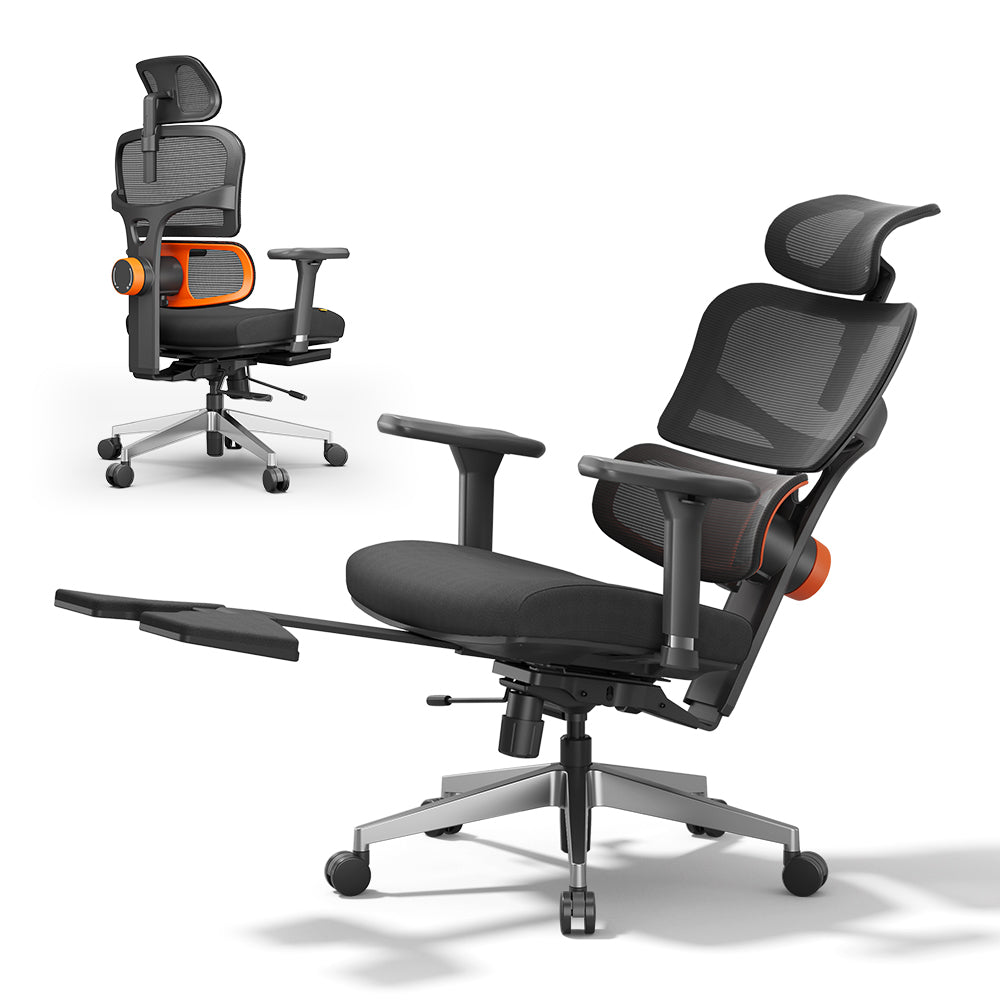
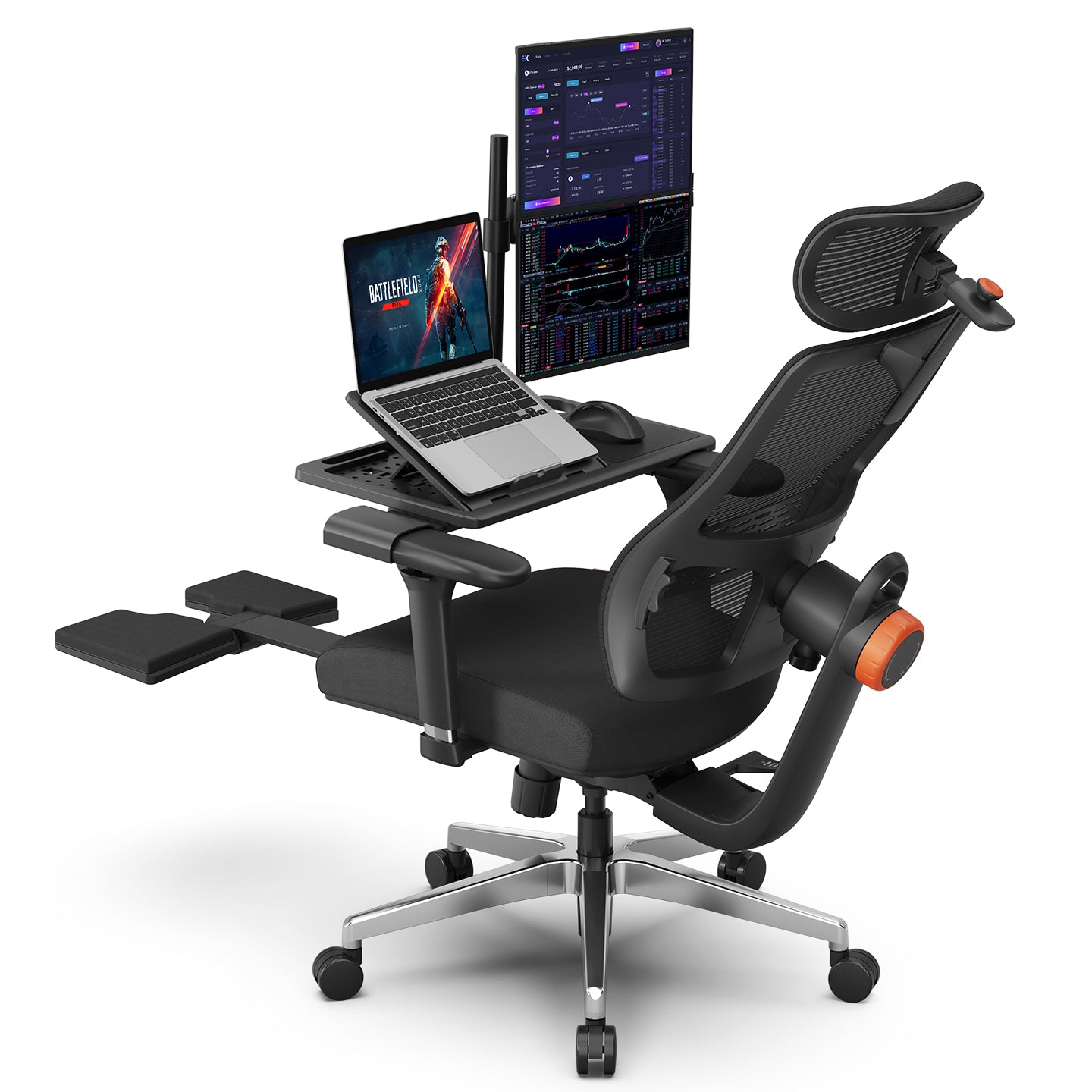
For the backrest, the Newtral NT001 and NT002 both recline from 96° to 136° with lockable positions at any angle, covering upright work, relaxed reading, and rest breaks without requiring a posture change. The NT002 adds an extendable footrest, allowing the legs to stretch out fully during reclined rest and reducing thigh pressure during longer breaks.
Armrests, Headrest, and Base
Armrests: Height-adjustable armrests support the weight of the arms, keeping elbows at roughly 90° and reducing load on the upper trapezius and neck. Four-dimensional (4D) models — such as those on the NT002 — adjust across height, width, depth, and angle, accommodating wider shoulders and making it easier to move between keyboard work and a reclined position.
Headrest: A headrest supports the cervical spine during reclined positions, reducing the forward-head pull that causes upper neck fatigue. The best designs adjust in both height and angle and lock independently of the recline angle.
Base: A five-point star design is standard, with aluminum alloy offering greater strength and durability than nylon. Gas lift cylinders should carry third-party certification, KGS Class 4, for example, for safe operation under sustained daily load.

What Are Ergonomic Chairs Used For?
Ergonomic chairs are most closely associated with office and remote work. The American Chiropractic Association estimates that around 80% of adults will experience back pain at some point in their lives, with prolonged unsupported sitting a significant contributing factor. A review of 250 case studies by the Washington State Department of Labor and Industries found that ergonomic interventions reduced lost workdays by 75% and workers' compensation costs by 68%.
Gaming is a second major use case, requiring a wide recline range and responsive lumbar support across both active play and rest. The Newtral Magic H-BPRO is built for this transition:
- Auto-following backrest locks at up to 136°
- 5D headrest adjusts independently so cervical support holds at any recline angle
- Three backrest height settings fit users from 5'1" to 6'3"
- 300 lb (136 kg) weight capacity with Korea Filo mesh for breathability through longer sessions
For rehabilitation or post-surgical recovery, the priorities shift toward consistent neutral spine maintenance with minimal user effort. Specific configuration should be discussed with a physiotherapist or treating physician.
Ergonomic Chair vs. Traditional Chair
|
Aspect |
Ergonomic Chair |
Traditional Chair |
|
Backrest design |
S-curve contoured, adjustable lumbar |
Flat or minimally curved |
|
Adjustability |
Height, recline, lumbar, armrests, seat depth |
Usually height only |
|
Spinal support |
Tracks and maintains natural curves |
Passive, largely absent |
|
Comfort duration |
4 to 8 hours |
1 to 2 hours |
|
Durability |
5 to 10 years with quality components |
2 to 3 years |
|
Price range |
$200 to $1,000+ |
$30 to $150 |
|
Best suited for |
Extended daily sitting |
Short or occasional use |
When durability is factored in, the annual cost difference narrows considerably. A $500 ergonomic chair lasting eight years costs roughly $63 per year, compared to approximately $75 per year for a $150 chair replaced every two years.
Health Benefits of an Ergonomic Chair
Spinal and Disc Health
Sitting without lumbar support flattens the spine's natural curves, increasing pressure on the L4-L5 and L5-S1 discs and contributing over time to degeneration, herniation, and chronic lower back pain.
Ergonomic chairs counter this by maintaining the lumbar curve and reducing compressive disc load. Dynamic lumbar systems extend this benefit throughout postural shifts rather than only at a fixed resting angle, a point confirmed by a 2009 study in BMC Musculoskeletal Disorders showing that adjustable lumbar support measurably reduces both muscle load and intervertebral disc pressure compared to unsupported sitting.
Muscle Fatigue and Circulation
Muscle fatigue: Maintaining a seated posture requires continuous low-level contraction of the neck, shoulder, and lower-back muscles. Without structural support, these muscles work harder to compensate, producing the familiar end-of-day tension across the upper back and neck. An ergonomic chair offloads this postural work to its structural components, allowing those muscles to stay closer to a resting state.
Circulation: The flat front edge of standard chairs presses against the femoral vessels at the underside of the thighs, causing the heaviness and numbness that develop during longer sits. Waterfall seat edges slope downward at the cushion's front, eliminating this pressure point entirely.

Pros and Cons of Ergonomic Chairs
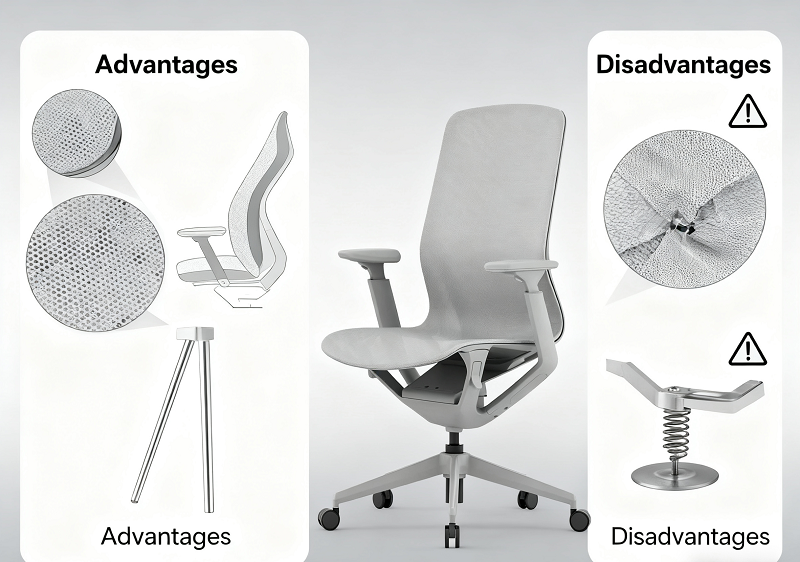
Advantages
- Sustained comfort and meaningfully reduced physical fatigue across four-to-eight-hour sessions
- Better cost-per-year value from longer component lifespan compared to standard seating
- Fewer pain-related interruptions and better sustained focus; multiple occupational health studies cite productivity improvements around 15% after ergonomic interventions
Disadvantages
- Higher upfront cost than standard seating
- A brief adaptation period of one to three days as the body adjusts to a new neutral posture
- An uneven market where ergonomic claims frequently outpace actual design; verifying specific features matters more than trusting labels
How to Choose an Ergonomic Chair?
Match the Chair to Your Use Case
Begin by clarifying how long you sit each day and for what purpose. Sessions under three hours can be well-served by chairs in the $200 to $300 range with basic adjustability. Daily use above four hours benefits from a fuller feature set: high-density foam or quality mesh, 4D armrests, dynamic lumbar support, and a certified gas lift. You can browse the full Newtral ergonomic chairs to compare models by use case and price.
Key Specs to Verify
When evaluating a chair, work through these in sequence:
- Lumbar support: adjusts in height and depth, makes firm contact with the lower back, and ideally maintains that contact as you lean forward.
- Seat cushion: press firmly and observe the rebound; quality high-density foam returns quickly to shape.
- Armrests: hold their adjusted position without drifting when weight is applied.
- Gas lift: documented as a Class 3 or Class 4 certified cylinder.
Avoid chairs priced below $150 that claim full ergonomic functionality. At that price point, lumbar support is typically a non-adjustable foam block, the gas lift is uncertified, and the base material will likely fail within two to three years.

How to Sit Correctly in an Ergonomic Chair
Configure the Chair Before You Start
- Adjust seat height so feet rest flat on the floor with knees at approximately 90°.
- Set lumbar support height to align with the inward curve of your lower back (typically around navel height), then adjust depth so the support fills the lumbar gap without forcing the back forward.
- Bring armrests up until the arms are supported without the shoulders rising.
Posture and Movement Habits
With the chair correctly set up, the backrest does most of the postural work passively. Sit with your back in full contact with the backrest, chest gently raised, and head directly above the shoulders. Aim to keep the top of your monitor at approximately eye level to prevent both downward and upward neck strain.
Ergonomic chairs are not designed for fully static sitting. Build these habits into your day:
- Recline every 30 to 60 minutes to shift the load distribution on your spine.
- Stand and walk briefly every two hours.
- Extend the footrest during reclined breaks to promote circulation and reduce lower-body fatigue.
- Keep a low level of core engagement throughout rather than fully surrendering to the chair, which preserves trunk strength over the long term.
Conclusion
An ergonomic chair delivers its full benefit only when the right design meets correct setup and consistent use. The features covered in this guide give you the criteria to evaluate both, and the sitting habits to make them count.
FAQs
Is a More Expensive Ergonomic Chair Always Better?
Not necessarily. Price reflects brand, material quality, and the breadth of adjustability. For most daily users, a mid-range chair in the $300 to $600 range with a certified gas lift, height-and-depth adjustable lumbar, and 4D armrests provides everything needed for extended sitting comfort. Features beyond this range, such as automated memory settings, add convenience rather than ergonomic value.
Are Ergonomic Chairs Better Than Gaming Chairs?
For long sessions, purpose-built ergonomic chairs generally outperform chairs marketed specifically as gaming chairs. Gaming-labeled chairs are often designed around aesthetics, with racing-style bucket seats and fixed lumbar pillows that look supportive but offer limited real adjustability. The distinction comes down to three things:
- Whether the lumbar support is genuinely adjustable
- Whether the recline locks at multiple angles
- Whether the headrest moves independently of the backrest
A chair that meets these criteria covers everything a gaming session demands while also functioning properly for work.
How Long Does It Take to Adjust to a New Ergonomic Chair?
Most users adapt within one to three days. If you have spent years in a poorly supported chair, the new neutral posture can feel unfamiliar at first. Minor discomfort during this period is normal and resolves quickly as postural muscles stop compensating for support they no longer need to provide themselves.
Are Ergonomic Chairs Worth It for Occasional Home Use?
For sessions under two hours, a standard chair is usually adequate. The ergonomic benefit increases with sitting duration. If your home use regularly reaches three or more hours, whether for remote work, study, or gaming, the investment in a properly designed ergonomic chair pays back through reduced physical discomfort and better long-term musculoskeletal health.



Leave a comment
All comments are moderated before being published.
This site is protected by hCaptcha and the hCaptcha Privacy Policy and Terms of Service apply.