
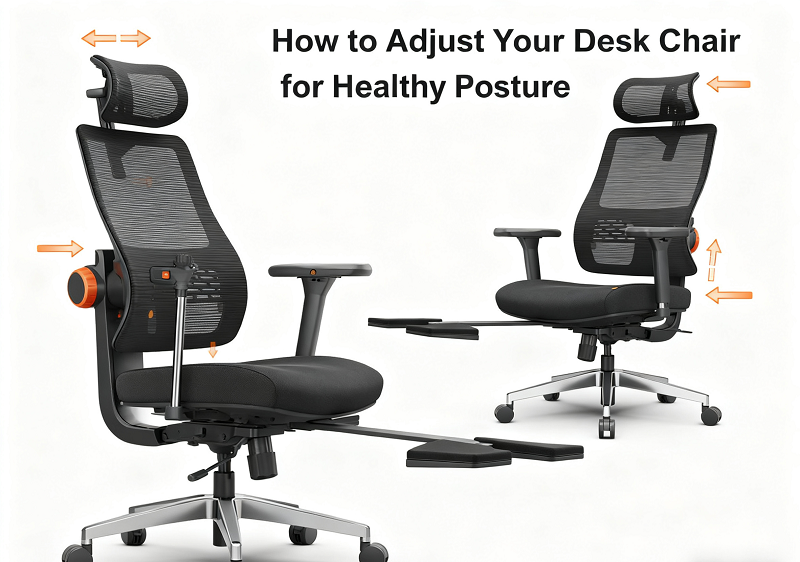
Let’s be real: you and I both spend a lot of time sitting. Whether it’s back-to-back meetings, long study sessions, gaming marathons, or remote work, hours fly by before we even stand up. But the truth is: sitting isn’t the problem. How you sit is.
Learning how to adjust your desk chair for healthy posture can completely change the way your body feels and performs throughout the day. The difference between tension and comfort, fatigue and focus, is just a few smart adjustments away.
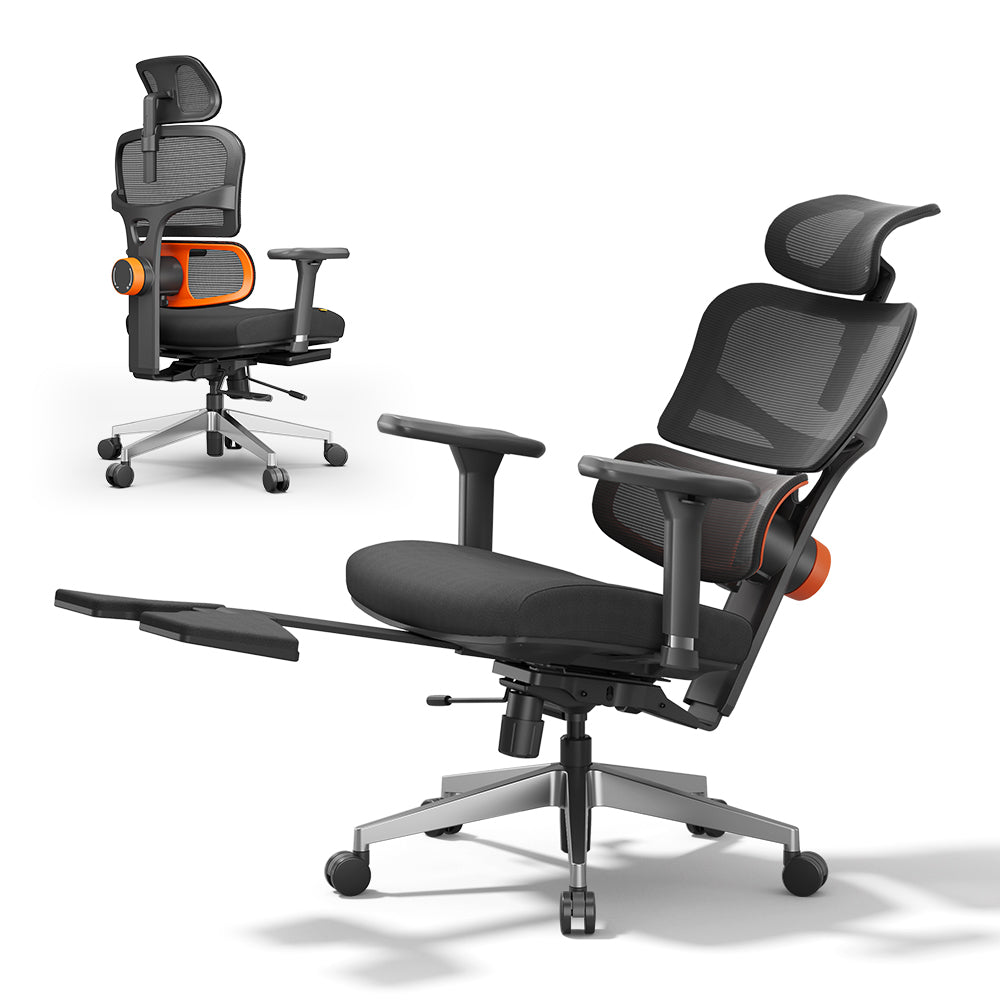
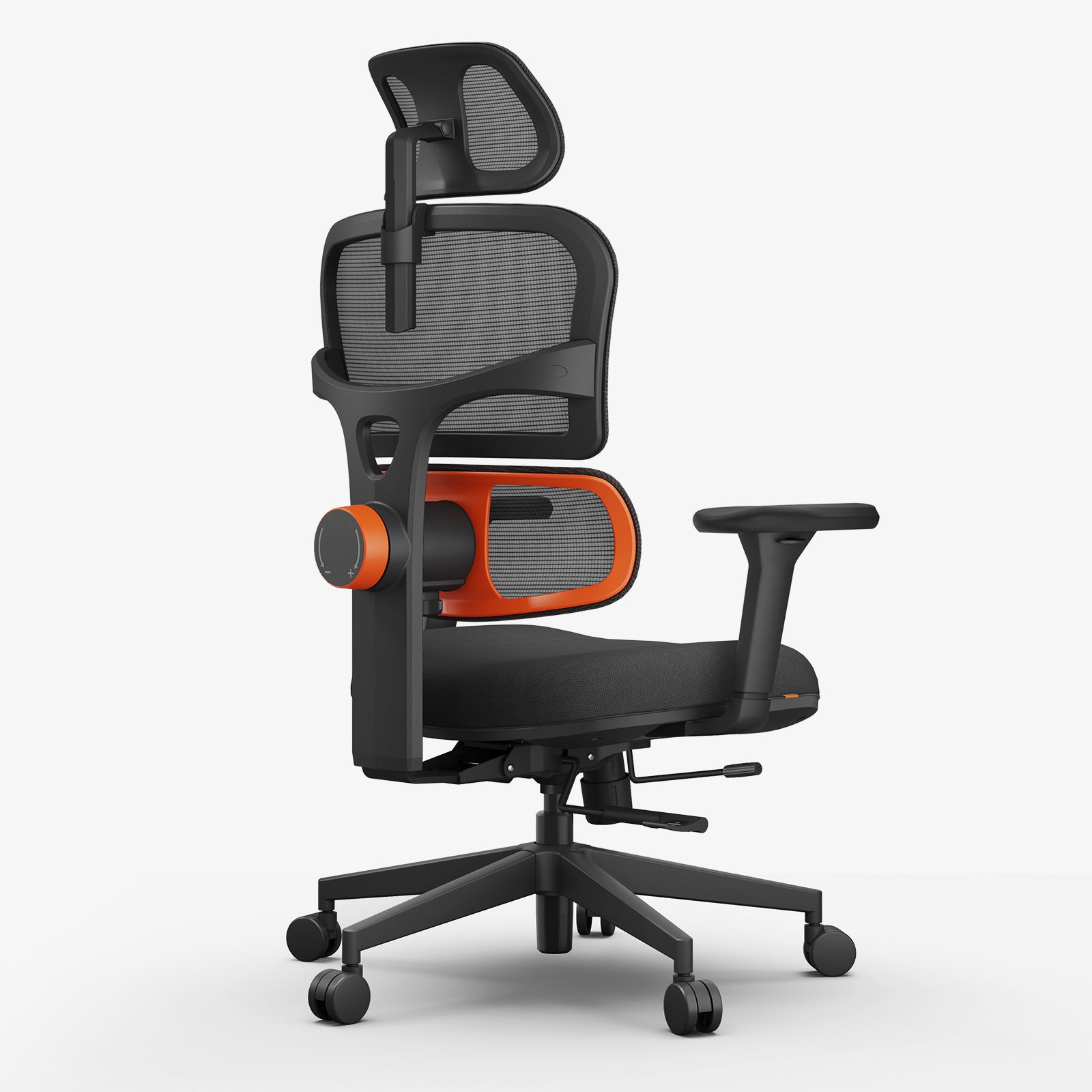
Skip the hassle: Newtralchair fits how you sit, no more working against you.
How to Adjust an Office Chair for the Best Posture?
Set your seat height so your feet rest flat and your knees bend at a 90° angle. Keep your hips slightly above your knees and your back supported at about a 100–110° recline. Position armrests so your elbows stay at 90°, shoulders relaxed. Just a few quick tweaks for posture that lasts all 8+ hours.


Should My Feet Touch the Ground on a Chair?
Yes: always. Your feet should be flat on the floor or supported by a footrest. Dangling feet strain your thighs and lower back.
Is it Better to Sit Leaning Forward or Backward?
Neither extreme is ideal. Lean slightly forward when you’re typing, recline slightly (100°-110°) when you’re reading or on calls. The key is movement.
What is the 90-90 Rule in Ergonomics?
It suggests knees and elbows should be bent at 90°, but modern ergonomics prefers “open angles”: hips around 100-110° and elbows around 90-100° for better circulation and less joint compression.
Now that you know the quick facts, let’s get your chair dialed in step by step.
Why Chair Setup Matters More Than You Think
You can buy the most expensive chair in the world, but if you don’t adjust it properly, it’s just an expensive stool. When your setup is wrong, your shoulders tense, your spine curves, and your circulation suffers.
When it’s right, everything feels lighter: your posture stabilizes, your breathing deepens, and your focus sharpens. When it comes to ergonomic office chairs, Newtral believes that comfort isn’t about sitting still; it’s about balance and adjustability.
“The best posture isn’t perfect stillness: it’s constant, effortless movement.”
2-Minute Office Chair Setup (The Core Adjustments)
If you only have two minutes, do this first. It gets you 80% of the way toward a healthy, ergonomic posture.
|
Step |
Adjustment |
Ideal Position |
Common Mistake |
|
1 |
Seat Height |
Feet flat, knees 90-100° |
Feet dangling |
|
2 |
Seat Depth |
2-inch gap behind knees |
Sitting too deep |
|
3 |
Lumbar Support |
Fits lower-back curve |
Too low or flat |
|
4 |
Armrests |
Elbows at 90°, shoulders relaxed |
Too high |
|
5 |
Monitor Height |
Top of screen at eye level |
Looking down or up |
Let’s break down each step.
1. How to Adjust Chair Height
Start from the ground up: literally. Sit down, plant both feet flat on the floor, and adjust the height so your knees bend at roughly 90°. Your hips should be slightly higher than your knees.
If your feet don’t reach the floor, use a footrest. If your desk is too high, raise your chair to match elbow height and support your feet.
Your feet are your base: once they’re stable, your whole posture aligns.
Newtral Tip: All Newtral chairs feature smooth gas-lift adjustments for precise control, so you can raise or lower your seat without jerks or drops.
2. How to Adjust Chair Back Support
Your lumbar support should match your spine’s natural curve. Slide or rotate the pad until it fits snugly into your lower back: you should feel supported but not pushed forward.
If your chair doesn’t have adjustable lumbar support, place a small cushion or rolled towel between your lower back and the chair. This simple trick can cut back pain in half.
Think of lumbar support as your chair’s handshake: firm, friendly, and supportive, never aggressive.
3. Should My Feet Touch the Ground on a Chair?
Yes. Always. Your feet should rest evenly on the floor to reduce thigh pressure and stabilize your posture. If your chair’s too tall, don’t lower your desk: add a footrest. Keeping your feet grounded keeps your spine happy.
4. How to Adjust Office Chair Seat Angle
Your seat tilt determines how your pelvis aligns: the foundation of healthy posture.
Slight forward tilt (5°-10°): best for typing and active work.
Recline angle (100°-110°): great for relaxing or reading.
Avoid rigid 90° sitting: it increases disc pressure. The ideal position feels open, balanced, and effortless.
If you’re using a Newtral ergonomic chair, fine-tune your tilt tension so you can recline smoothly without feeling like you’ll tip backward.
5. Armrests: How to Set Them Up Right
Adjust your armrests until your elbows rest naturally at 90°, shoulders relaxed. If your shoulders rise, the armrests are too high. If you hunch forward, they’re too low.
Your forearms should float just above your desk surface: lightly supported, never pressing hard.
If the armrests block your desk, lower or slide them back. Comfort = mobility.
Ergonomic Desk Chair Setup: The Perfect Desk-to-Chair Ratio
Your chair and desk work as a team. If one’s wrong, both suffer.
|
Element |
Ideal Setup |
Why It Matters |
|
Desk Height |
Slightly below elbows |
Keeps shoulders relaxed |
|
Monitor |
Top third at eye level |
Prevents neck strain |
|
Keyboard and Mouse |
Close to body |
Avoids shoulder reach |
|
Feet |
Flat or on footrest |
Improves blood flow |
|
Recline Angle |
100°-110° |
Relieves spinal load |
Best Way to Sit in an Office Chair
Now that everything’s aligned, let’s talk about how to actually sit.
Sit all the way back so your spine rests fully on the backrest. Keep shoulders relaxed and slightly back, chin tucked gently, and elbows close to your sides. Wrists stay straight while typing, and your feet remain grounded.


Avoid perching on the edge of your seat: that’s a guaranteed route to back pain. Instead, use your chair’s support.
At Newtral, we call this “active stillness” — you’re supported, but free to move.
Is It Better to Sit Leaning Forward or Backward?
Neither extreme works long-term. Lean slightly forward when you’re typing or focusing, and recline gently during breaks. Alternating positions keeps your muscles active and prevents stiffness. The best posture is always your next one.
Advanced Adjustments: Make It Truly Yours
Once you’ve nailed the basics, spend five extra minutes fine-tuning for comfort.
Tilt Tension: Adjust until leaning back feels natural: no effort, no snapping back.
Seat Depth: Keep a 2-inch gap behind your knees to avoid pressure.
Headrest: Set it so it supports the base of your skull. Use it for rest, not for typing.
Microbreaks: Every 25-30 minutes, stand, stretch, or take a 20-second walk. Small movements make a huge difference.
What Is the 90 90 Rule in Ergonomics?
You’ll hear people talk about the 90-90 rule: knees and elbows at 90°. It’s a good starting point, but real comfort comes from open angles. Aim for hips at about 100-110° and elbows slightly over 90°. This opens your torso, improves breathing, and keeps your spine neutral.
Quick Comparison Table: Bad vs. Good Setup
|
Factor |
Poor Setup |
Healthy Setup |
|
Seat Height |
Feet off the ground |
Feet flat, knees 90° |
|
Seat Depth |
Edge pressing knees |
One-fist gap |
|
Lumbar Support |
Flat or too low |
Matches spine curve |
|
Armrests |
Too high or low |
Under elbows, relaxed shoulders |
|
Monitor Height |
Too low/high |
Top at eye level |
|
Posture |
Rigid 90° |
Relaxed 100-110° recline |
Small tweaks, big comfort.
Printable Checklist: Proper Sitting Posture at Computer
✅ Seat height just below knees
✅ One-fist gap behind knees
✅ Lumbar support fits your curve
✅ Recline angle around 100°-110°
✅ Armrests level with elbows
✅ Screen top at eye level
✅ Feet flat or on a footrest
✅ Move every 20-30 minutes
Keep this checklist handy: print it, pin it, or save it as your daily reminder.
Final Thoughts: Your Chair, Your Move
You don’t need to chase the perfect posture: you just need a flexible one. The secret isn’t staying still; it’s adjusting well and moving often. Once you’ve tuned your chair properly, you’ll feel the change instantly: fewer aches, more focus, and energy that lasts all day.
And if you’re using a Newtral ergonomic chair, every detail: from seat slide to lumbar depth to 3D armrests: is designed to make those adjustments effortless. You bring the focus; we bring the support.
So go ahead: sit smarter, not harder. Your back, your brain, and your future self will thank you.
FAQs
How to Lower Office Chair?
Pull the lever under your seat while sitting: your body weight helps lower it smoothly. For twist-style chairs, rotate clockwise. If it sinks suddenly, the gas lift may need replacing.
How to Adjust Office Chair Height Without Lever?
Look for a threaded cylinder under the seat. Twist clockwise to lower or counterclockwise to raise. Apply gentle pressure for smoother adjustment.
Proper Sitting Posture at Computer PDF
Want a visual guide? Download Newtral’s Proper Sitting Posture at Computer PDF: it includes simple illustrations and daily reminders to keep your body aligned.







Leave a comment
All comments are moderated before being published.
This site is protected by hCaptcha and the hCaptcha Privacy Policy and Terms of Service apply.