
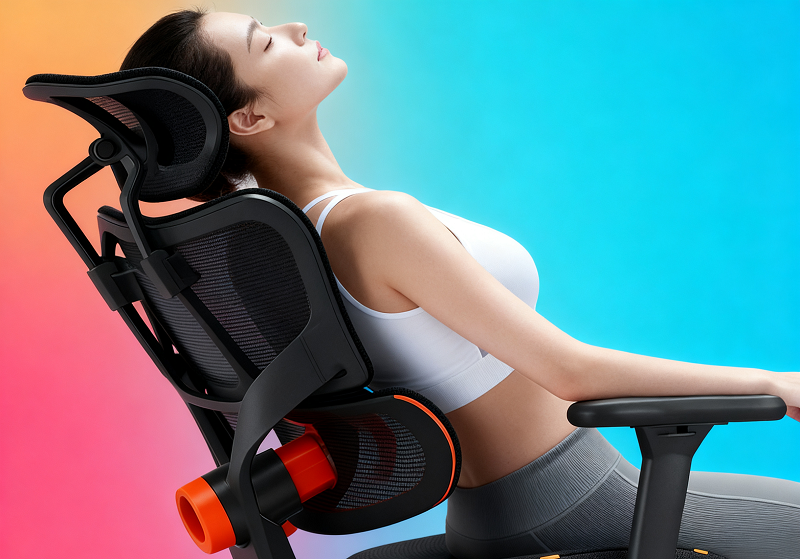
In modern life, "prolonged sitting" has become a common lifestyle—office workers spend 6-8 hours at desks, remote workers alternate between home sofas and dining tables, and students sit through long classes. However, ordinary chairs often fail to support the human body, leading to lumbar soreness, cervical stiffness, and even chronic spinal issues over time. Newtral Ergonomic Office Chair, designed to fit human physiology, have become a key solution to these problems. Below, we’ll explore what makes a chair ergonomic, its core features, practical applications, and how to maximize its value.
What Makes A Chair Ergonomic?
A truly ergonomic chair isn’t just a "labeled product"—it must meet three core standards: alignment with the human musculoskeletal system, adaptability to diverse users, and support for long-term sitting comfort. These standards ensure it protects health while being usable.
Alignment with Human Musculoskeletal Structure
The human body’s bones and muscles form a precise system; incorrect support can cause hidden damage. Ergonomic chairs prioritize "fitting the body" over forcing the body to fit the chair.
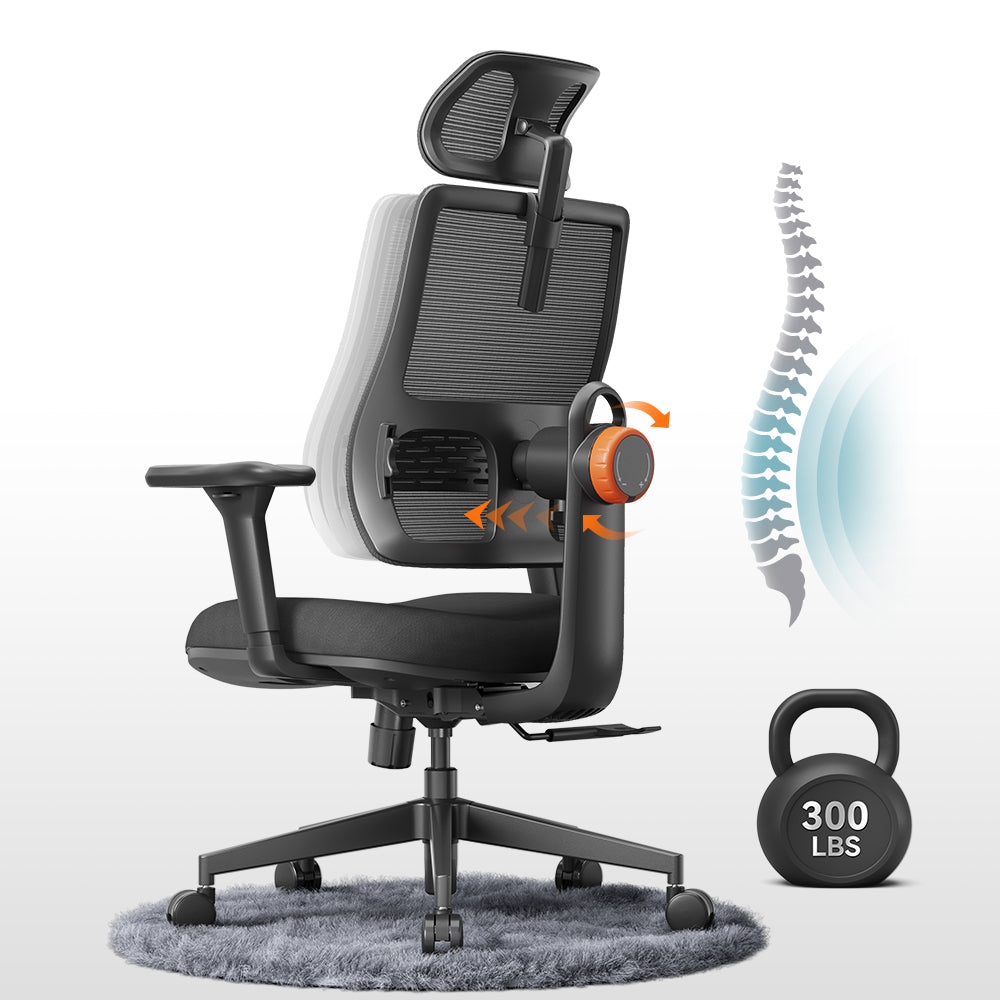
Matching Spinal Curvature: The spine has three natural curves—cervical (forward convex), thoracic (backward convex), and lumbar (forward convex). A qualified ergonomic chair’s backrest mirrors this S-shape: the cervical area gently lifts the head to avoid forward tilting, the thoracic area fits the upper back to prevent hunching, and the lumbar area protrudes slightly to fill the gap between the lower back and the chair. Studies show this design reduces lumbar pressure by 30-50% compared to traditional chairs, avoiding disc strain.
Adapting to Limb Movement Ranges: For arms, armrests should keep elbows bent at 90°, so shoulders stay relaxed instead of strained. For legs, seat height should let feet lie flat on the floor with knees at 90°, preventing pressure on the back of the thighs. For hips, seat depth needs a 2-3cm gap between the back of the knees and the seat edge, avoiding compressed hips and poor blood flow. These details let limbs move naturally without restriction.

Adjustability to Fit Diverse User Groups
No single chair fits everyone—adjustability is key to ergonomics.
Adapting to Different Heights: A 150cm user and a 190cm user have vastly different needs. Ergonomic chairs typically offer 45-55cm seat height adjustment, 60-80cm backrest height adjustment, and 10-15cm headrest lift. For children or those with special heights, accessories like footrests or extended backrests ensure proper support.Catering to Different Body Types: Plus-size users (over 100kg) need chairs with over 120kg load capacity and 50cm+ seat width to avoid cramping. Slim users benefit from adjustable lumbar firmness—too hard causes discomfort, too soft offers no support. High-density foam or mesh seat cushions with good resilience fit all body types, distributing pressure evenly without sinking.
Focus on Long-Term Sitting Comfort
Traditional chairs feel comfortable for 1-2 hours but cause fatigue later. Ergonomic chairs are designed for 4-8 hours of sitting.
Reducing Local Pressure Points: The hips bear most body weight, the back of the thighs press against the seat edge, and shoulders strain from holding arms. Ergonomic chairs solve this with waterfall-shaped seat edges (reducing thigh pressure), slightly curved seat surfaces (spreading hip pressure), and stable armrests (lowering shoulder load)—no more localized soreness.
Maintaining Proper Posture Without Muscle Fatigue: Holding good posture requires muscle effort; without support, muscles tire quickly. Ergonomic chairs take over: the backrest supports the spine, the headrest holds the head, and armrests support the arms. Muscles stay relaxed, even during long sits.
What Are the Features of an Ergonomic Chair?
Ergonomic chairs’ advantages come from tangible features, divided into structural, functional, and material-safety categories—together forming a complete "comfort and health system."

Core Structural Features
These are the foundation of comfort and support, focusing on lumbar support, seat cushions, and backrests.
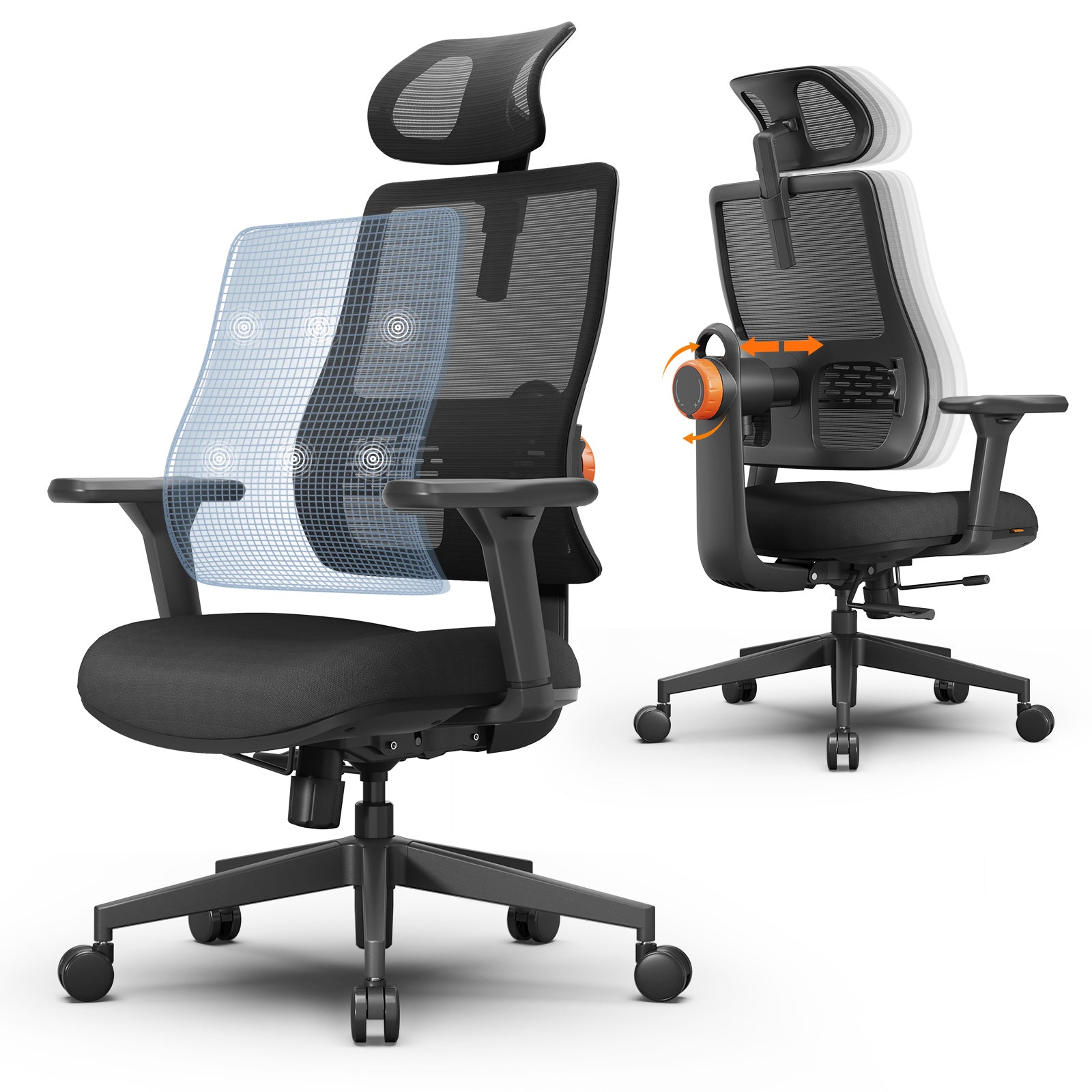
Lumbar Support: The "soul" of the chair, it needs three-way adjustment: 5-10cm height (aligning with different lumbar positions), 2-3cm depth (fitting waist gaps), and 3-5 firmness levels (suiting preferences). For example, office workers may prefer medium firmness, while those with back pain need softer support.
Seat Cushion: Material, thickness, and shape matter. Mesh fabric is breathable, avoiding hip sweat; high-density foam (over 40kg/m³) is durable and resilient. Thickness should be 8-12cm—too thin lacks support, too thick causes sinking. The waterfall-shaped front edge is non-negotiable, preventing thigh pressure.
Backrest: It must match the spinal S-curve. Tilt angle (90-135°) lets users switch between work (90°), relaxation (110-120°), and napping (135°). Tilt tension adjustment adapts to weight—heavier users need higher tension to avoid sudden tilting. 10-15cm backrest height adjustment ensures full upper back support.
Functional Adjustment Features
These determine adaptability, letting the chair fit users instead of the other way around.
Height Adjustment: Pneumatic lifts (gas lifts) are standard—safe, stable, and easy to operate. Just press the under-seat handle to adjust height, fitting 150-190cm users. Certified lifts (BIFMA/EN 1335) avoid gas leaks or bursts.
Armrest Adjustment: Three-way adjustment is key: 5-10cm height (fitting arm lengths), 3-5cm width (suiting shoulder widths), and 0-30° angle (adapting to typing or resting). Advanced models add front-back adjustment, better supporting forearms.
Recline Function: 3-5 lockable positions prevent free tilting. For example, 90° locks for focused work, 120° for reading—reducing muscle stiffness from fixed postures.
Material and Safety Features
These ensure durability and safety, avoiding short lifespans or health risks.
Breathable Fabrics: Mesh (polyester fiber) is best—breathable, wear-resistant, and non-deformable. Fabric (linen/cotton) is soft but needs regular cleaning. Leather (genuine/artificial) is premium but unbreathable for long sits in heat.
Stable Base: Five-point star bases (nylon or aluminum alloy) prevent tipping. Nylon is lightweight and corrosion-resistant; aluminum alloy is stronger. Five soft rubber casters move smoothly without scratching floors or making noise.
Safety Certifications: Look for BIFMA (U.S.) or EN 1335 (Europe) certifications—they test load capacity (100,000 seat presses), durability (50,000 backrest tilts), and lift safety (high-temperature tests). Avoid "pseudo-ergonomic" chairs without certifications.
What is an Ergonomic Chair Used for?
Ergonomic chairs aren’t just for offices—they fit any scenario requiring long sitting, protecting health and boosting efficiency.
Application in Office Scenarios
Offices are their main use case, as workers sit for hours daily.
Supporting Long-Term Desk Work: For programmers debugging code or writers drafting articles, the chair’s targeted support reduces lumbar and cervical fatigue. Overtime workers can tilt the backrest to 110° to ease eye strain.
Enhancing Work Efficiency: Discomfort distracts—back pain or leg numbness force frequent breaks. Ergonomic chairs minimize discomfort, letting users focus for 2-3 hours straight. Studies show companies using ergonomic chairs see 15-20% higher efficiency and 25-30% lower absenteeism from musculoskeletal issues.
Application in Home Scenarios
Remote work and online learning make homes "second offices," increasing demand for home-friendly ergonomic chairs.
Home Office Use: Compact designs (narrow backrests, foldable armrests) save space. Light-colored mesh chairs match modern decor, while fabric chairs fit warm styles—function meets aesthetics.
Leisure and Entertainment: Gamers sitting 3-4 hours need 135° tilting and lumbar pillows. Readers adjust backrests to 120° for comfort. Some models add LED lights for a gaming vibe, blending leisure and support.
Application in Specialized Scenarios
They also serve niche needs, providing targeted support.
Medical and Rehabilitation: For spinal patients or post-surgery users, chairs have rigid lumbar support to maintain neutral posture, pressure-relieving seat cushions, and remote-controlled adjustments—recommended by doctors for recovery.
Educational Institutions: Students sit through long classes; their developing skeletons need protection. Ergonomic school chairs have adjustable height/backrests, non-toxic materials, and clear lumbar support to prevent scoliosis or myopia.
Advantages of Ergonomic Chairs
Compared to traditional chairs, ergonomic models excel in health, function, and experience—justifying their investment.
Physiological Health Advantages
Preventing Spinal Problems: They reduce herniated disc, scoliosis, and lumbar strain risks by maintaining spinal curves. The American Chiropractic Association found 40% lower lumbar disc risk and 35% lower adolescent scoliosis risk with ergonomic chairs.
Relieving Muscle Tension: Neck, shoulder, and back soreness eases as the chair supports muscles, avoiding tension from poor posture.
Improving Circulation: Waterfall seats and even pressure distribution prevent leg numbness and varicose veins by reducing hip/thigh vascular compression.
Functional and Experience Advantages
Long-Term Comfort: 4-8 hours of sitting without severe fatigue, thanks to breathable materials and targeted support—ideal for long workdays.
Customizable Experience: Multiple adjustments fit individual habits—lean-back lovers tilt to 110°, wide-shouldered users widen armrests.
Durability: High-quality materials (BIFMA lifts, dense foam) last 5-10 years, vs. 2-3 years for traditional chairs. Annual cost is similar, but value is higher.
Productivity and Psychological Advantages
Reducing Interruptions: Fewer breaks from discomfort mean continuous work—programmers debug longer, writers finish articles faster.
Boosting Mood: Physical comfort lifts mental state. The University of Michigan found 20% higher job satisfaction and lower anxiety/depression among users of ergonomic chairs.

Disadvantages of Ergonomic Chairs
Ergonomic chairs have drawbacks to consider before buying, mainly in cost, adaptation, and market quality.
Cost-Related Disadvantages
- Higher Initial Investment: Basic models cost \(200-\)500, high-end \(1,000+, vs. \)30-$150 for traditional chairs. But long lifespan makes annual cost similar—view it as a health investment.
- Additional Maintenance: Casters (\(10-\)30) wear in 3-5 years, lifts (\(30-\)50) leak in 5-8 years, and mesh (\(50-\)100) may tear. Costs are low but predictable.
Usage and Adaptation Disadvantages
- Learning Curve: Multiple buttons (height, tilt, armrest) require reading manuals—challenging for seniors or tech novices. Adaptation takes 1-3 days.
- Space Requirements: Larger size (80cm+ backrest, 60cm+ base radius) needs spacious rooms. Small home offices may need compact models.
- Over-Design for Short Sits: For 10-15 minute uses (dining, waiting), traditional chairs are more convenient—ergonomic models are overkill.
Quality and Market Disadvantages
- Uneven Market Quality: "Pseudo-ergonomic" chairs add cheap lumbar pillows but lack adjustments or S-curve backrests—they cause more discomfort. Choose certified models with good reviews.
- Limited Styles: Focus on function means fewer decorative options—mostly black/gray mesh/fabric, vs. Nordic or industrial-style traditional chairs.
The Connection Between Ergonomic Chairs and Health
Ergonomic chairs’ core value is health protection—they prevent disease, ease discomfort, and boost well-being, with clear links to spinal, muscular, and metabolic health.

Impact on Spinal Health
Lumbar Support Prevents Degeneration: Without support, lumbar curves flatten, increasing disc pressure. Ergonomic chairs’ lumbar support maintains curves, cutting disc pressure by 30-50% and slowing degeneration.
Backrest Curvature Maintains Neutral Posture: Traditional chairs cause hunching or leaning; ergonomic backrests guide neutral S-shape posture, avoiding spinal strain.
Impact on Muscular System Health
Reducing Static Muscle Work: Traditional chairs force muscles to tense (holding heads, supporting arms). Ergonomic chairs take over, lowering muscle load and fatigue.
Preventing Muscular Imbalances: Tilted sitting causes uneven muscle tension. Ergonomic chairs ensure symmetrical posture, balancing muscle stress and avoiding atrophy or joint pain.
Impact on Metabolic and Circulatory Health
Improving Blood Circulation: Even pressure distribution reduces hip/thigh vascular compression, keeping blood flowing to legs and preventing numbness or varicose veins.
Supporting Healthy Metabolism: Fatigue from poor posture reduces activity. Ergonomic chairs boost energy, encouraging post-work movement (walking, stretching). Posture switching (tilting back) also activates muscle metabolism.
Ergonomic Chairs vs. Traditional Chairs: A Comparative Analysis
To understand ergonomic chairs’ value, compare them to traditional models across structure, health, and cost—key differences are clear in the table below.
Table 1: Ergonomic Chairs vs. Traditional Chairs Comparison
|
Comparison Aspect |
Ergonomic Chairs |
Traditional Chairs |
|
Structural Features |
S-curve backrest, adjustable lumbar support, waterfall seat edge |
Flat backrest, no/low lumbar support, flat seat edge |
|
Adjustability |
5+ functions (height, tilt, armrests, seat depth) |
0-1 function (only height, if any) |
|
Health Impact |
Reduces spinal pressure by 30-50%, eases muscle soreness, improves circulation |
High spinal pressure, soreness after 1-2 hours, poor circulation |
|
Comfort Duration |
4-8 hours of comfort |
1-2 hours of comfort, then fatigue |
|
Durability |
5-10 years (high-quality materials, certified parts) |
2-3 years (low-density foam, plastic bases) |
|
Price & Cost/Year |
\(200-\)1,000+ initial; \(20-\)100/year |
\(30-\)150 initial; \(10-\)75/year |
|
Suitable Scenarios |
Long sits (office, gaming, rehabilitation) |
Short sits (dining, waiting, casual rest) |
Structural and Functional Comparison
Ergonomic chairs have scientific designs (S-curves, multi-adjustments) to fit bodies; traditional chairs are one-size-fits-all. For example, ergonomic armrests adjust to wide shoulders, while traditional fixed armrests feel cramped.
Health and Experience Comparison
Traditional chairs offer short-term softness but long-term pain; ergonomic chairs need 1-3 days to adapt but provide lasting comfort. They also fit more users—tall, short, slim, or plus-size—while traditional chairs only suit average bodies.
Cost and Practicality Comparison
Traditional chairs are cheaper upfront but need frequent replacement; ergonomic chairs are long-term investments. They fit spacious rooms and long sits, while traditional chairs suit small spaces and short uses.
How to Choose an Ergonomic Chair
With mixed market quality, choose wisely by evaluating needs, checking functions, and considering practical factors.
Evaluate Personal Needs and Scenarios
- Clarify Usage: Office chairs need breathability and stable support; home chairs need compact designs; gaming chairs need 135° tilting; rehabilitation chairs need rigid lumbar support (doctor-recommended).
- Determine Sitting Duration: Short sits (1-3 hours) need basic adjustments (\(200-\)300); long sits (4+ hours) need full adjustments (high-density foam, 3D armrests, \(300-\)800).
- Identify Body Features: Tall users (over 180cm) need 85cm+ backrests; plus-size users (over 100kg) need 120kg+ load capacity; back pain sufferers need adjustable lumbar firmness.
Focus on Core Functional Indicators
Test Lumbar Support: Ensure 3-way adjustment (height, depth, firmness), proper fit to lumbar curves, and no discomfort.
Check Seat Comfort: Press cushions to test resilience (quick rebound = good), check breathability (blow through mesh), and feel thigh pressure (no tightness = good).
Verify Adjustments: Adjust height/armrests/tilt—smooth movement, no jamming, stable after adjustment.
Consider Practical Factors
Budget Planning: Avoid cheap "pseudo-ergonomic" chairs or overpriced models with unnecessary functions (e.g., heating). \(300-\)600 mid-range models balance quality and cost.
Brand & After-Sales: Choose reputable brands (Herman Miller, Steelcase) with 2+ year warranties (5+ years for lifts/bases) and free returns (30 days).
User Reviews: Check authentic reviews (Amazon, Wirecutter) from users with similar needs (e.g., tall users’ feedback on fit). Aim for 4+ star ratings.
How To Sit Properly In An Ergonomic Chair
A good chair needs correct use—follow these steps to maximize health benefits.
Pre-Sitting Preparation: Adjust First
- Set Seat Height: Feet flat on floor, knees at 90° (thighs parallel to floor). Use a footrest if feet hang.
- Adjust Lumbar Support: Align with navel height, adjust depth for a snug fit (no gap/pressure), and firmness to preference.
- Customize Armrests: Elbows at 90°, forearms parallel to floor, shoulders relaxed—no stretching to reach armrests.
Correct Sitting Posture Details
- Spinal Posture: Back flush with backrest, chest slightly raised, no slouching/leaning forward. Adjust screen position instead of leaning.
- Head & Neck Posture: Head upright, chin tucked, screen top at eye level—no tilting up/down (avoids cervical strain).
- Arm & Hand Posture: Hands on keyboard/mouse, elbows close to body, fingers relaxed—no hanging or straining.
- Leg & Foot Posture: Thighs parallel to floor, feet flat (no crossing/hanging)—crossing legs cuts circulation.
Maintain Posture During Long Sits
- Regular Micro-Movements: Every 30-60 minutes, tilt back to 110°, stretch arms/neck, or move feet—relaxes muscles.
- Standing Breaks: Every 2 hours, stand/walk for 5-10 minutes, stretch, or use a standing desk—reduces musculoskeletal risk by 25%.
- Avoid Over-Reliance: Keep core muscles slightly engaged (don’t sink into the chair), move arms occasionally—muscles stay strong.
FAQ
Q: Is a higher-priced ergonomic chair better?
A: No. Price depends on brand/functions, but unnecessary features (e.g., memory settings) add cost. \(300-\)600 mid-range models with core adjustments (height, lumbar, armrests) suit most users.
Q: Can ergonomic chairs be used for gaming?
A: Yes—choose models with 135° tilting, 3D headrests, and lumbar pillows. Avoid gaming-only chairs that prioritize looks over ergonomics.
Q: How to spot "pseudo-ergonomic" chairs?
A: Check for S-curve backrests, 3-way lumbar adjustment, and BIFMA/EN 1335 certifications. Pseudo-models only add lumbar pillows without adjustments.





Leave a comment
All comments are moderated before being published.
This site is protected by hCaptcha and the hCaptcha Privacy Policy and Terms of Service apply.