

Table of Contents
Beat long-hour fatigue with five proven ergonomic office chairs. You’ll get a quick comparison, clear sizing guidance, and day-one setup tips, so you can work 8–12 hours with better posture, less pressure, and more focus.
How to Choose the Best Office Chair for Long Hours?
Long sitting demands more than “first-sit comfort.” We evaluated chairs on sustained pressure distribution, heat management, recline quality, and fast adjustability. Fit coverage for petite and tall users mattered, as did ownership basics like replaceable parts and easy setup. Sources: official product pages and brand materials.

Quick Comparison (Scan First)
Table 1 - Five models at a glance (verify details on each page)
|
Model |
Best For |
Core Lumbar Approach |
Recline / Rest |
Arms & Head |
Notable Add-On |
Official Page |
|
NT002-Black |
Best Overall |
Auto-following family (lineup) |
Deep recline up to 136° with tilt-lock; built-in footrest for breaks |
2D headrest; multi-way arms (per config) |
Footrest variant |
Product page |
|
Magic H002 |
Back Pain Priority |
Auto-following lumbar support |
Recline with adjustable tension |
Head/arm adjustability (per config) |
Laptop Table bundle option |
Product page |
|
Magic H-GPro |
Tall / broad shoulders |
Adaptive back with adjustable support strength |
Deep recline with tension control |
5D headrest; multi-way arms |
– |
Product page |
|
Magic H003-Black |
Petite / precise tuning |
Strength-adjustable back & waist support; lock/unlock modes |
Lock for firm posture; unlock for flexible adapt |
Head/arm adjustability (per config) |
– |
Product page |
|
Magic H-BPro + Laptop Table |
WFH value bundle |
Magic H adaptive lumbar family |
Recline + tension strategy |
5D headrest; multi-way arms |
Detachable Laptop Table |
Product page |
Pick #1 - NT002-Black (Best Overall)
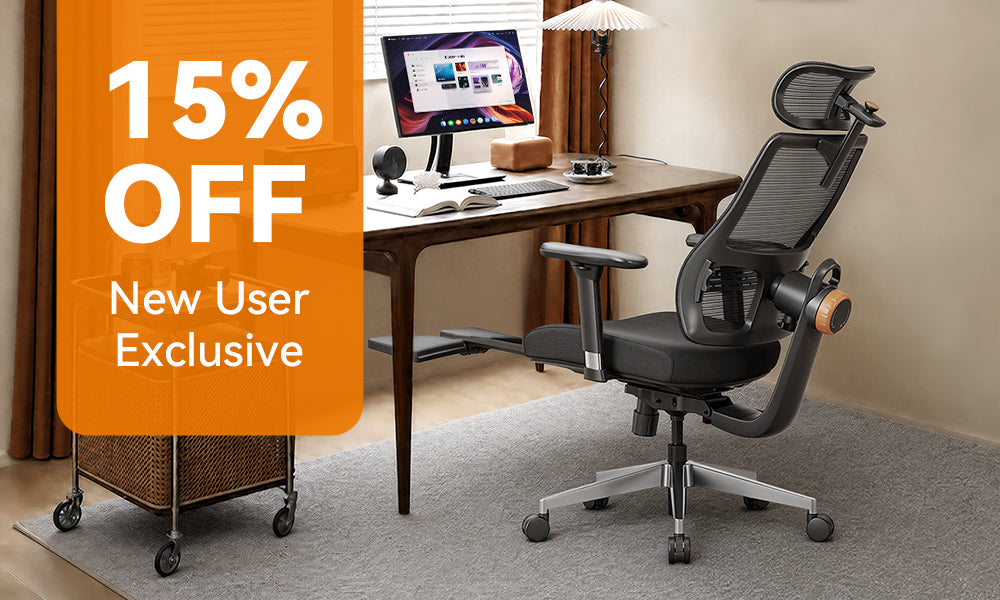
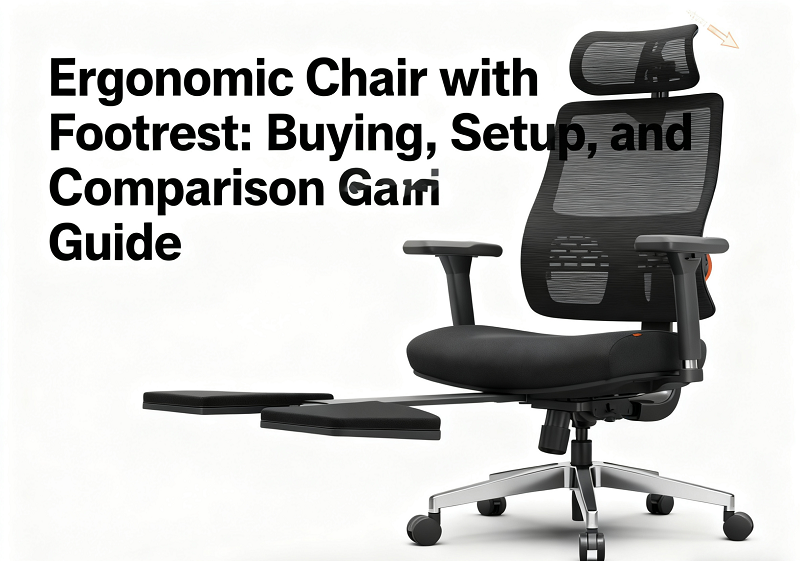
The NT002-Black balances day-long support with credible rest. Its page highlights recline up to 136°, tilt-lock, and a built-in extendable footrest-useful for short, restorative breaks without leaving the chair. In practice, that combination helps you reset hip flexor tone and reduce lower-back load between focus blocks. The model sits in Newtral’s auto-following lumbar family and includes a 2D headrest for neck angle tuning during recline. If you alternate between deep work, reading, and quick resets, this is the most versatile daily driver.
Pros: meaningful recline + lock; integrated footrest; quick posture transitions.
Considerations: use recline for breaks, not for typing; still set seat depth/arms on day one.
Pick #2 - Magic H002 (Best for Back Pain & Lumbar Support)
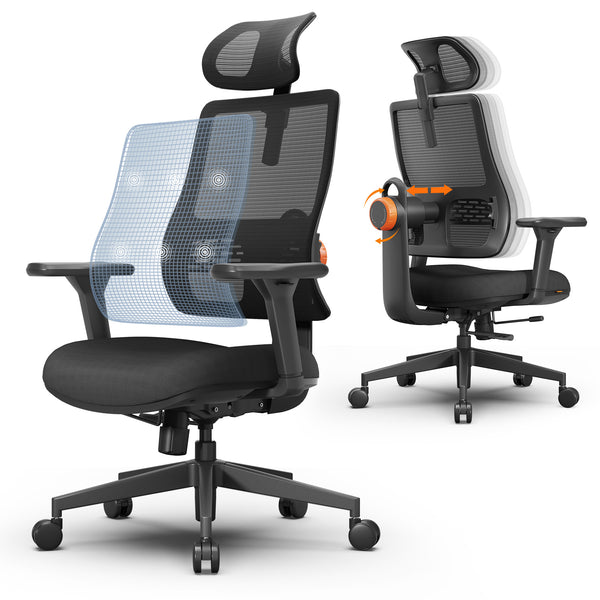
The Magic H002 is built around Auto-following Lumbar Support that maintains contact as you move between forward-lean focus, upright typing, and recline. Long days often create a “lumbar gap”; the H002 addresses that without constant knobs. The lineup also offers a Laptop Table bundle for WFH flow.

Pros: lumbar consistency across postures; simple to keep comfortable all day.
Considerations: auto-follow complements, not replaces, proper seat depth and arm setup.
Pick #3 - Magic H-GPro (Best for Tall Users)
Taller users need headrest reach, seat depth, and shoulder clearance. The Magic H family page notes adaptive back support, adjustable support strength, and a 5D headrest, which help you match back height and neck angle without forcing flexion. If you are ~6'2"+ or have long femurs, H-GPro geometry better covers thigh support and upper-back frame width.
Pros: better reach and frame room; strength-tunable back support.
Considerations: pair with proper desk/monitor height to prevent forward head.
Blog18
Pick #4 - Magic H003-Black (Best for Petite / Precision Control)
The H003 emphasizes strength-adjustable back & waist support and lock/unlock behavior-firm when locked, flexible when unlocked. Petite users benefit from lighter baseline pressure that does not push the pelvis forward. Set a gentle lumbar strength for typing; unlock for reading or calls to add natural micro-movement.
Pros: precise lumbar feel; dual behavior suits varying tasks.
Considerations: confirm headrest can drop to your neck length; check seat height for full foot contact.
Pick #5 - Magic H-BPro + Laptop Table (Best WFH Bundle)
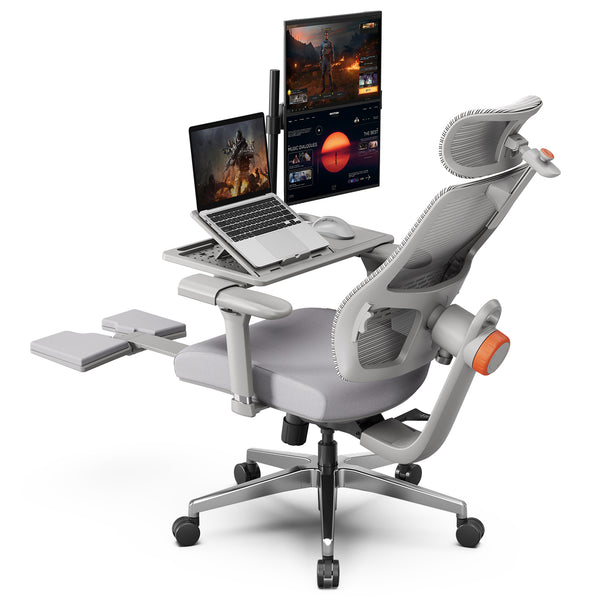
If your main device is a laptop, screen height is the bottleneck. The H-BPro + Laptop Table bundle elevates the display and stabilizes posture without a full desk overhaul. Within the Magic H family you still get adaptive back behavior and headrest options; the detachable Laptop Table adds a practical workflow piece for calls, reading, and multitask days in a compact space.
Pros: screen ergonomics solved with one purchase; tidy WFH setup.
Considerations: desktop users with monitor arms may not need the table.
Blog18
Buyer’s Guide - What Actually Matters for 8–12 Hours
Lumbar behavior: choose auto-following if you change posture often; choose strength-adjustable if you prefer a defined pressure feel.
Seat depth & front edge: keep a 2–3 finger gap behind the knee; a waterfall edge prevents hamstring pressure.
Armrests & head/neck: 3D/4D arms park elbows under shoulders; the headrest should meet the occiput in recline (skip during forward typing).
Recline quality: smooth synchro-tilt with tension control supports micro-movement without losing screen alignment.
Breathability vs plushness: mesh runs cooler; foam can feel plusher. Choose based on room temperature and sweat tendency.

Fit & Sizing (Choose Geometry Before Aesthetics)
Table 2 - Fit heuristics to apply on each product page
|
Body Profile |
Seat Height |
Seat Depth |
Armrests |
Head/Neck |
Why It Matters |
|
Petite |
Heels flat; hips slightly above knees |
2–3-finger knee gap |
Narrower & lower |
Must drop low enough |
Avoids pelvic tilt & shrugged shoulders |
|
Average |
Neutral hips; feet planted |
Gap present with and without shoes |
Just under elbow height |
Neutral in recline |
Balances upright typing & short rests |
|
Tall / Long Femurs |
May need higher seat |
Full thigh support without knee-pit pressure |
Raise & widen if needed |
Must reach skull base |
Prevents forward head, opens hip angle |
Map your measurements to each model’s published ranges (if listed). Confirm day-one adjustability: back height, lumbar height/strength, arm span, headrest travel.
Day-One Setup (Fast Wins)
Table 3 - 5-minute checklist
|
Step |
Action |
Target |
|
1 |
Seat height |
Hips slightly above knees; feet flat |
|
2 |
Seat depth |
2–3 fingers behind knees |
|
3 |
Lumbar |
Supports your curve; does not shove you forward |
|
4 |
Armrests |
Elbows ~90°, shoulders relaxed |
|
5 |
Monitor |
Top of screen at or slightly below eye level |
|
6 |
Recline |
Practice 1–2-minute micro-breaks each hour |
|
7 |
Headrest |
For recline/calls; not for forward typing |
Ownership & Care (Keep Comfort Consistent)
Table 4 - Simple upkeep for long life
|
Area |
What to do |
Why |
|
Mesh/Fabric |
Vacuum dust; spot-clean with mild soap |
Preserves breathability and texture |
|
Casters |
Remove hair threads monthly |
Smooth rolling protects knees/back |
|
Fasteners |
Check bolt/cylinder tightness quarterly |
Prevents squeaks and wobble |
|
Arm Pads |
Quick wipes after use |
Avoids cracks and residue |
|
Routine |
Program hourly move prompts |
Comfort depends on movement, not just the chair |
Which One Should You Buy?
One chair for work + real breaks: NT002-Black for 136° recline, tilt-lock, and footrest-a versatile daily driver.
Lower-back comfort above all: Magic H002 for Auto-following Lumbar Support that keeps contact across postures.
Tall geometry: Magic H-GPro for headrest reach, shoulder frame room, and strength-tunable back.
Petite precision: Magic H003-Black for strength-adjustable lumbar and lock/unlock control.
WFH laptop flow: Magic H-BPro + Laptop Table to elevate the screen and stabilize posture in small spaces.
Final tip: match your body measurements to each page’s adjustability ranges, set seat depth and arm height on day one, and rehearse that hourly micro-break. Nail these, and any of the five can carry you through long, focused days with less strain and more output.



Leave a comment
All comments are moderated before being published.
This site is protected by hCaptcha and the hCaptcha Privacy Policy and Terms of Service apply.