
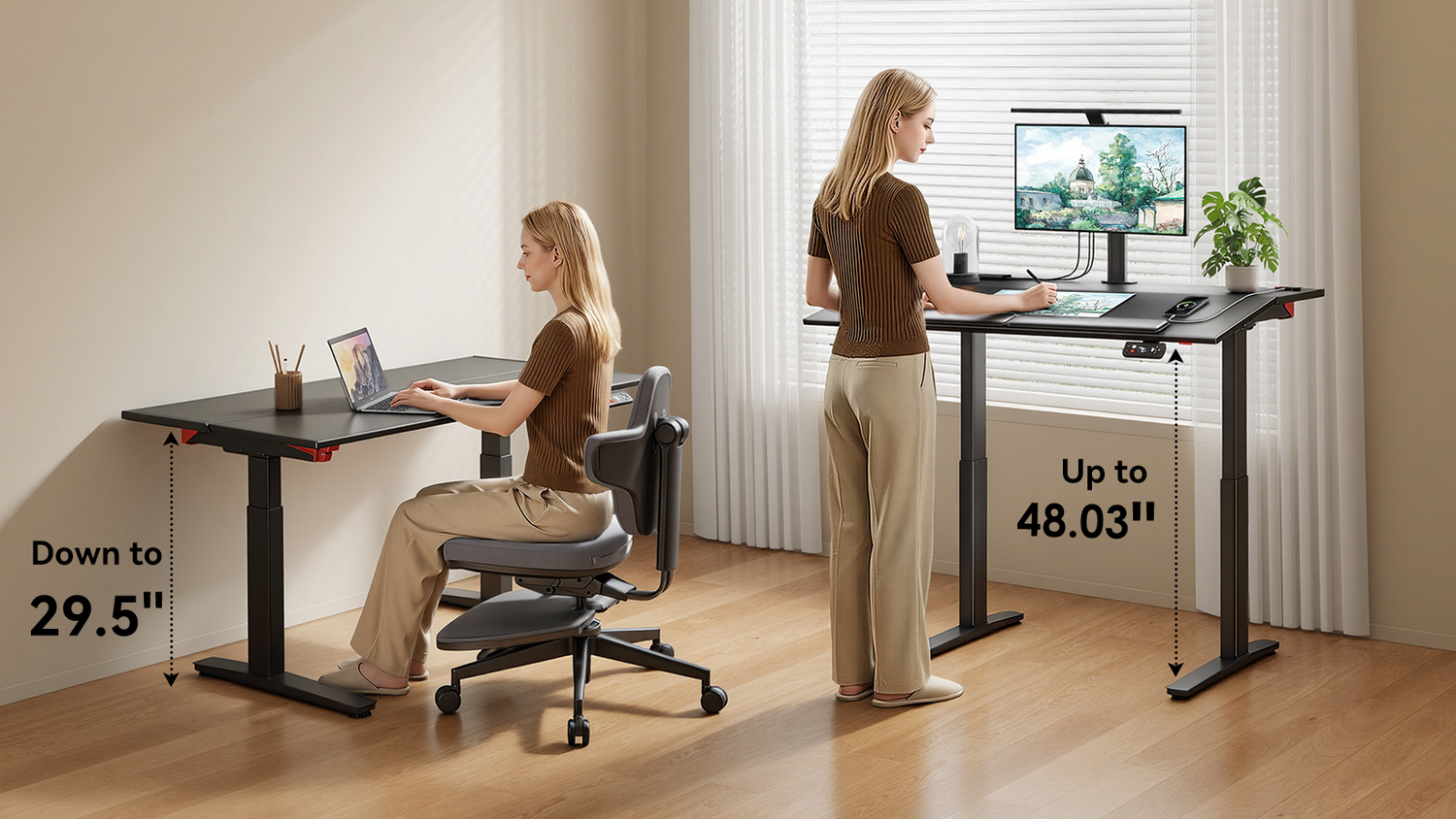
The best ergonomic chair is not simply the one with the most adjustments. It is the one that fits how work actually happens. Some people sit for long focus sessions. Others stand, lean, perch, and move throughout the day.
Where Regular Chairs Fall Short
A standard ergonomic office chair is excellent at one thing: keeping you supported while you sit. The trouble starts when you try to use it inside a workflow that involves a height-adjustable desk. Suddenly the chair is no longer a partner. It becomes a piece of furniture you keep rolling out of the way.
Height mismatch
Most office chairs top out around 21 to 22 inches at the seat. That works fine for a fixed desk at 28 to 30 inches. The moment you raise a sit-stand desk to standing height, around 38 to 45 inches, the chair becomes too short to use. You either drop the desk back down or push the chair aside and stay on your feet.
Missing postures
A regular chair typically supports upright sitting and, in some cases, reclined sitting. Those are useful positions, but they do not cover the full range of modern desk work. Many people naturally move through several postures during the day:
|
Work posture |
Best for |
Where regular chairs fall short |
|
Upright sitting |
Typing, writing, focused work |
May lack precise lumbar, armrest, or seat-depth control |
|
Reclined sitting |
Reading, calls, short breaks |
May not support smooth posture changes |
|
Perching |
Short tasks at a raised desk |
Seat height is usually too low |
|
Leaning |
Transitional standing work |
No stable leaning surface |
|
Standing |
Movement and circulation |
No foot or fatigue support |

No middle ground
The result is a binary workday. You are either fully seated or fully standing, with nothing in between. That defeats the purpose of investing in a height-adjustable desk in the first place. Movement variety, not pure standing time, is what makes sit-stand setups effective. According to the OSHA Computer Workstations eTool, regular posture changes throughout the workday help reduce the cumulative strain that any single position creates.
Let Work Style Drive the Choice
Two profiles cover most office and remote workers, and each one calls for a different kind of seating.
The sit-first worker
A sit-first worker spends most of the day seated. Standing may still be part of the routine, but it is not the primary working position.
This work style usually involves long periods of typing, reading, designing, coding, writing, or attending meetings from a seated position. Writers, programmers, accountants, designers, and most knowledge workers fall into this group. What you need is a chair that keeps your spine supported for eight or more hours without forcing you to fight the cushion.
Comfort depends on support, adjustability, and stable alignment. Sit-first workers should prioritize:
- Adaptive lumbar support
- Adjustable seat depth
- Recline control
- Flexible armrests
- Stable seated posture
- Long-session comfort
For this user, the chair should make sitting more sustainable and less static.
The stand-first worker
A stand-first worker uses a standing desk as the center of the workspace and genuinely switches between standing, perching, and sitting throughout the day. This includes engineers, healthcare professionals at standing stations, lab workers, and anyone who feels drained by pure sitting.
This work style requires seating that moves across postures instead of locking the body into one position. It often includes standing for calls, leaning during reviews, perching for short tasks, and sitting when deeper support is needed.
|
Trait |
Sit-First Worker |
Stand-First Worker |
|
Primary desk type |
Fixed or rarely raised |
Frequently height-adjusted |
|
Time on feet per day |
Less than 1 hour |
2 to 4 hours |
|
Posture switches |
Few, mostly recline angles |
Many, full range |
|
Chair priority |
Long-session lumbar support |
Posture transition support |

What Sit-First Workers Need
When most of your day is spent typing, reading, or in video calls, the chair does the heaviest work. A few features matter more than the rest:
-
Adaptive lumbar support. Static lumbar pads only feel right in one specific posture. The instant you shift forward to type or recline to think, the contact point disappears and the lower back starts compensating. Adaptive lumbar support that follows the spine through small posture changes keeps the curve protected without constant manual adjustment.
-
Seat depth control. Thigh length varies widely, and a seat that is too deep cuts off circulation behind the knees. Adjustable depth lets the chair fit the body rather than the other way around.
-
Lockable recline. The ability to switch between an upright focus posture and a relaxed thinking posture without losing back contact is what makes long sessions sustainable.
-
Multi-directional armrests. Armrests need to move in several directions so the shoulders stay relaxed whether you are typing, mousing, or reaching.
Why the NT002 fits
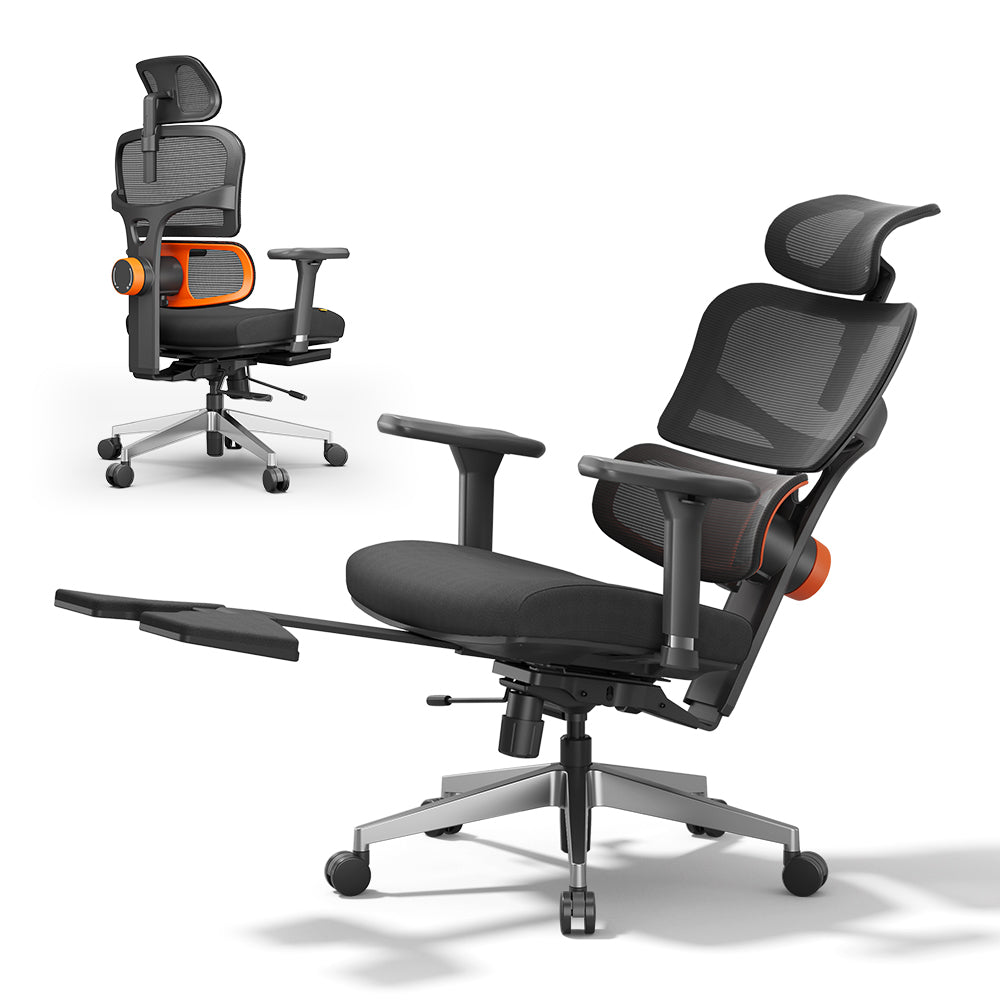
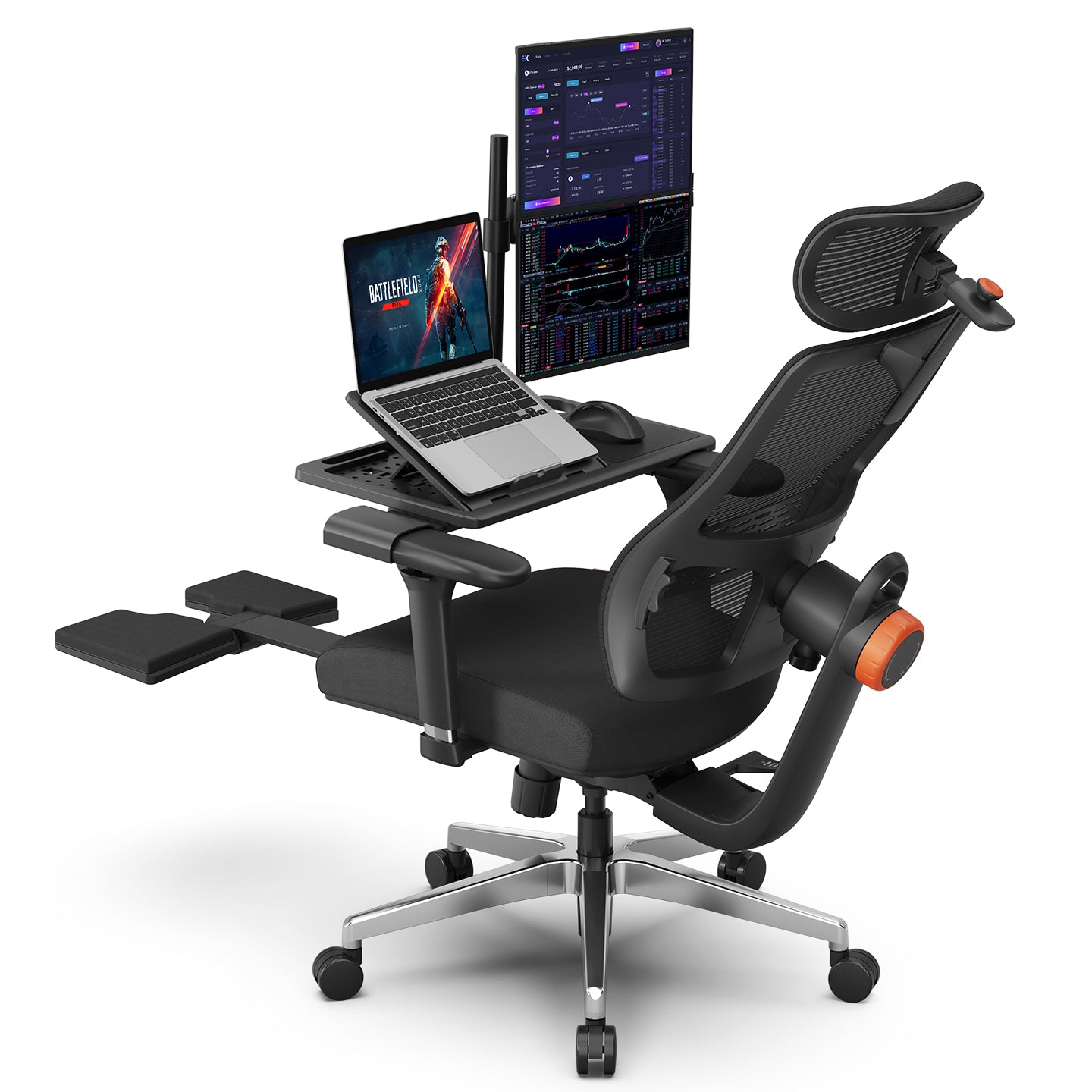
The Newtral NT002 is built around exactly these long-session sit-first needs. The patented auto-following lumbar support adjusts in real time as you shift posture, so the lower back stays supported whether you sit upright or lean forward. Tilt and lockable recline let you set a precise angle and hold it, and adjustable backrest height, armrests, and seat depth allow you to tune the fit to your body.
For a worker who spends seven or eight hours seated, this is the foundation that prevents pain from accumulating.

What Stand-First Workers Need
The needs of a stand-first worker look very different. The chair is not the center of the workspace. It is one of several positions you cycle through, and it has to keep up with the desk.
A seat height that reaches standing-desk range, so perching and leaning are actually possible when the desk is raised.
Backrest support at non-vertical angles, for the moments when your weight shifts forward or backward against the chair.
Underfoot cushioning, because long stretches of standing put repeated pressure on the heels and the balls of the feet.
How the Standing-Mate Solves It
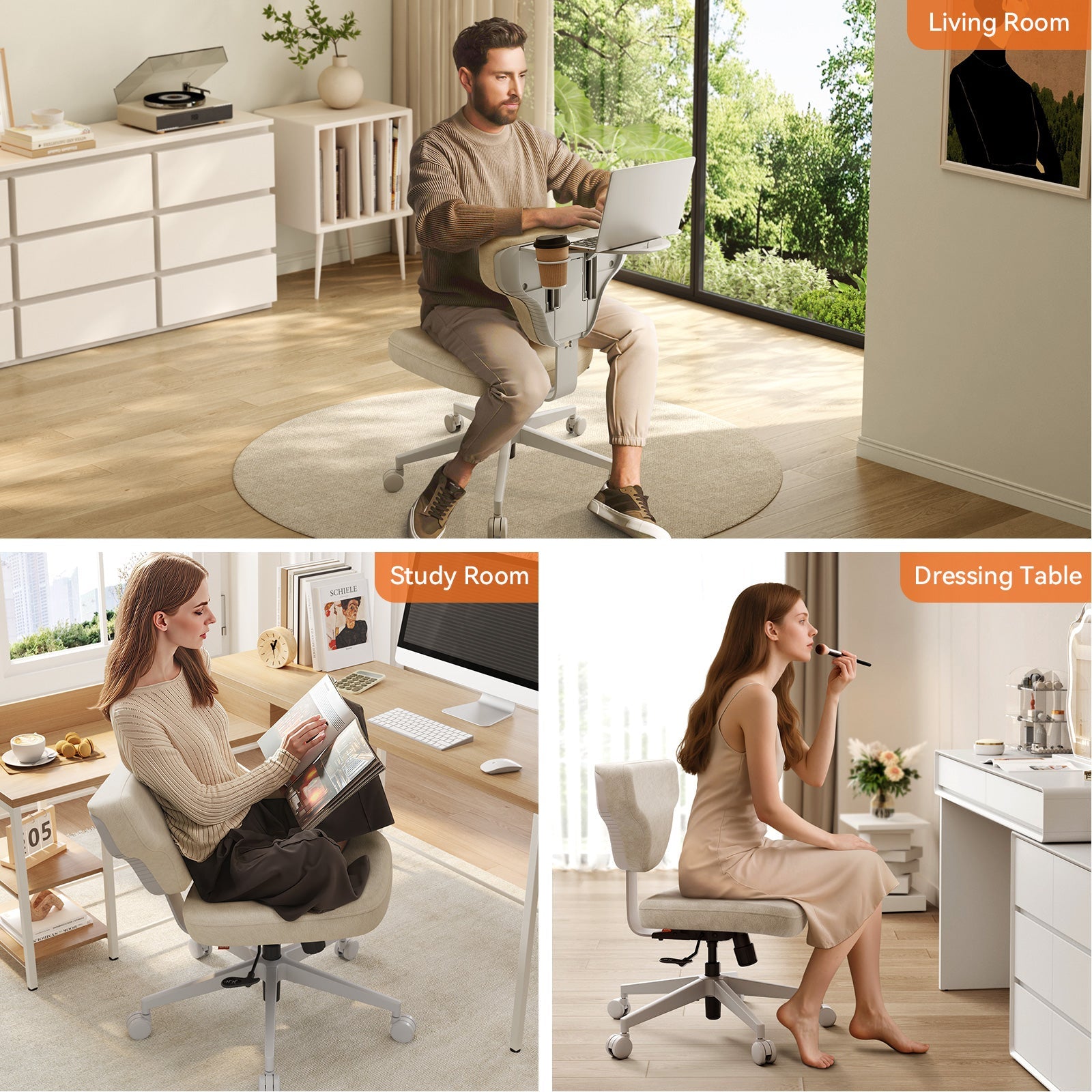
The Newtral Standing-Mate was designed specifically for stand-first work. It is not a regular chair with extra height. It is a different category of seating, built around the way active sit-stand workers actually move through their day.

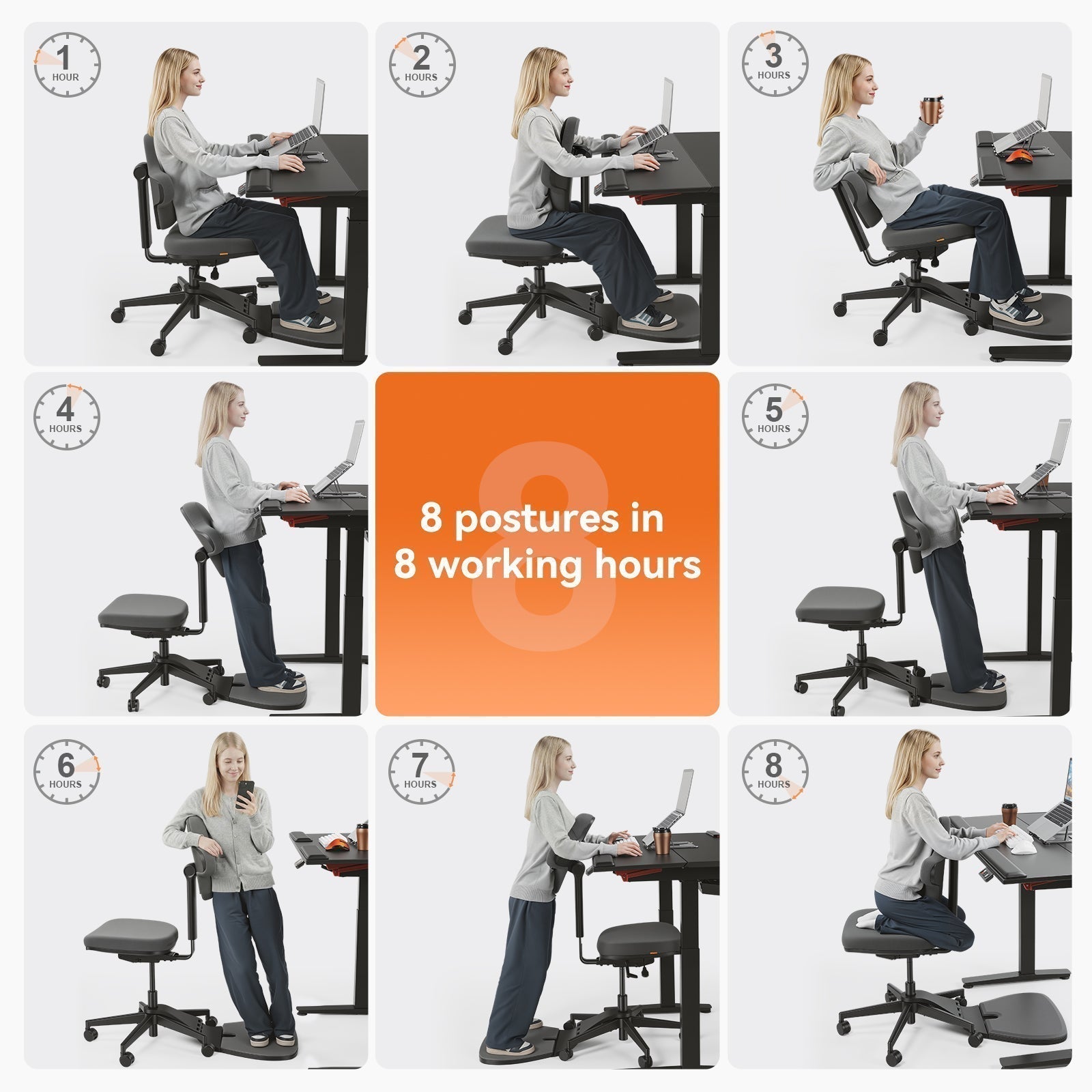
6 posture modes
The Standing-Mate supports six distinct postures in a single chair:
- Upright sitting
- Reclined sitting
- Straddle sitting
- Perching
- Leaning back while standing
- Chest-supported forward standing
- Instead of forcing you back into a chair, it lets the chair travel with you across the postures your workflow already uses.
Built-in standing mat
A slow-rebound memory foam mat is integrated into the base, providing soft underfoot support whenever you stand at the desk. There is no separate mat to remember or reposition, and the cushioning stays consistent across the full range of chair positions.
Dual-height backrest
The precision-adjustable backrest is engineered to support the lumbar spine at both seated and standing heights. Most chairs are tuned for one position only. The Standing-Mate's dual-adjustment system finds the right contact point whether you are perched at desk height or seated at conventional height.
The Complete Standing Desk Setup
A chair, no matter how well designed, only solves half of the workspace equation. The desk itself has to cooperate.
Pairing with the Newtral DE-A
The Newtral DE-A Smart Electric Tilt Standing Desk is the natural companion piece. Its motorized height range covers everything from comfortable seated work to extended standing sessions, and the smart tilt feature adds an angle option for tasks like writing or sketching. Together with the Standing-Mate, the two pieces create a workstation that adapts continuously rather than forcing posture decisions at fixed intervals.
How they work together
The desk handles vertical movement. The chair handles postural movement. When both are tuned to the same workflow, you stop thinking about ergonomics and start working. You sit when focus matters most, perch during long calls, stand for energy, and lean for rhythm. The friction of switching between modes drops to almost zero.
In Summary
Start by identifying your work mode. If you spend seven or more hours seated, build the workspace around a long-session chair like the NT002 Ergonomic Chair. If your day already includes regular sit-stand transitions, lead with the Standing Desk Chair and pair it with a height-adjustable desk like the Height Adjustable Desk. The right starting point depends on the work you actually do, not the workspace you imagine you will have.
FAQs
Can a standing desk chair replace a regular office chair?
It depends on how you work. A standing desk chair works well as the primary chair if the day involves frequent height changes. For long focused sessions spent mostly seated, a traditional ergonomic chair will give deeper lumbar support.
Do I still need an anti-fatigue mat with a standing desk chair?
Not if the chair already includes one. The Standing-Mate has a memory foam mat built into the base. Without integrated support, a separate anti-fatigue mat is still recommended for standing sessions longer than 30 minutes.
How long can you safely perch in one session?
Keep any single perching session to roughly 20 to 30 minutes before switching to full sitting or full standing. The goal is to break up sustained postures, not replace them.
Can I switch between two chairs throughout the day?
Yes, and many sit-stand users find this the most ergonomic setup. Use a long-session chair for deep focus blocks and switch to a standing desk chair when the workflow turns active.
Related reading: Standing Desk Chair vs. Standing Desk Stool


Leave a comment
All comments are moderated before being published.
This site is protected by hCaptcha and the hCaptcha Privacy Policy and Terms of Service apply.