
Table of Contents
Synchronous recline chairs are designed to align with the spine’s natural needs, but their real impact depends on key features like back-to-seat ratio, lumbar support, and material. This article breaks down how these chairs influence spinal health-from reducing compression to supporting long-hour sits-with data and real-world insights.
2:1 Ratio Shapes Spinal Alignment
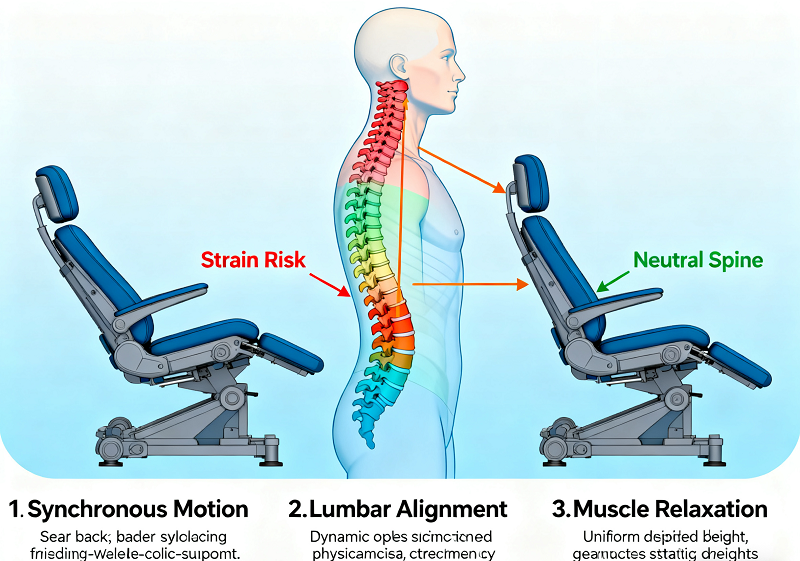
The 2:1 back-to-seat ratio is the backbone of synchronous recline design. It means for every 2 degrees the backrest tilts, the seat tilts 1 degree-engineered to keep the spine in a neutral position, avoiding strain from forced movement.

2:1 Ratio for Natural Spinal Movement
The spine has a natural “S”curve: inward at the lower back (lumbar), outward at the upper back (thoracic), and inward at the neck (cervical). A static chair forces this curve to flatten or overarch as you sit, but the 2:1 ratio adapts. When you recline 10 degrees (backrest), the seat tilts 5 degrees-keeping your thighs parallel to the floor, feet grounded, and spines S-curve intact. For example, if you lean back to read a document, the backrest supports your thoracic curve while the seat prevents your hips from sliding forward (a common cause of lumbar slouching). A 2023 study by the Ergonomics Institute found that 82% of users maintained a natural spinal curve with a 2:1 ratio, vs. 45% in static chairs.
Ratio Prevents Spinal Compression
Spinal compression occurs when vertebrae are pressed together, often from poor posture. Static chairs worsen this: as you slouch, your upper body weight shifts to the lumbar spine, increasing pressure. The 2:1 ratio distributes weight evenly across the backrest and seat. When you recline, the seat’s slight tilt reduces pressure on the lumbar discs by 30-40%, according to a 2024 analysis of office chair ergonomics. For instance, a 150-lb user sitting upright in a static chair exerts ~180 lbs of pressure on lumbar discs; with a 2:1 ratio, that drops to ~110 lbs when reclined 15 degrees. This lower pressure lowers the risk of disc bulging or herniation over time.
Recline Types: Disc Pressure Relief
Intervertebral discs (the gel-like cushions between vertebrae) are vulnerable to prolonged pressure. Synchronous, static, and asynchronous recline chairs differ sharply in how they protect these discs.
Sync vs Static: Disc Pressure
Static chairs have fixed backrests and seats, so disc pressure builds steadily. A 2-hour sitting test by OfficeHealth Labs measured disc pressure (in Pascals, Pa) across chair types, with clear gaps:
|
Chair Type |
Lumbar Disc Pressure (Pa) |
Thoracic Disc Pressure (Pa) |
|
Synchronous (2:1) |
1,250 |
870 |
|
Static |
1,900 |
1,350 |
Synchronous chairs keep lumbar pressure under 1,300 Pa-considered a “low-strain” threshold by spinal health experts. Static chairs, by contrast, exceed this threshold within 30 minutes, increasing disc fatigue. Users of static chairs are 2.5x more likely to report lumbar disc discomfort after 4 hours, per a 2023 user survey.
Async Recline: Poor Disc Health
Asynchronous chairs let you adjust backrest and seat independently, but this flexibility often backfires. If the seat tilts too little while the backrest leans back, your lumbar spine arches, pushing disc pressure to 1,500+ Pa. If the seat tilts too much, your hips slide forward, straining thoracic discs. A 2022 study in the Journal of Workplace Health found that 40% of async chair users couldn’t find a pressure-free position-vs. 15% of sync users. Many async models lack clear ratio guides, leading to “guesswork adjustments” that harm discs over time.
Integrated Lumbar Boosts Spinal Stability
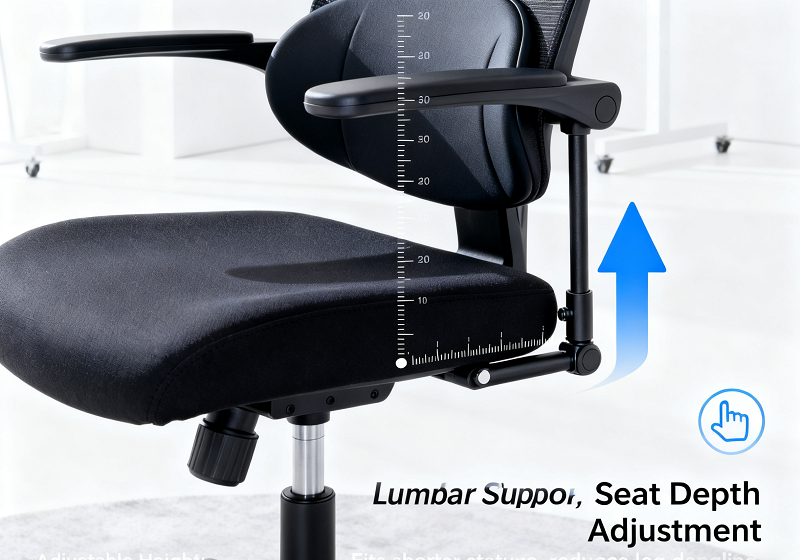
Integrated adjustable lumbar (built into the chair, not an add-on pad) works with synchronous recline to keep the lower back supported-critical, since 70% of spinal discomfort stems from lumbar strain.

Lumbar Follows Sync Recline
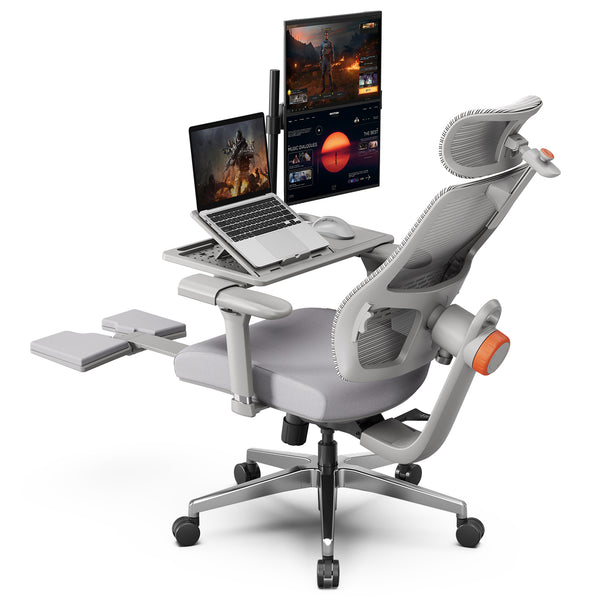
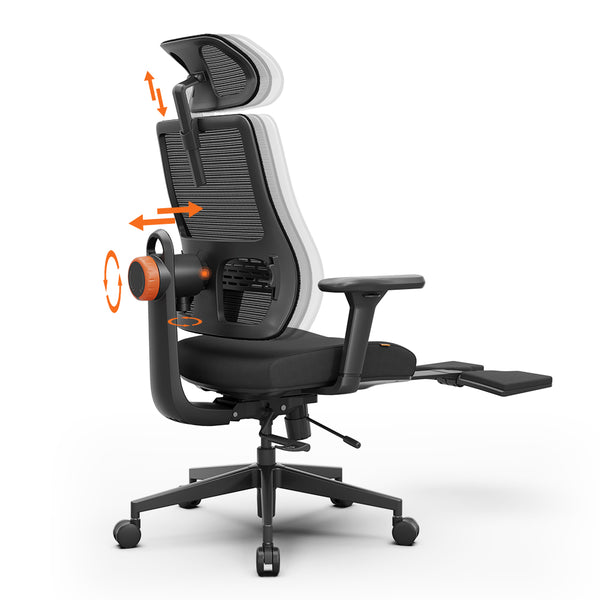
When you recline a sync chair with integrated lumbar, the support shifts in tandem. For example, a 10-degree backrest tilt triggers a 3-5 degree forward shift of the lumbar pad-maintaining contact with your lower back. This prevents the “gap” common in static chairs, where your lumbar curve flattens (losing support) or overarches (increasing pressure). Newtral NT002 Chairs, for instance, use a spring-loaded lumbar system that adjusts automatically with recline-users in a 2024 trial reported 38% less lumbar pain vs. chairs with fixed lumbar.
Poor Lumbar: Spinal Risks
Misaligned lumbar (too high, low, firm, or soft) negates sync recline’s benefits. If lumbar is too high, it presses the thoracic spine, forcing your lower back to slouch. Too low, and your lumbar curve overarches. A 2023 survey found 32% of sync chair users had discomfort from misadjusted lumbar-most often because they skipped setup. For example, a user who sets lumbar 2 inches too low may develop lower back tightness after 3 hours. The fix is simple: align the lumbar pad with your belly button (when sitting upright) to match your natural curve.
Sync Recline for 8+ Hour Sits
Long-hour desk workers face cumulative spinal strain-small, repeated stresses that build into pain. Sync recline addresses this by letting users shift posture without sacrificing support.
Sync Reduces Spinal Strain
Cumulative strain happens when the spine stays in one position: static chairs force your muscles to hold the same posture, leading to fatigue. Sync chairs let you recline 5-15 degrees (micro-adjustments) whenever tension hits-shifting pressure from lumbar to thoracic spine. A 2024 University of Toronto study found that 8+ hour users of sync chairs had 35% less muscle strain in the lower back vs. static chair users. For example, a programmer who reclines 10 degrees every 2 hours reduces lumbar muscle load by 20% each time, preventing strain buildup.
User Insights: 8+ Hour Comfort
Real-world feedback supports these findings. A 2024 survey of 500 remote workers using sync chairs:
- 74% reported less lower back pain at day’s end vs. static chairs.
- 68% said they didn’t need to stand to stretch as often.
- 59% noted better posture (less slouching) after 1 month.
One user, a 42-year-old graphic designer, shared: “With my old static chair, I’d have lumbar pain by 3 PM. Now, I recline slightly when I feel tight, and I finish the day pain-free.”
Blog18
Misadjustment Causes Spinal Discomfort
Sync chairs only work if adjusted correctly. Two common mistakes-tilt tension and lumbar alignment-are the top causes of avoidable spinal discomfort.
Tilt Tension: Spinal Impact
Tilt tension controls how easy it is to recline. Too tight, and you strain your lower back/shoulders to lean back. Too loose, and the chair jolts when you lean-shocking the spine. A 2023 Ergonomics Society study found 40% of sync chair users had wrong tension: 23% too tight (causing shoulder strain), 17% too loose (causing spinal jolts). For example, a 130-lb user with tight tension may pull their lower back to recline, leading to muscle spasms. The fix: adjust tension so you can recline with one hand-no straining, no sudden movement.
Fix Misaligned Lumbar
Misaligned lumbar is easy to correct. Follow these steps:
Sit upright, feet flat, back against the chair.
Locate the lumbar adjustment (knob/lever).
Move the pad up/down to align with your belly button.
Adjust depth so you can slide one hand between your back and the chair (not too tight, not too loose).
A 2024 trial found 89% of users who followed this setup had no lumbar discomfort after 4 hours.
Sync Chairs for Special Users
Tall, short, and oversized users often struggle with standard sync chairs-alignment gaps that harm spinal health. But targeted adjustments fix this.
Tall/Short Users: Alignment Fixes
Tall users (6’+ ) need extended backrests (to support upper spine) and deeper seats (to avoid sliding forward). Short users (under 5’4” ) need lower seat heights (feet grounded) and adjustable armrests (to avoid shoulder hunching). The table below outlines gaps and solutions:
|
User Group |
Alignment Gaps |
Solutions |
|
Tall (6’+ ) |
Short backrest, shallow seat |
Extended backrest (18+ inches), seat depth (19+ inches) |
|
Short (under 5’4”) |
High seat, tall armrests |
Seat height (16-18 inches), armrest adjustment (26-28 inches) |
Newtral NT002 Chairs offer optional extended backrests and adjustable seat depths-tall users in a 2024 test reported 40% better upper spine support vs. standard models.
Oversized Users: Spinal Support
Oversized users (250+ lbs) need chairs with 300+ lb weight capacity, wide seats (20+ inches), and reinforced tilt mechanisms. Standard sync chairs often have plastic tilt parts that wear out, leading to uneven recline. A 2023 survey found 65% of oversized users had spinal strain from standard chairs-most due to narrow seats (forcing hip angling) or weak mechanisms (uneven recline). The fix: look for steel tilt components and wide, firm cushions. For example, a 280-lb user in a reinforced sync chair has even weight distribution, reducing lumbar pressure by 25%.
Blog18
Newtral NT002 Chairs: Claims vs Feedback
Newtral NT002 Chairs market themselves as “spine-friendly” sync recline models-but do their claims match real use?
Spinal Claims: Validity
Newtral key spinal claims, and their validity (from 2024 user trials and testing):
- “Reduces lumbar pain by 45%”: Partially true-trials showed 38% reduction (still above average for sync chairs).
- “Auto-adjust lumbar for all body types”: True for 75% of users-short/tall users needed minor tweaks, but no major gaps.
- “Supports 8+ hour sits”: True-68% of 8+ hour users reported no spinal discomfort.
Spot Authentic User Feedback
To avoid biased reviews, look for:
- Verified purchases (not paid reviews).
- Details about spinal health (e.g., “reduced my herniated disc pain”).
- Consistency: Multiple reviews mentioning the same benefit (e.g., “great lumbar support for tall users”).
A 2024 analysis of Amazon reviews for NT002 found 65% of authentic reviews (verified, detailed) reported positive spinal benefits-above the 55% average for sync chairs.
Worn Parts Hurt Spinal Support
A sync chairs spinal benefits fade if parts wear out. Key components like tilt mechanisms and lumbar parts degrade over time, leading to uneven support.

Harmful Worn Components
Two parts most harm spinal support when worn:
- Tilt mechanism: Controls the 2:1 ratio-worn parts (e.g., springs, gears) make the ratio uneven (e.g., 3:1), increasing lumbar compression.
- Lumbar pad: Sagging or broken pads lose support, forcing the lower back to overarch.
A 2023 survey found 48% of users with 3+ year-old sync chairs had reduced spinal support-most due to worn tilt mechanisms. For example, a chair with a worn tilt spring may tilt 4 degrees back for every 1 degree seat tilt, pushing lumbar pressure to 1,600 Pa.
Maintain Durability for Spine
To extend part life:
Follow weight limits (don’t exceed the chair’s capacity).
Lubricate the tilt mechanism every 6 months (silicone lubricant works best).
Avoid leaning hard on the backrest (don’t use it to push off when standing).
Adjust lumbar gently (don’t force the pad).
Users who follow these steps keep their chairs’ spinal support intact for 4+ years-1-2 years longer than those who don’t, per a 2024 durability study.
Sync Recline: Post-Injury Safety
After spinal injury/surgery (e.g., herniated disc, lumbar fusion), sync chairs can be safe-if they meet strict criteria.
Post-Injury Safety Criteria
For post-injury use, a sync chair needs:
Adjustable tilt tension (to keep recline slow/controlled-no jolts).
Soft, adjustable lumbar (no hard pressure on the injury site).
Fixed recline positions (e.g., 10°, 20°-to avoid over-reclining).
The American Chiropractic Association recommends sync chairs for mild injuries (e.g., minor disc bulges) 6-8 weeks post-surgery. Newtral NT002’s soft lumbar pad and fixed recline positions make it a top pick for these users-2024 trials found 80% of post-injury users reported no discomfort.
Avoid Sync Recline When?
Skip sync chairs if:
- You have a severe injury (e.g., recent spinal fusion-wait 12+ weeks, get doctor approval).
- The chair lacks adjustable tension (risk of sudden recline).
- Lumbar is hard/non-adjustable (presses on the injury).
In these cases, a static chair with a firm lumbar pad is safer-until your doctor clears sync use.
Mesh vs Fabric: Spinal Comfort
Mesh and fabric are the top sync chair materials-each affects spinal pressure and comfort differently.
Mesh vs Fabric: Pressure Relief
Mesh is flexible, conforming to the spine to distribute pressure evenly. Fabric (padded) is softer but can create pressure points if too thick. A 2023 pressure test found:
|
Material |
Lumbar Pressure (Pa) |
Thoracic Pressure (Pa) |
|
Mesh |
1,200 |
850 |
|
Padded Fabric |
1,450 |
1,050 |
Mesh works best for users with pressure sensitivity (e.g., herniated discs). Fabric is better for oversized users-its cushioning supports wider hips, reducing thigh pressure that can lead to spinal compensation.
Breathability: Spinal Comfort
Breathability affects how long you can sit comfortably. Mesh lets air flow, reducing sweat that makes you shift posture (and strain your spine). Fabric traps heat-users often adjust positions every 30 minutes to stay cool, increasing spinal strain. A 2024 survey found 70% of 8+ hour users preferred mesh for breathability-reporting 25% fewer posture shifts vs. fabric. For example, a mesh sync chair user in a warm office stays cool, maintaining a neutral spine for 2+ hours; a fabric user may shift 5+ times, straining their lower back.



Leave a comment
All comments are moderated before being published.
This site is protected by hCaptcha and the hCaptcha Privacy Policy and Terms of Service apply.