
Table of Contents
You sit for hours. Your chair should work harder. This guide covers everything you need to pick, set up, and use an ergonomic chair with footrest, whether you are buying your first one or upgrading a setup that is not quite working.
What Is an Ergonomic Chair with Footrest?
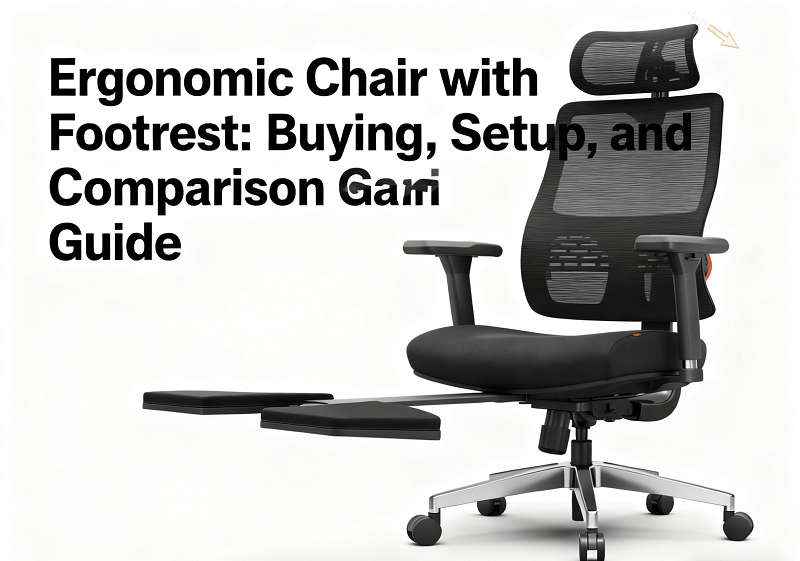
An ergonomic chair with footrest combines a task chair designed for spinal alignment with an integrated or attachable surface that supports your lower legs during recline. The footrest extends when you lean back and retracts when you return to a typing position.
Footrest vs. Leg Rest

The two terms appear interchangeably on product pages, but they describe different things.
A footrest supports only the feet and ankles. The platform is short, your shin stays roughly vertical, and the primary purpose is to raise the floor for shorter users who cannot reach it while seated at the correct typing height.
A leg rest supports the calves and feet together. The pad is longer, your lower leg rests at a low angle, and it is designed for use during recline rather than active typing.
Most retractable systems built into ergonomic office chairs are leg rests in practice, even when product listings call them footrests. The distinction matters when you are configuring your setup.
When a footrest makes sense
- Your feet do not reach the floor at the correct chair height
- You are working at a fixed-height desk that cannot be lowered
- You want stable foot support during upright typing
When a leg rest makes sense
- You work in long blocks and need brief recovery between tasks
- You take video calls and want a more relaxed seated posture
- You read or review content between focused work sessions
- Your room is small and a separate lounge chair is not practical
Quick rule
For typing: keep feet flat on the floor or on a low under-desk platform. For breaks: deploy the leg rest, add a small recline, and let your body reset.

Are Chairs with Leg Rests Good for You?
Yes, when used correctly. A leg rest opens the hip angle, reduces lumbar flexion, and can briefly unload spinal discs. It also relieves pressure from the backs of the calves, which is where most circulation problems during long sitting sessions begin.
Circulation and calf-pressure relief
Elevating your legs reduces dependent swelling and lowers the pressure that builds at the back of the calves when feet hang unsupported. After a long typing session, five to ten minutes on the leg rest noticeably reduces that heavy, tired feeling in the lower legs.
Lumbar comfort in micro-reclines
A recline of around 110 to 120 degrees allows the pelvis to sit more neutrally, reducing the urge to slump and taking load off the lumbar discs. This works best when the backrest moves with you and the seat pan does not press into the backs of the thighs.
Neck and shoulder relief with a headrest
A headrest supports the back of the skull during recline, allowing the trapezius muscles to relax. Paired with the leg rest, this produces a low-tension posture that works well for calls, reading, or any task that does not require fast keyboard input.
Who Should Use a Chair with Footrest?
Short users at fixed-height desks
When a desk is tall and cannot be lowered, raising the chair to reach keyboard height often lifts the seat high enough that your feet no longer reach the floor. A foot platform gives your feet a stable base, levels the pelvis, and keeps your shoulders relaxed. For a detailed breakdown of when foot support is necessary, see Do You Need a Footrest With an Ergonomic Chair?.
Long-hour workers and gamers
Plan recline breaks into your day. Lean back between meetings or gaming sessions, use the leg rest for five to ten minutes, reset your eyes to a distance, then return upright.
Users with special health needs
If you have a vascular, joint, or post-operative condition, follow clinical advice on elevation angle and duration before using a leg rest regularly. Stop if you feel tingling or numbness that does not clear quickly.
Types of Ergonomic Chairs with Footrest
Built-in retractable leg rest
A padded panel that folds under the seat and extends forward when you pull a release lever. It deploys instantly, stores flush with the seat frame, and takes up no floor space. Best for users who alternate between focused typing and recovery reclines throughout the day.
Extended telescopic leg rest
A longer arm with larger pads that reaches further from the seat, better suited to tall users whose calves would otherwise hang off a standard-length rest. Check pad width against your shoe size and test for lateral wobble at full extension before committing to a model.
Chair paired with a separate under-desk footrest
A standalone platform placed under the desk independently of the chair. This option suits precision typists who want a stable, fixed surface for their feet during active work. You can fine-tune the height and angle precisely and upgrade or replace the platform without changing the chair. It is also the right choice if you share the chair with someone who has significantly different leg proportions.
Tilt Mechanism Compatibility
Synchro-tilt, knee-tilt, and 1:1 tilt
Synchro-tilt moves the seat and back at a set ratio, typically 2:1, so the back reclines further than the seat tilts. This opens the hip angle more for a given back angle and keeps you better aligned with the screen. Knee-tilt pivots near the front of the seat, producing a smooth, stable recline that keeps your feet closer to the floor. A 1:1 tilt rotates seat and back together at the same angle, which is simple but can tip you away from the desk during recline.
For chairs with leg rests, synchro-tilt is generally the most comfortable pairing because the hip stays open rather than closing as you lean back.
Locking vs free-float with elevated feet
Free-float supports micro-movement and keeps postural muscles lightly active throughout the day. A lock is useful when you want a steady position for calls or reading. Use both settings across the day rather than committing to one.

Sizing and Fit Guide
Fit first. Features second.
Seat height by stature
Set seat height so your elbows match keyboard height without shrugging. Short users may still need a foot platform even after lowering the seat to its minimum. Tall users may need a longer gas lift than what ships with a standard model.
|
Stature |
Seat Height |
Footrest Focus |
|
4'11" to 5'3" |
38 to 43 cm |
Separate foot platform for typing |
|
5'4" to 5'10" |
43 to 48 cm |
Standard retractable leg rest |
|
5'11" to 6'3"+ |
47 to 52 cm |
Extended telescopic arm preferred |
Seat depth: the two-to-three-finger rule
Slide the seat pan until two to three fingers fit between the back of your knee and the front edge of the seat. This prevents edge pressure on the popliteal area and keeps circulation moving through the lower legs.
Footrest extension length and pad width
Long legs need a longer arm. Wider feet need a wider pad. If your heels fall off the edge of the pad, you will point your toes to compensate, stressing the ankles over time. Test at full extension and load each side to check for wobble before regular use.
Load rating for big-and-tall users
Check both the chair rating and the leg rest arm rating separately, as they are sometimes different. Deploy the rest, load each side, and gently twist. If it flexes noticeably or shifts laterally, consider a model with reinforced hardware or pair the chair with a separate ottoman instead.
Best Ergonomic Chairs with Footrest
NT002: best for all-day work and study
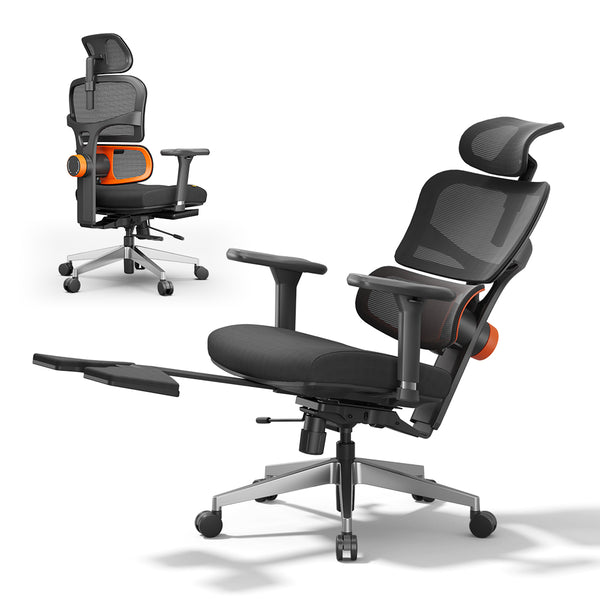
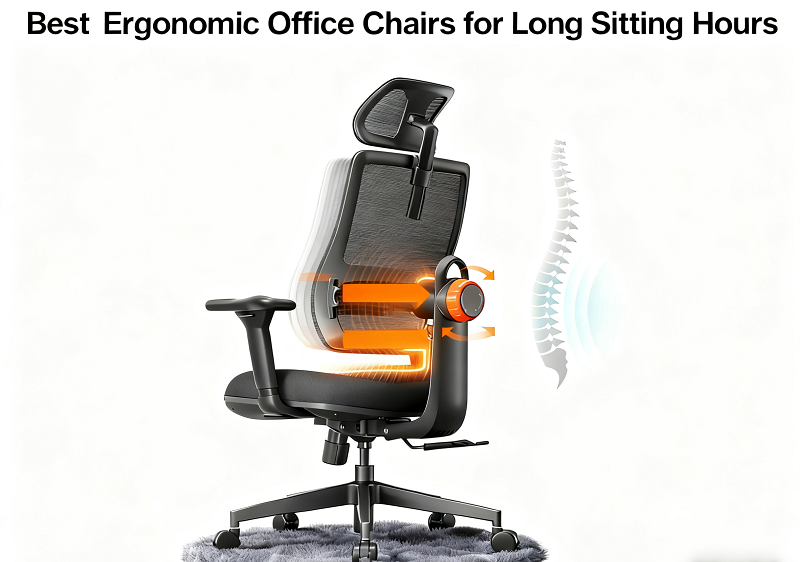
The Newtral NT002 is built for users who spend most of the day at a keyboard and want a single chair that handles focused work and recovery breaks without switching setups. Its patented auto-following lumbar support tracks your spine continuously whether you lean forward, sit upright, or recline, which is the core feature that sets it apart from the Magic H series. The retractable leg rest deploys and stows cleanly, the recline locks at up to 136 degrees, and 4D armrests cover height, depth, width, and pivot adjustment. The SGS-certified Class 4 gas lift meets BIFMA and EN1335 standards. Fits users from 5'1" to 6'3", rated to 330 lbs.
Best for: remote workers, writers, students, and anyone sitting eight or more hours a day.

Magic H-Bpro: best for mixed work and calls
The Magic H-Bpro pairs a foldable leg rest with four lockable recline positions across a 96 to 136 degree range, so you can lock your back angle precisely for calls or reading without the position drifting. Where the NT002 has a 2D manually adjusted headrest, the Magic H-Bpro features a 5D auto-following headrest that tracks your head and neck movement automatically, reducing neck load without manual repositioning. The divided-stress-zone cushion distributes seat pressure more evenly than a standard foam seat. Fits users from 5'3" to 6'3".
Best for: professionals who alternate between keyboard tasks, video calls, and afternoon recovery stretches.
Magic H-Gpro: best for warm environments and multi-device setups
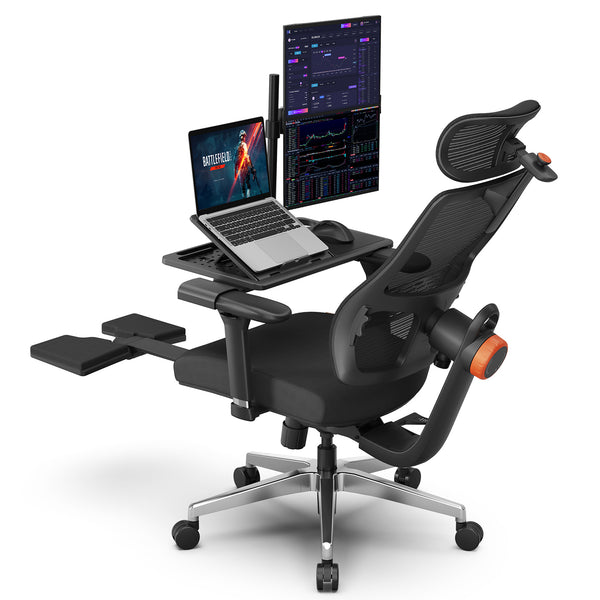
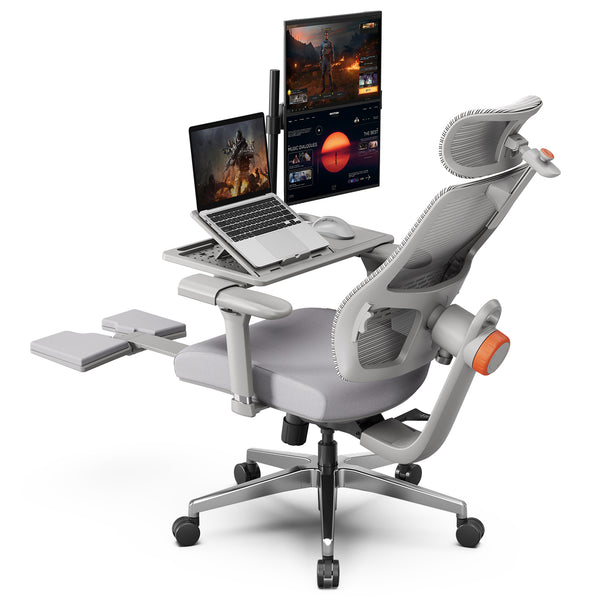
The Magic H-Gpro shares the same 5D auto-following headrest, four-position 96 to 136 degree recline lock, foldable leg rest, and 4D armrests as the Magic H-Bpro. The two differences are its breathable mesh back, which makes it the better choice in warm rooms or for users who run hot, and the included laptop table, which supports a second screen or device directly on the chair during recline. Fits users from 5'1" to 6'3".
Best for: users in warm environments, multi-screen setups, and anyone who wants to work from a reclined position without a separate desk.
Compare all models by price, stature range, and recline angle on the Newtral collection reclining office chair with footrest.
Blog18
Blog18
How to choose between them
Choose the NT002 if lumbar support is your top priority and you sit close to a desk for most of the day. Choose the Magic H-Bpro if you take frequent calls, want a headrest that adjusts automatically, and need a locked recline that holds without drifting. Choose the Magic H-Gpro if you run warm, want the same auto-following headrest as the Bpro, and need a laptop table built into the setup.
blog18

Buying Checklist
Adjustability must-haves
- Seat height and seat depth adjustment
- Lumbar height and tension control
- 4D or 5D armrests covering height, width, depth, and inward sweep
- Synchro-tilt with tension control and multi-position lock
Footrest specifics
- Extension length that matches your leg length
- Angle range wide enough for both light and deeper recline
- Pad density that is firm enough to support without cutting off circulation
- Anti-slip surface to keep heels in place
- Clean stow position that clears shins and desk legs safely
Budget guide
Under $400 gives you a functional leg rest and basic recline, but expect lighter extension arms, shorter reach, and simpler foam. Mid-range improves tilt smoothness, pad quality, and hardware durability. Premium adds refined mechanisms, longer warranties, spare parts availability, and more stable arm geometry at full extension.
How to Set Up a Reclining Chair with Footrest
Set it once. Tweak it often.
Baseline adjustment sequence
- Seat height: elbows level with the keyboard, shoulders relaxed
- Seat depth: two to three finger gap behind the knees
- Lumbar: height matched to your lower back curve, tension set so it follows rather than pushes
- Armrests: directly under the elbows, slight inward angle for narrow shoulders
- Monitor: centered, top at or just below eye level, roughly an arm's length away
Typing preset
Keep feet flat on the floor or on a low under-desk platform. Maintain a small hip-angle opening and keep the recline minimal. The leg rest should be fully stowed during active typing.
Reading and recline preset
Start at 110 to 120 degrees of recline. Rest the calves on the pad rather than the knee crease. Raise the monitor slightly if your head drifts forward. Use the headrest to support the back of the skull, not the neck.
Micro-movement protocol
Every 30 to 45 minutes: recline for 30 to 60 seconds with the leg rest deployed, stand and take a few steps, reset your eyes to a distance, then return upright.
Safety Notes
Preventing pressure and numbness
Keep a gentle bend at the knees when using the leg rest. Avoid hard edges pressing directly behind the knee and adjust the pad angle so the shin is supported, not pinched. For longer sessions, do ankle pumps while seated and watch for tingling that does not clear within a minute or two of changing position.
When to seek clinician guidance
If you have a vascular condition, a joint issue, or are recovering from surgery, get clinical advice on safe elevation angles and session lengths before relying on a leg rest for daily recovery.
FAQs
Is a chair with footrest the same as a chair with leg rest?
Not exactly. A footrest supports the feet and ankles on a short platform while the shin stays roughly vertical. A leg rest supports the calves and feet together during recline. Most built-in systems on ergonomic office chairs are leg rests in practice, even when listed as footrests. See Footrest vs. Leg Rest above for the full breakdown.
Can I use the footrest while typing?
Avoid it for precision typing. For stable hands and a neutral shoulder position, keep feet flat on the floor or on a low under-desk platform. Save the leg rest for recovery breaks.
What recline angle works best with a footrest?
Start at 110 to 120 degrees and adjust to comfort. Raise the monitor slightly to avoid forward head position and use the headrest to support the back of the skull rather than the neck.
How do I size the footrest for tall users?
Check extension length and pad width. If your calves hang off the pad, choose a model with a longer arm or use a separate ottoman. Make sure the extension arm does not wobble at full reach before committing to daily use.
Do I need a headrest with a footrest?
For recline, yes. A headrest reduces neck load and lets the trapezius relax. For upright typing, keep it adjusted out of the active support position. The best headrests adjust for both height and forward angle independently.
Will a footrest help with back pain?
It can help during recline by briefly unloading the lumbar discs. Combine leg elevation with good lumbar contact and frequent posture changes. If you have a specific condition, seek clinician guidance before using elevation as a regular strategy.
Are office chairs with footrests worth it?
Yes, when the chair fits your body and your workflow. They allow on-chair recovery without leaving the desk, reduce calf pressure and neck strain during breaks, and support posture variety through the day. Fit, mechanism quality, and correct setup determine the result.



Leave a comment
All comments are moderated before being published.
This site is protected by hCaptcha and the hCaptcha Privacy Policy and Terms of Service apply.