
Table of Contents
You’ve been there.
It’s 3 p.m., the caffeine’s fading, and your ergonomic chair suddenly feels way too comfortable. Your brain whispers: “Maybe just a 10-minute nap?”
But can you actually sleep in an ergonomic chair and should you?
Let’s break down the real pros, cons, and science behind chair sleeping. Whether you’re a remote worker, gamer, or office warrior, this guide will help you understand when and how to nap right - without wrecking your posture.
Can You Sleep in an Ergonomic Chair? The Short Answer
Before we dive deep, here’s the quick truth. You can sleep in an ergonomic chair, but only for short naps. Let’s separate power naps from all-night mistakes. especially for short naps that boost focus and recovery.
But overnight sleeping in a chair? That’s a different story.
Short, planned naps can recharge your mind and body. Long, unplanned sleeps can cause stiffness, poor circulation, and back pain.
In short:
✅ Great for power naps (15–30 minutes)
🚫 Risky for overnight or chronic chair sleeping
Why People Sleep in Their Chairs
Many people turn to chair naps for convenience, health, or necessity. Here’s why it’s more common than you think.

From freelancers and gamers to night-shift workers, chair sleeping happens for different reasons:
Tight deadlines and all-nighters
Lack of space or proper beds (dorms, studios, offices)
Health conditions that make lying flat uncomfortable (like reflux or snoring)
Quick energy resets between meetings or classes
And with modern chairs like Newtral ergonomic chairs offering flexible recline and lumbar support, napping in one isn’t as crazy as it sounds.
The Science Behind Chair Sleep
Let’s see what sleep researchers and ergonomists say about catching Z’s upright.
Research shows that short naps (20–30 minutes) can improve alertness, mood, and reaction time. NASA even found that pilots who took 26-minute naps improved performance by 34% and alertness by 54%.
But here’s the catch—sleep quality matters. Deep sleep and REM cycles (the truly restorative stages) require full muscle relaxation, which is tough to achieve when you’re sitting upright.
So yes, a power nap in your ergonomic chair can sharpen you up.
Sleeping through the night in one? That’s a shortcut to stiffness and numb legs.
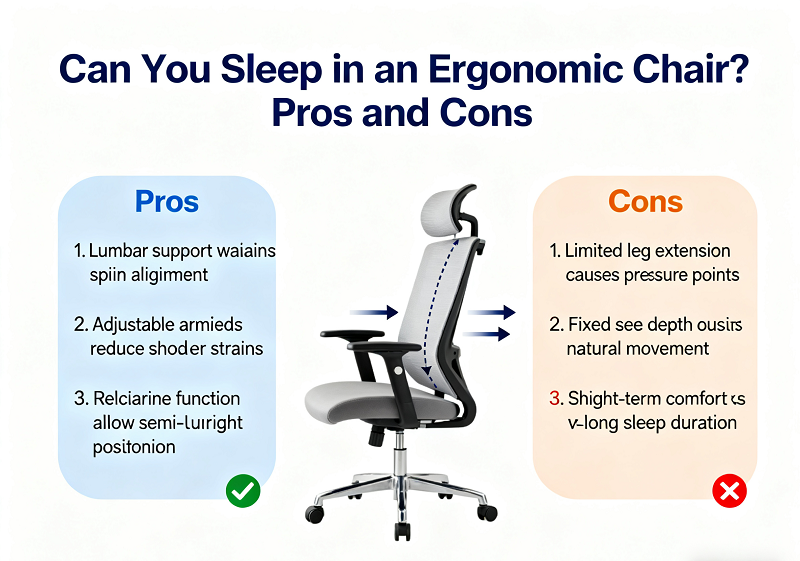
The Pros of Sleeping in an Ergonomic Chair
Chair naps have real upsides when done right. Here’s what makes them useful, especially for busy professionals and gamers.
1. Power Naps Boost Focus and Energy
Short naps (10–30 minutes) reset your brain faster than coffee, without the crash.
You’ll wake up sharper, more creative, and less stressed.
Ideal for:
- Midday fatigue
- Late-night studying
- Pre-meeting focus boost
2. Semi-Upright Sleep Helps Some Conditions
Sleeping slightly upright can reduce snoring and mild positional sleep apnea.
It also helps people with acid reflux (GERD) by preventing stomach acid from rising when lying flat.
So if you’re prone to these conditions, an ergonomic chair with proper recline and lumbar support can be a smart short-term solution.
3. Lower Back Relief Through Recline
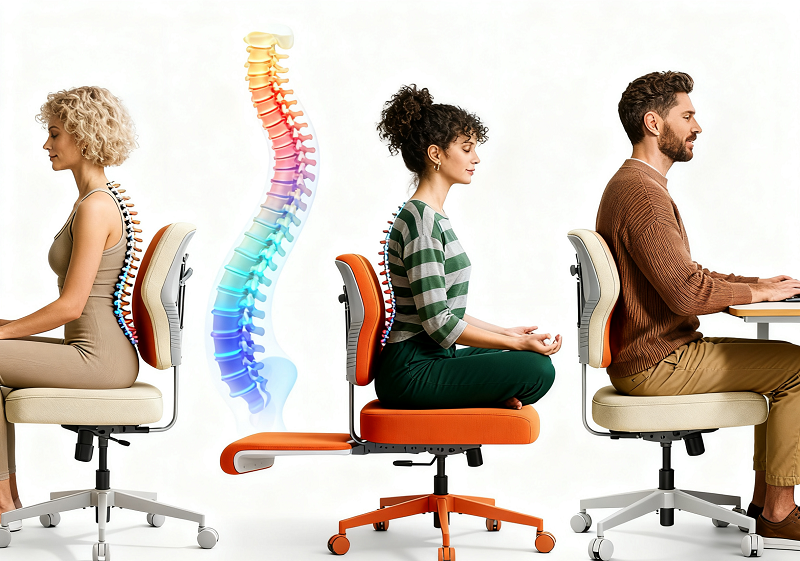
A light recline (100°–110°) reduces spinal pressure compared to sitting bolt upright.
This “micro-tilt” lets your lumbar curve rest naturally and your back muscles relax.
Pro Tip:
On a Newtral chair, use dynamic lumbar support, it moves with your recline and maintains your spine’s neutral curve.
The Cons of Sleeping in an Ergonomic Chair
Chair sleeping isn’t perfect. Understanding its downsides helps you nap smart, not stiff.
1. Shallow Sleep and Poor Rest
While chair naps improve alertness, they don’t provide deep restorative sleep.
You’ll likely wake up refreshed short-term, but fatigued later if you rely on them daily.
2. Circulation Issues
Sitting for too long, especially with your legs bent, slows blood flow and may increase the risk of swelling or even deep vein thrombosis (DVT) in rare cases.
Fix:
Keep your feet flat, avoid crossing legs, and do ankle rolls before and after your nap.
3. Neck and Shoulder Tension
Unsupported “head bobbing” or slouching forward strains the neck and upper spine.
That’s why headrest position is critical, it should cradle the base of your skull, not your neck.
4. Pressure and Heat
Extended chair naps can trap heat and create pressure on your thighs or back.
Mesh-backed chairs help with airflow, while foam seats offer more cushion.
A short nap? No problem.
All-night chair camping? Expect discomfort.
Chair Nap vs. Bed Sleep: The Comparison
It’s time to compare the two directly—comfort, recovery, and health.
|
Feature |
Ergonomic Chair Nap (20-30 min) |
Full-Night Bed Sleep (6 - 8 hrs) |
|
Body Support |
Partial , lumbar + headrest |
Full-body, even pressure |
|
Circulation |
Reduced if sitting still |
Natural blood flow |
|
Sleep Quality |
Light, restorative nap |
Deep + REM cycles |
|
Risk of Stiffness |
Low (if short) |
None |
|
Ideal Duration |
15 - 60 min |
6 - 8 hours |
|
Best For |
Focus boost, short rest |
Full recovery |
Verdict:
Use your ergonomic chair for quick energy resets—not full-night recovery.
How to Nap Safely in an Ergonomic Chair
A nap is only good if it doesn’t leave you sore. Follow these simple setup steps to rest smarter. Ergonomic products bring unimaginable convenience and healthy life
1. Recline Smart
Find your sweet spot between 100°–120°.
This angle eases spinal pressure while keeping your airway open.
Avoid reclining past 135°, or you risk sliding forward and losing lumbar support.
|
Recline Angle |
Effect |
Best For |
|
90° |
Upright posture |
Focused work |
|
100°–110° |
Mild recline |
Micro-breaks |
|
120°–125° |
Deep nap comfort |
Power naps |
|
135°+ |
Too reclined |
Risk of strain/sliding |
2. Adjust Lumbar and Headrest
Keep your pelvis back against the seat.
Lumbar pad should “meet” your back’s natural curve.
Headrest should support the base of your skull, not push your head forward.
3. Support Your Legs
Feet should be flat on the floor or on a footrest.
Avoid dangling legs or crossing them. That’s how you prevent circulation problems.
4. Keep It Short and Early
Nap early in the day (before 4 p.m.) to avoid interfering with nighttime sleep.
Set a 25-minute timer—long enough to recharge, short enough to avoid grogginess.
5. Move After You Wake
Stand up, stretch, walk, and hydrate.
Movement wakes up your muscles and restores blood flow.
When Sleeping in a Chair Makes Sense
Sometimes, a quick nap in your ergonomic chair is exactly what your body needs. Here’s when it fits best.

1. Office and Remote Workers
If you’re on back-to-back calls or working long shifts, a quick chair nap beats caffeine.
Schedule it right after lunch to avoid afternoon crashes.
2. Students and Test-Takers
Studying late? A 20-minute nap sharpens memory more effectively than a third cup of coffee.
3. Gamers and Creators
During long gaming or editing marathons, a semi-reclined nap keeps you alert and less fatigued.
4. Medical or Rehab Cases
Some people recovering from surgery, back injuries, or breathing issues may find upright sleeping more comfortable—but always consult your doctor first.
When It’s Better to Skip the Chair Sleep
Chair sleep isn’t for everyone. Sometimes, your body needs full rest and zero compression.
Even with perfect ergonomics, chair sleeping isn’t ideal if you:
- Have circulation issues or DVT risk
- Experience chronic neck/back pain
- Have severe sleep apnea
- Just need deep, restorative rest
For longer naps or overnight rest, switch to a recliner or zero-gravity chair for better weight distribution.
Chair Nap Alternatives: What Works Better?
If your goal is long recovery or overnight comfort, here’s how chair sleep compares with other options.
|
Option |
Pros |
Cons |
Best For |
|
Ergonomic Chair |
Easy, accessible, posture support |
Limited full-body rest |
Quick office naps |
|
Recliner Chair |
Better leg and back support |
Bulky, space-heavy |
At-home naps |
|
Zero-Gravity Chair |
Excellent pressure relief |
Pricey |
Chronic back pain |
|
Nap Pod |
Noise isolation, comfort |
Expensive |
Workplaces, airports |
|
Bed + Wedge Pillow |
Great for GERD or apnea |
Needs setup |
Home relaxation |
If you nap often, mix it up: use your Newtral chair for short bursts, and switch to reclined or flat rest when you can.
Workplace Nap Culture: Changing the Game
Power naps are no longer taboo—they’re becoming a productivity tool. Here’s how companies and individuals use them smartly.
Once frowned upon, power naps are now recognized as performance boosters.
Companies like Google and NASA have nap spaces because short rest improves output and creativity.
If your workplace doesn’t have nap pods, your ergonomic chair can be your best backup.
Follow this quick nap routine:
Recline slightly
Set a 25-minute timer
Dim your screen
Close your eyes—no phone scrolling
Stand, stretch, and rehydrate afterward
A little structure turns chair naps into performance fuel.
Your Newtral Chair: Designed for Smart Rest
Your chair can be your recharge zone. Here’s how to optimize your Newtral for safe, effective power naps.

If you’re using a Newtral ergonomic chair, you already have the right tools for safer naps.
Newtral Power Nap Settings
- Recline angle: 110°–120°
- Lumbar tension: Set so it supports but doesn’t push
- Headrest: Aligned with base of skull
- Armrests: Lower slightly to relax shoulders
- Feet: Flat on the floor or on a mini footrest
- Timer: 20–25 minutes
- Wake up, stretch, and you’ll feel brand new.
💡 Tip: For taller users, increase seat depth slightly for thigh support. Shorter users—add a small footrest to relieve calf tension.
Final Thoughts: Sit, Sleep, Recharge — Responsibly
It’s not about whether you can sleep in an ergonomic chair. It’s about how and how long.
So, can you sleep in an ergonomic chair?
Absolutely—if it’s a short, smart nap.
Think of your chair as a reset tool, not a bed replacement.
Used well, it helps you regain focus, ease tension, and support healthier posture.
When it’s time to rest, your Newtral chair has your back—literally.
Quick Recap: Pros and Cons at a Glance
Need a one-glance summary? Here’s how it all stacks up.
|
Pros |
Cons |
|
Power naps boost focus and energy |
Poor deep sleep quality |
|
Semi-upright helps with snoring and reflux |
Circulation issues if sitting too long |
|
Recline reduces back strain |
Neck tension without headrest |
|
Easy to use anywhere |
Not suitable for overnight rest |
Key Takeaways
✔️ Yes, you can sleep in an ergonomic chair—short naps only.
⚙️ Adjust recline (100°–120°) and lumbar support for optimal posture.
🕒 Keep naps under 30 minutes and early in the day.
💪 Move, stretch, and hydrate after.
🪑 Choose a Newtral ergonomic chair for dynamic lumbar, adjustable headrest, and reliable comfort.
In the end:
Your ergonomic chair isn’t just for sitting—it’s your precision recovery station.
Nap smart, move often, and let Newtral keep you supported through every hour of your workday.
FAQs: Sleeping in an Ergonomic Chair What People Really Ask
Q1. How long can I safely sleep in an ergonomic chair?
Ideally, keep it under 30 minutes. A quick nap supports alertness without muscle fatigue. If you go beyond an hour, blood flow and joint mobility start to drop, even in the best chairs. For extended rest, switch to a recliner or bed.
Q2. Can ergonomic chair sleeping help after surgery or with breathing problems?
Yes, for some recovery cases. People with shoulder surgery, sinus congestion, or mild sleep apnea sometimes rest better in a semi-upright position. But always ask your doctor first—some post-surgery positions can increase strain if unsupported.
Q3. What type of chair is best if I need to nap often at work?
Look for one with **dynamic lumbar support**, **adjustable headrest**, and **tilt-lock** between 110°–125°. Chairs like the **Newtral ergonomic series** let you recline safely without losing lower-back support, unlike cheaper static models.
Q4. Does sleeping in a chair affect digestion or circulation after eating?
It can actually help digestion if you stay semi-upright. A 15–20° recline reduces stomach pressure and can ease reflux after meals. But crossing your legs or slumping forward will still restrict blood flow: stay balanced and move a bit afterward.
Q5. Can I turn my ergonomic chair into a mini recliner setup?
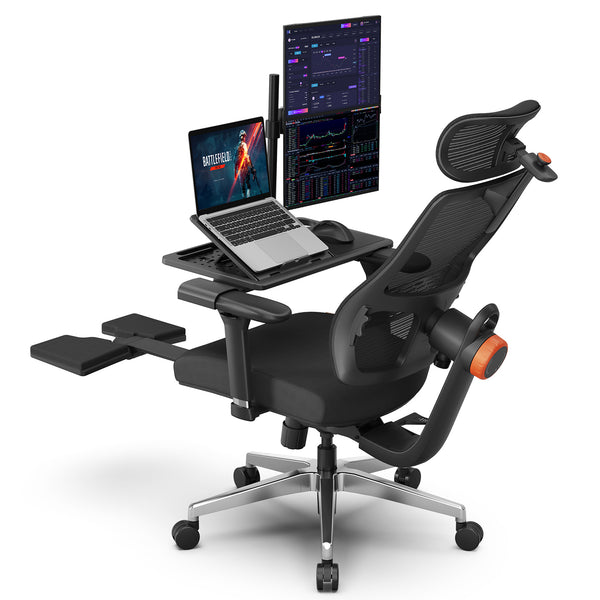
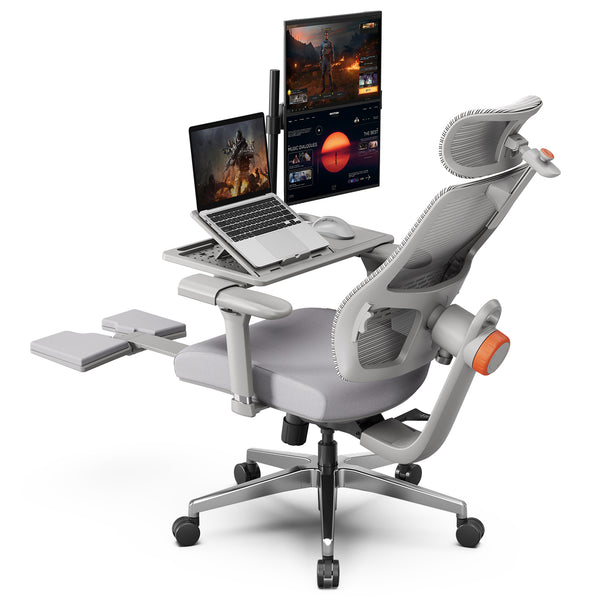
Absolutely. Some high-end ergonomic chairs: like the Newtral NT002 and Newtral Magic H already come equipped with a foldable footrest and an auto-follow headrest that moves with your posture.
This means you can recline naturally while your neck and legs stay supported, creating a mini zero-gravity experience right at your desk. Simply extend the footrest, lean back to around 120°, and let the headrest adjust automatically as you relax. It’s perfect for short naps, reading, or decompressing between meetings without leaving your workspace.
Q6. How can I tell if my nap posture is healthy?
You should wake up without stiffness or numbness. If your lower back feels tense or your legs feel heavy, your recline angle or lumbar support is off. Adjust until your body feels evenly supported, and never ignore recurring discomfort, it’s your posture asking for a reset.
Blog18
Blog18
Keep reading:



Leave a comment
All comments are moderated before being published.
This site is protected by hCaptcha and the hCaptcha Privacy Policy and Terms of Service apply.