
Table of Contents
If you spend eight hours or more at your desk every day, your office chair is more than just a piece of furniture; it is the foundation of your workday. A bad chair drains your energy, wrecks your focus, and leaves you reaching for the ibuprofen by 4:00 PM. Upgrading to a truly supportive chair is one of the best investments you can make for your health and daily productivity. Let's break down exactly what makes a chair comfortable for the long haul.
Why Your Current Chair Hurts After a Few Hours
It is easy to blame a back pain on a heavy workload, but the real culprit is usually what you are sitting on. Here is why standard chairs fail you during long shifts.
-
The "Slouch" Cycle: When a chair lacks proper lower back support, your muscles eventually get tired of holding you upright. You naturally start to slouch. This caves in your chest and puts massive, unnatural compression on your spinal discs.
-
Static Posture Fatigue: You might think a super plush, soft chair sounds great, but sinking deeply into a cushion locks your hips in place. A chair that is too soft fails to support your pelvis, leading to deep hip and lower back aches after just a few hours.
-
The Science of Sitting: Your body was built to move. When you sit completely still in a rigid chair, blood flow slows down, especially in your legs. This lack of circulation causes numbness, stiffness, and that heavy-leg feeling at the end of the day.

Must-Have Features for All-Day Sitting
When shopping for a chair meant to handle long hours, skip the gimmicks and look for these four non-negotiable features.
Adjustable Lumbar Support
Lower back pain is the number one complaint of desk workers. A good chair does not just have a bump on the back; it has a lumbar support system you can move up or down to fit perfectly into the natural curve of your specific spine.
Seat Depth and Sloping Edges
If the seat is too long, it digs into the back of your knees and cuts off circulation. Look for a chair with a seat slider so you can adjust the depth. You also want a "waterfall edge"—a seat front that slopes gently downward to take the pressure off your thighs.
Breathable Materials
Working all day makes you naturally build up body heat. Thick faux leather or dense foam traps that heat, making you sweat. Mesh backrests, or highly breathable performance fabrics, allow constant airflow to keep your body temperature regulated.
Fully Adjustable Armrests
Fixed armrests are a major cause of neck and shoulder tension. If they are too low, you slouch; if they are too high, you shrug your shoulders all day. You need armrests that adjust up, down, left, right, and pivot forward and back so your arms are perfectly supported while typing.
How to Choose the Right Chair for Your Body and Work Style
Buying an office chair is like buying a pair of shoes. What feels amazing to a 6-foot-tall gamer might feel terrible to a 5-foot-2 writer. Here is how to find your fit.
Assessing Your Height and Weight Capacity
Always check the spec sheet. Standard chairs are built for average heights and weights. If you are exceptionally tall or weigh over 250 pounds, look specifically for heavy-duty models designed to support your frame without breaking down.
Mesh vs. Upholstered: Which Climate Suits You?
Take a look at your home office setup. If you live in a hot climate or your room runs warm, a full-mesh chair is a lifesaver. If you run cold or sit right under an AC vent, you might prefer the cozy, insulated feel of an upholstered fabric chair.
Matching Your Desk Height and Reach
Grab a tape measure and check the height of your desk. The armrests of your new chair need to either slide neatly under the desk or sit flush with the tabletop so you can get close enough to your keyboard without leaning forward.
Active Sitting vs. Fixed Support Preferences
Do you like to lean back and take phone calls, or are you locked into a focused, upright typing position? Make sure the chair's tilt mechanism matches your habits. Some chairs move fluidly with you, while others let you lock the backrest securely in place.
Top Office Chairs for Long Hours in 2026
If you are ready to make a change, here are two standout models from Newtral that are built specifically to handle long, demanding workdays.
Newtral NT002
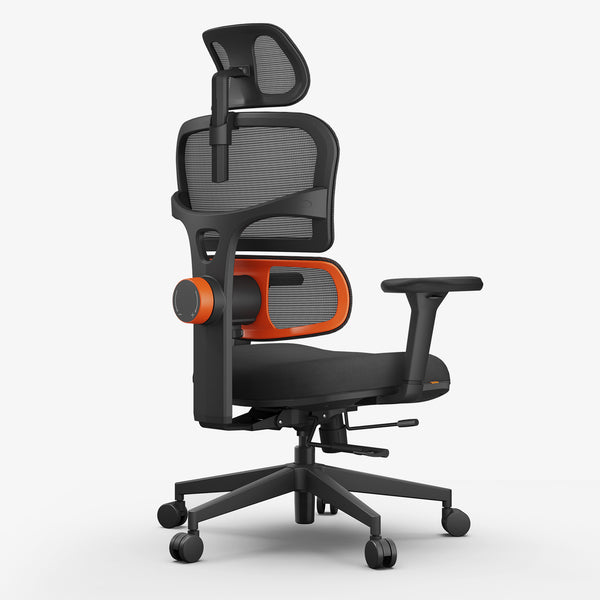
The Newtral NT002 is a fantastic all-rounder designed to keep your spine aligned without requiring constant manual adjustments.
- Patented Auto-Following Lumbar: The lower back support actually moves with you, automatically adjusting to your spine as you shift positions or lean forward.
- 4D Adjustable Armrests: You get full control over the height, depth, width, and angle of the arm pads for totally personalized arm support.
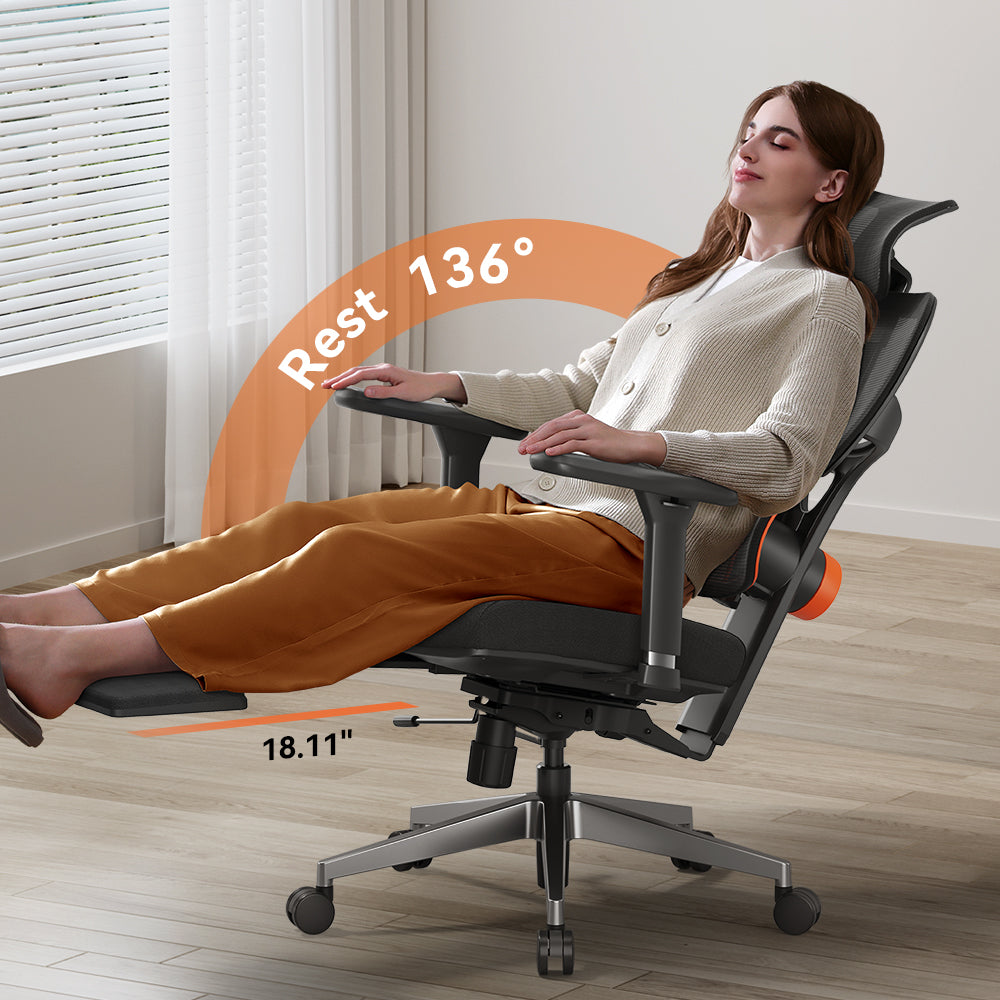
- Integrated Foldable Footrest: A built-in footrest kicks out when you want to lean back and read or take a break, making transitions between deep work and relaxation seamless.
-
Synchronized Tilt: The back reclines up to 136° and features multiple locking positions so you can find the exact right angle for your current task.
 $349.00 $509.00Coupon:
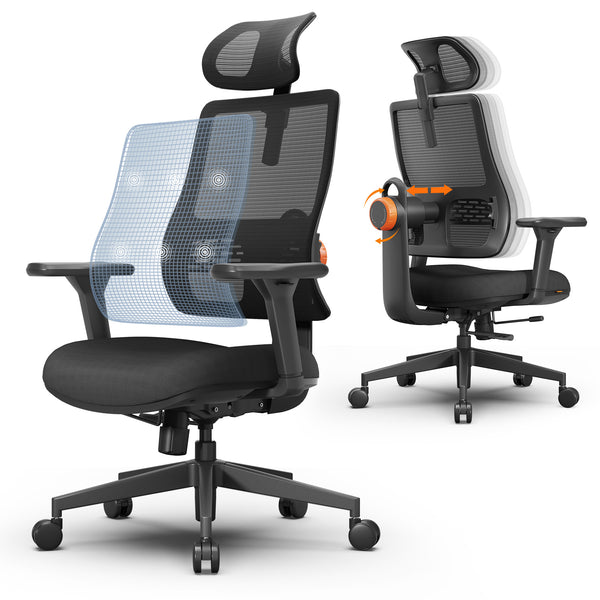
blog18Auto-following Lumbar SupportAdaptive Recline ComfortPersonalized Ergonomic FitEasy to use and best quality

Newtral Magic H (B-Pro)
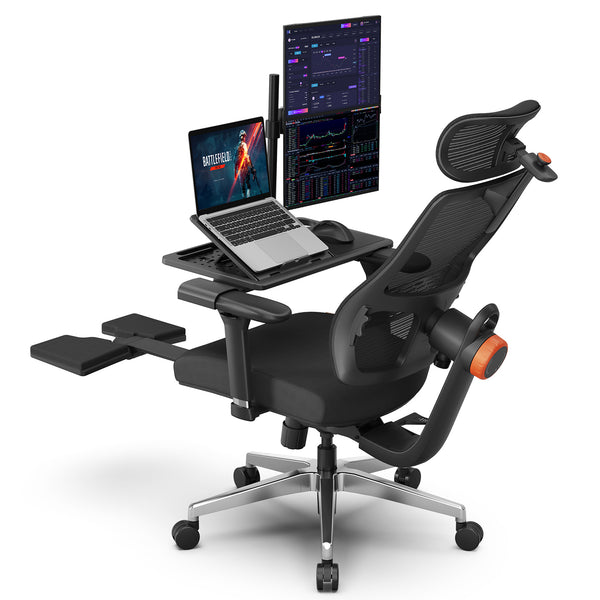
Built for those who need heavy-duty, customized support, the Magic H focuses heavily on upper body relief and premium build quality.
-
5D Auto-Following Headrest: This dynamic headrest tracks your neck movement as you shift, drastically reducing cervical strain and neck tension.
-
Divided Stress Zone Cushion: The seat uses high-density foam zoned to distribute your body weight evenly, preventing that painful "bottoming out" feeling on your tailbone.
-
Backrest Height Adjustment: You can adjust the backrest across five independent height levels, making it easy to dial in the fit for varying torso lengths.
-
Commercial-Grade Build: Powered by a heavy-duty KGS Class 4 gas lift and a reinforced aluminum base, this chair is built for long-term daily durability.
 $379.00 $459.00Coupon:
Blog18Compatible NEWTRAL Laptop TableAdaptive lumbar support5D adjustable headrestRecline + Leg Rest

3 Steps to Set Up Your Chair for Maximum Comfort
Even the most expensive chair will hurt if you set it up wrong. Follow these exact steps the moment your new chair arrives.
1. The 90-Degree Rule: Adjust the seat height so your feet rest totally flat on the floor. Your knees should be level with your hips, creating a perfect 90-degree angle. If your feet dangle, get a footrest.
2. Dialing in the Lumbar: Slide the lumbar support up or down until the thickest part of the pad rests securely in the deepest curve of your lower back. It should feel supportive, not like it is pushing you out of the seat.
3. Armrest Alignment: Drop your shoulders, relax your neck, and bend your elbows at 90 degrees. Raise the armrests until they barely touch your forearms. Your arms should be supported without pushing your shoulders up toward your ears.
Final Thoughts
Replacing a bad office chair is an investment in your physical health and your daily focus. By prioritizing adjustable lumbar support, breathable materials, and a proper fit for your body, you can completely eliminate the aches and pains that come with an 8-hour workday. Take the time to measure your space, assess your needs, and choose a chair that actively works for you.
Frequently Asked Questions
How much should I realistically spend on a high-quality office chair?
For a chair that will truly support you for 8+ hours a day, expect to spend anywhere from $300 to $1,000 or more. Budget options under $200 usually rely on cheap foam that flattens out quickly, meaning you will just have to buy another one next year.
Is a mesh back better than a cushioned back for back pain?
Mesh is excellent because it conforms tightly to your spine like a hammock, providing firm, even support while keeping you cool. However, some people simply prefer the plush feel of a contoured cushion. It ultimately comes down to your personal preference and room temperature.
Do I really need a headrest for office work?
If you strictly sit up straight and type all day, a headrest is not strictly necessary. However, if you spend time reading emails, taking long phone calls, or reclining to think, a headrest is incredible for giving your neck muscles a break.
How often should I replace my office chair?
A high-quality, premium office chair can easily last 7 to 12 years (and often comes with a warranty to match). Budget chairs typically start breaking down, squeaking, or losing their seat cushion support after 1 to 3 years of daily use.
More reading:





Leave a comment
All comments are moderated before being published.
This site is protected by hCaptcha and the hCaptcha Privacy Policy and Terms of Service apply.