

Table of Contents
Quick answer: Yes. A well-fitted ergonomic gaming chair can support your spine as well as, or better than, a basic office chair. But the wrong shell, materials, or recline setting will feel worse than a dining chair. The difference comes down to five factors: fit, lumbar contour, 4D armrests, recline angle, and desk setup. Get those right, and back pain usually eases within a week.
This guide covers what actually changes back comfort, what causes gaming chair back pain in the first place, and how to dial in posture with a fast checklist. You'll also find a head-to-head comparison of gaming chairs vs. office chairs, a ranked list of the best gaming chairs for back pain by budget, and a Back Pain → Fix matrix you can use today.
Do Gaming Chairs Improve Posture?
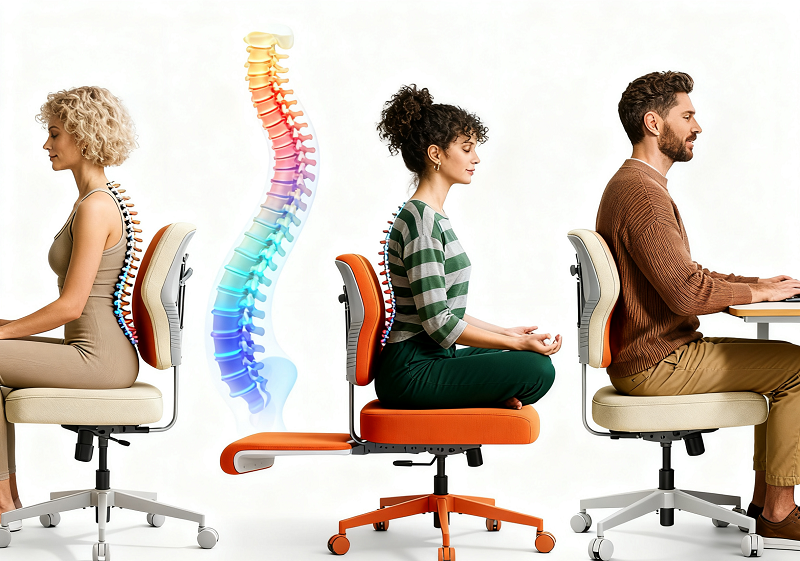
A gaming chair can support neutral posture, but it won't fix posture by itself—frequent small position changes matter more than holding any single "correct" position throughout a session.

Where a gaming chair helps, and where it doesn't:
- Compared with a rigid dining chair or a low-end office chair, a gaming chair with dynamic lumbar and a controlled recline gives noticeably better support.
- Compared with a well-tuned office-ergo or hybrid chair, results are comparable rather than superior.
- The chair creates the conditions for good posture; maintaining it during a session is still on you.
Choosing a position—forward tilt, neutral, or recline:
- Forward tilt suits brief, precision tasks but isn't meant for extended use.
- Neutral is the safest default for typing and general input.
- A light recline (roughly 100–115°) reduces disc pressure and neck load during longer sessions.
- Over-reclining feels relaxing but pulls you too far from the desk for active tasks.
Switching between these three positions throughout the day beats locking into any one of them. There's no single "perfect" posture for long hours—variety wins. Micro-reclines and small adjustments every 30–45 minutes keep blood moving and prevent the stiffness that turns into compensations, then pain.
When a Gaming Chair Helps Your Back
You'll feel a clear improvement when these five conditions are met:
- Fit matches your body — no shoulder squeeze, no thigh pinch, and a 2–3-finger gap behind your knees at the correct seat depth.
- Lumbar support meets your spine's curve — a dial or dynamic lumbar system outperforms a sliding pillow.
- 4D armrests hold your forearms at desk height, with an inward sweep that reduces wrist strain.
- Recline is set light for work, deeper for breaks rather than fixed in one position all day.
- Setup aligns your screen to eye level and your feet to the floor or a foot platform.
When all five align, posture stabilizes, back pain decreases, and sessions feel calmer and more controlled.

Does a Gaming Chair Actually Help With Back Pain?
Yes, but it treats the symptom, not the root cause. A gaming chair with real lumbar support and 4D armrests reduces the load on your lower back by keeping your spine in a neutral curve and taking weight off your shoulders and forearms. That's why people with existing lower-back pain often feel real relief after switching from a flat, unsupported chair.
A gaming chair cannot fix pain caused by sitting too long without breaks, poor screen height, or an underlying spinal issue. If pain persists after two weeks of correct setup (see the Back Pain → Fix matrix below), that's a signal to consult a physiotherapist rather than buy another chair.
Why Some Gaming Chairs Hurt Your Back
Pain usually comes from a mismatch between the chair and your body or environment, not from gaming chairs being inherently bad for backs. The most common causes:
- Shell fit — narrow bucket wings that pinch the thighs or crowd the shoulders, especially for larger users (see "Fit & Sizing" below for how to test this).
- Material and heat — warm materials with poor airflow increase discomfort over long sessions (see "Materials & Microclimate" below).
- Weak or inconsistent foam — low-density foam compresses quickly and stops supporting your weight evenly.
- Limited adjustability — many gaming chairs skip seat-depth sliders and use fixed headrests or drifting pillow lumbar, where office-ergo chairs more often include depth sliders and dynamic lumbar as standard.
If sizing or setup is off, even an expensive chair can aggravate back pain. Foam density and spare-parts availability rarely show up in a quick in-store test, but they affect how long a chair keeps supporting you. Check both before buying, especially for daily use.
How to Tell If a Chair's Ergonomics Are Real
"Ergonomic" is one of the most overused words on a gaming chair product page. Verify it in under two minutes with these five checks:
- Lumbar test — Does the lumbar move independently of recline (dial or dynamic), or is it a fixed foam bump? Fixed bumps rarely match your actual curve.
- Armrest test — Do the armrests move on four axes (up/down, forward/back, left/right, pivot)? 2D or 3D arms leave gaps that create shoulder tension.
- Recline lock test — Does the backrest lock at multiple angles, not just fully upright or fully reclined? Desk work needs a lockable 100–115° position.
- Seat depth test — Is there a slider to adjust how far the seat pan extends, or is depth fixed? Fixed depth is the leading cause of knee or lower-back pressure for tall or short users.
- Weight rating vs. your body weight — A chair rated well above your body weight tends to feel firmer and hold up longer under daily use; one rated close to your weight will sag sooner.
- Testing documentation — Look for downloadable safety and durability reports covering components such as the frame, gas lift, casters, mesh, and foam. These reports do not prove that a chair will fit your body or relieve back pain, but they provide stronger evidence than unsupported quality claims.
A chair that passes four or five of these checks has earned the "ergonomic" label. One that passes only one or two is a racing-style shell with ergonomic marketing.

Best Setup for Competitive Esports Players
Competitive play adds two constraints casual gaming doesn't: long unbroken sessions (tournament sets can run three-plus hours) and fast micro-movements from leaning into aims and quick weight shifts. For this use case, prioritize:
- Firmer, higher-density foam over plush foam, which compresses and loses support mid-session.
- 4D armrests locked low and close to reduce shoulder tension during fast mouse and keyboard input.
- A mesh or hybrid mesh-fabric back to manage heat buildup during high-focus play.
- A narrower, more stable bucket, which is fine here even though it's a drawback for casual or big-and-tall use—the wings help keep you locked in during quick directional shifts.
- Scheduled micro-recline breaks every 45 minutes between rounds; reaction time drops after 60-plus minutes of static posture, even for elite players.
Gaming Chair vs. Office Chair for Back Pain
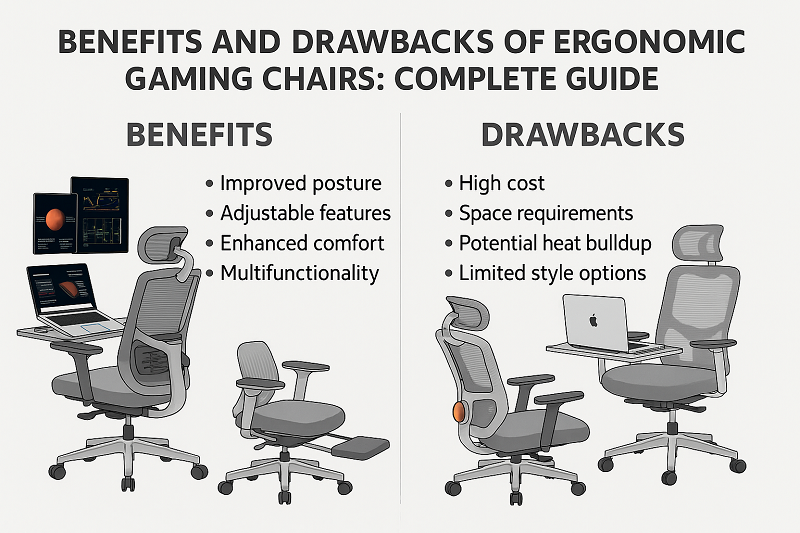
Gaming chairs typically offer deeper recline and a plusher feel; office-ergo models add mesh cooling, seat-depth sliders, and subtler styling. The right choice depends on task, climate, and sizing needs, not the label on the chair.
Gaming chairs excel at deep recline, plush foam, and 4D armrest setups that suit mouse-heavy play and streaming breaks. Office and ergo chairs excel at mesh breathability, seat-depth control, and styling that fits shared offices. For gaming at a desk, both can work well, since fit decides more than the label.
Choose a hybrid or office-ergo chair if:
- You're big and tall, run hot, or need seat-depth adjustment.
- You want both deep recline and precise sizing control—look for a hybrid with a mesh back, dial or dynamic lumbar, and 4D arms.
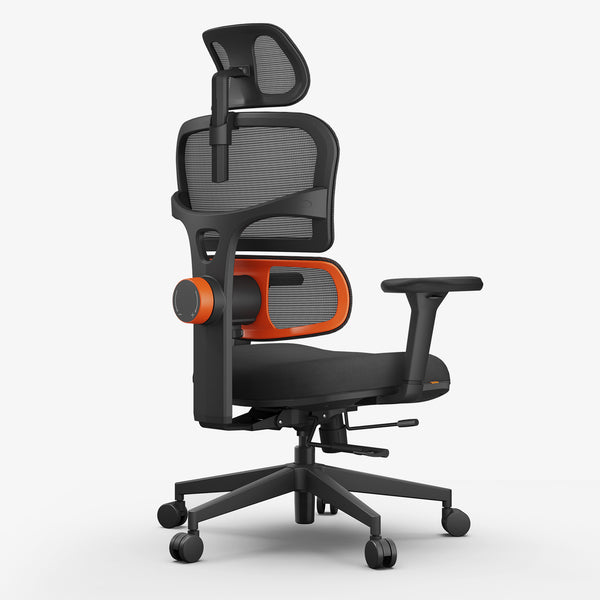
Dedicated ergonomic gaming chairs still make sense if you value between-session recline and broad arm adjustability over mesh cooling. If you prioritize lumbar support and all-day desk use, compare Newtral gaming chairs for back pain before choosing a dedicated gaming model.
blog18
|
Feature / Need |
Gaming Chair (Typical) |
Office-Ergo (Typical) |
Best Fit For |
|
Back comfort over hours |
Plush foam, deeper recline |
Mesh cooling, depth slider |
Gaming breaks vs. steady desk work |
|
Arm support |
3D/4D arms common |
3D/4D arms common |
Mouse-heavy aim vs. mixed tasks |
|
Lumbar tuning |
Pillow or dial |
Dial/dynamic more common |
Fine curve control → office-ergo |
|
Heat management |
Warmer (PU) or fabric |
Cooler (mesh) |
Hot rooms, sweaty backs → mesh |
|
Aesthetics |
"Racing" look |
Neutral/professional |
Stream vibe vs. office blend |
|
Sizing choices |
Standard + some XL |
Wider range with depth control |
Big and tall → office/hybrid |
Fit & Sizing: The #1 Reason a "Good" Chair Still Hurts
Back comfort starts with dimensions, not features. The chair that gets the best reviews online can still hurt if it doesn't match your body.
Shoulder and thigh clearance: Racing-style wings stabilize you during sudden movements, but they can pinch broader thighs and crowd the shoulders, particularly for big-and-tall users. Follow the manufacturer's height and weight guide, then test shoulder clearance directly: recline slightly, and if the wings touch your shoulder blades at rest, size up or choose a flatter shell. If you feel pressure at the outer thighs while seated, look for a wider or flatter seat pan or an XL frame.
Seat width and depth: Check the 2–3-finger rule behind the knees, measured with your back against the backrest. If you slide forward in the seat, you likely need more depth or stronger lumbar engagement to hold your position.
Gas-lift range, backrest height, and headrest contact: Set the chair so your feet sit flat on the floor (or on a foot platform) with your elbows level to the desk. The headrest should cradle the back of your head without pushing your chin down, and backrest height should match your torso rather than your hairline.
If you are unsure where to start, use the ergonomic chair and desk height calculator to estimate suitable seat, armrest, lumbar support, and desk settings based on your height.
Gaming Chair Back Support: What Actually Matters
"Back support" on a spec sheet usually means one of three different systems—knowing which one you're buying matters more than the marketing copy:
- Static foam bump — the cheapest option, with a fixed shape that only works if it happens to match your spine's curve. No adjustment available.
- Height- or dial-adjustable lumbar — a pad you can slide up or down and tighten via a dial, which covers most body types adequately.
- Dynamic or auto-following lumbar — moves with you as you recline, maintaining contact with your lower spine at every angle. This is the best-performing system and is usually reserved for higher-tier chairs.
For buyers who prioritize back support over recline or appearance, a dial-adjustable or dynamic lumbar system is worth the extra cost compared with a static foam pad. This feature has the greatest impact on whether a chair can reduce lower-back discomfort throughout a full workday.
Materials & Microclimate: Comfort for Hour 3, 4, and 5
Heat changes everything over a long session. Higher-density foam resists bottoming out regardless of material choice.

|
Material |
Breathability |
Feel |
Care |
Best Use |
|
Mesh/Knit |
Excellent |
Firmer |
Vacuum/spot clean |
Hot rooms, marathon sessions |
|
Fabric |
Good |
Softer |
Stain treatment |
Mixed work and gaming |
|
PU/Leatherette |
Limited |
Plush/warm |
Wipe and condition |
Cooler rooms, short sessions |
- Mesh/knit offers the best airflow and is best suited to long sessions and warm rooms, though the feel is slightly firmer. Pair with a thin cushion if needed.
- Fabric is more breathable than PU with a softer feel; manage stains promptly. It's a solid all-rounder for mixed office and gaming use.
- PU/leatherette is the easiest to clean but runs warmer over hours and needs periodic conditioning to avoid peeling—better suited to cooler climates or shorter sessions.
- Foam density and cooling layers: higher-density foam resists bottoming out and preserves its shape longer. "Cooling" gels spread heat but can feel firmer. Test for pressure points with a 15–20 minute sit before buying.
Back Pain? Try These Simple Tweaks
A new chair is not always necessary, as the right adjustments often solve the problem. Use this matrix during your next work session:
|
Symptom (after ~45–60 min) |
Likely Cause |
Fix in 60 Seconds |
|
Low-back ache |
Excess flexion; flat recline |
Add 5° recline, engage lumbar, add a foot platform |
|
Between-shoulder tension |
Arms too low or wide; screen too low |
Raise arms, sweep inward, raise monitor 1–2 cm |
|
Hot back / sweat |
Warm material; little airflow |
Switch to mesh/fabric, add a desk fan, schedule micro-reclines |
|
Thigh numbness |
Wing pinch; front edge pressure |
Choose a wider/flat pan, lower the seat slightly, slide hips back |
|
Neck craning |
Headrest too high; screen too low or far |
Lower the headrest, raise the monitor, bring the keyboard closer |
These micro-changes cost nothing and compound over a session, preventing the "need to lie down" feeling that shows up late in the day.
Best Gaming Chairs for Back Pain in 2026
Here's how to choose by budget and back-pain profile:
|
Chair |
Best For |
Lumbar Support |
Armrests |
Price |
|
All-day back pain relief; built-in footrest for recline breaks |
Auto-following dynamic lumbar |
4D |
From $499 |
|
|
Budget-conscious buyers who still want dynamic lumbar |
Auto-following dynamic lumbar |
4D |
From $349 |
|
|
Hybrid gaming and office use, built-in laptop table |
Auto-following dynamic lumbar |
4D |
From $379 |
|
|
Precise lower-back contour control |
Auto-following dynamic lumbar |
4D |
Check current price |
|
|
Hip and lower-back relief through posture variety, not a single fixed position |
Multi-posture design (not dial-based) |
With armrest |
From $399 |
How to choose by symptom:
- Low-back ache most days: NT002 or Magic H002—dynamic lumbar tracks recline automatically.
- Tight budget, still want real lumbar support: NT001.
- Split time between gaming and desk work: Magic H-BPRO, which adds a laptop table.
- Stiffness from staying in one position too long: Freedom-X Pro, built for shifting between sitting postures, including cross-legged, rather than holding a single "correct" one, which lines up with the posture-variety principle covered earlier in this guide.
What to Buy for Your Back, by Budget
- Under $200: Prioritize stable arm height and seat width over extra features. Skip RGB and other cosmetic add-ons—alignment matters more than padding at this tier.
- $200–$500: Look for a lumbar dial, a fabric or mesh option, and steadier armrests. This tier usually adds noticeably better support, especially past the third hour of sitting.
-
$500+: Expect dynamic lumbar, synchro-tilt, premium foam or mesh, and a real spare-parts ecosystem. At this price, you're paying for longevity as much as comfort, so review the warranty and replacement-parts coverage before buying.
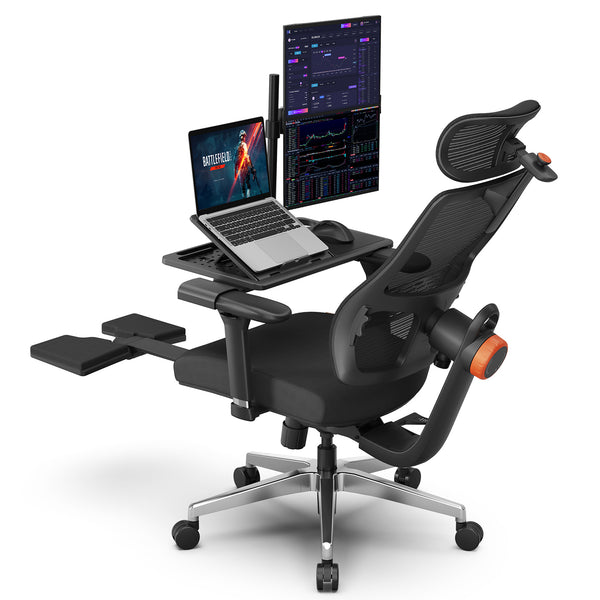 $379.00 $459.00Coupon:
Blog18Compatible NEWTRAL Laptop TableAdaptive lumbar support5D adjustable headrestRecline + Leg Rest
 $349.00 $509.00Coupon:
blog18Auto-following Lumbar SupportAdaptive Recline ComfortPersonalized Ergonomic FitEasy to use and best quality
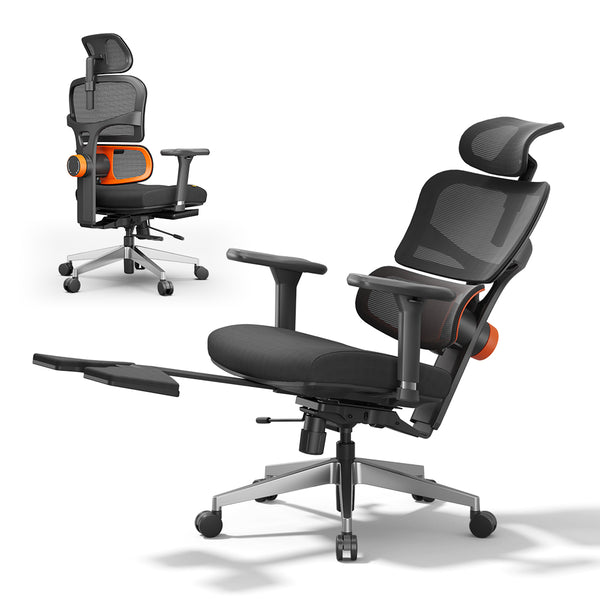 $499.00 $609.00Coupon:
blog18Auto-tracking lumbar follows every shiftMultiple adjustment pointsCertified by ergonomist Iris Sokol
FAQs
Are gaming chairs good for office work?
Yes, if you choose a calmer style, adequate seat width, and a breathable back. For heavy typing, a synchro-tilt or hybrid mesh chair tends to feel better over long hours.
Are gaming chairs good for studying?
They can be. Look for quiet tilt, fabric or mesh material, and a footprint that fits tight desks, and schedule micro-reclines during breaks to reset attention.
What is the best gaming chair for back pain?
A gaming chair with dynamic (auto-following) lumbar support, 4D armrests, and a lockable 100–115° recline reduces back pain most effectively, because it keeps your lumbar curve supported at every recline angle instead of only in one fixed position. See the ranked list above for specific picks by budget.
What kind of chair is best for a bad back, by body type?
- Petite: a shorter gas-lift range and shallower seat depth.
- Tall or long-legged: depth control or a naturally deeper pan.
- Broad shoulders or thighs: a flatter, wider shell with minimal wings.
- Heat-sensitive: mesh or breathable fabric.
Match the body type to the shell before considering features.
Can a gaming chair fix back pain without movement breaks?
No chair can eliminate the need for movement breaks. A supportive chair can reduce load and strain, but regular movement is still necessary to restore circulation and reset your posture.
Is an ergonomic gaming chair with a footrest useful, or just a gimmick?
Useful for reclined recovery and reading breaks; less useful while typing at a fixed desk. Shorter users may prefer a separate foot platform to keep their feet supported during neutral work posture.
Is gaming chair back support different from office chair back support?
Static foam, dial-adjustable, and dynamic lumbar support are available in both categories. The main difference is how often each type is included. Office ergonomic chairs are more likely to come with dial-adjustable or dynamic lumbar support as standard, while gaming chairs often rely on a movable pillow unless you choose a mid-range or premium model. Check the lumbar system directly instead of assuming that “gaming” or “office” branding reflects the level of support.



Leave a comment
All comments are moderated before being published.
This site is protected by hCaptcha and the hCaptcha Privacy Policy and Terms of Service apply.