
Table of Contents
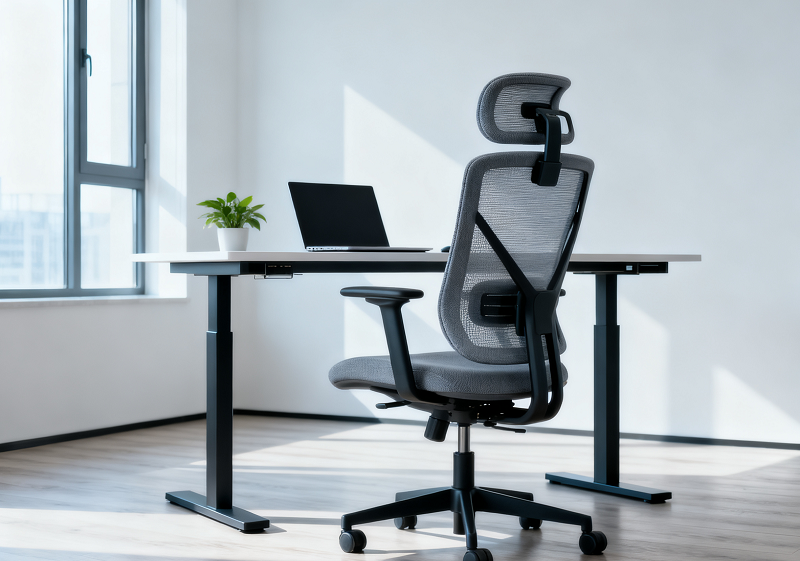
You’ve got the desk that moves. Now you need the chair that keeps up. In the next ten minutes, I’ll show you how to choose the best ergonomic chair for standing desk setups, explain the key rules for healthy posture, and compare real options so you can decide with confidence. We’ll start with what makes a standing-desk chair different, then move to features, setups, and the right Newtral model for you.
Why Your Standing Desk Still Needs the Right Chair
You’ve got the standing desk. You’ve fixed your posture. You’re working smarter.
Then your legs start to ache. Your lower back gets stiff. And suddenly, standing doesn’t feel so healthy anymore.

The truth is simple: movement matters more than position. The secret isn’t to stand all day or sit all day. It’s to alternate between both — and only the right ergonomic chair helps you do that.
A standing desk gives you flexibility. A chair designed for it gives you sustainability. Together, they keep your body active, supported, and pain-free.
What Chair to Use with a Standing Desk?
A standard office chair often fails when paired with a standing desk. It sits too low. It doesn’t tilt high enough. It traps your posture in one angle.
You need an adjustable chair for standing desk setups. It should lift high to meet your desk, lean when you do, and stay stable when you perch. Think of it as a balance partner — supporting you, never restricting you.
Here’s a quick overview of what different chair types offer.
|
Chair Type |
Movement Freedom |
Comfort Level |
Best For |
|
Traditional Office Chair |
Limited |
High for sitting only |
Stationary desk setups |
|
Drafting or Adjustable Chair |
Moderate |
High at multiple heights |
Standing desk users |
|
Leaning or Active Chair |
Excellent |
Moderate with movement |
Dynamic, mobile work |
|
Newtral Ergonomic Chair |
Excellent |
Very high and adaptive |
Long-hour professionals |
The best option combines flexibility with full support. That’s the balance Newtral engineers into every design.
What Is the Best Standing Desk Chair?
You might have seen dozens of “best office chair” lists. Some focus on luxury, others on price. But for a standing desk, the rules change.
The best standing desk chair doesn’t just feel good — it keeps you moving. It must handle different heights, maintain spinal alignment, and let you shift posture easily.
A sit-stand stool offers activity but lacks back support. A saddle chair engages your core but gets tiring fast. A classic ergonomic chair supports you fully but limits motion.
That’s why hybrid models like Newtral’s Magic H Series shine. They blend all the benefits: lumbar support that follows your movement, breathable mesh for endurance, and precise adjustability for any desk height.
You stay upright when you want energy. You recline when you need focus. You lean when you want flow.
Adjustable Chair for Standing Desk: Key Features to Look For

Height Range
Most desks adjust between 28 and 45 inches. Your chair should match that range. Look for a seat height that can rise to 31–33 inches. Smooth pneumatic adjustment is a must.
A taller range gives you freedom to perch, not just sit. When your elbows rest at a natural angle, you know your setup is working.
Lumbar Support
The lower back takes most of the strain during long work hours. A static backrest forces your spine into a single shape. A dynamic lumbar system moves as you do.
Newtral’s auto-following lumbar support reacts instantly to posture shifts. It feels like a smart assistant for your spine, one that never forgets to help.
Build and Comfort
Mesh keeps you cool. Pressure-relief foam cushions your hips. A stable base with quality casters allows smooth motion across floors.
A great standing desk chair should feel light but sturdy, firm but flexible. If your chair moves with you instead of against you, it’s doing its job.
Chairs for Standing Workstations Build the Perfect Setup
Your chair is the core of your workspace. But your environment completes the experience. A well-tuned standing workstation keeps posture, circulation, and energy in sync.
Your screen should sit just below eye level. Your arms should form right angles at the desk. Your feet should always feel supported — on the floor, a mat, or a foot rail.
Small details change everything. A monitor arm helps you stay aligned. A footrest lets you shift weight. An anti-fatigue mat cushions every stand.
|
Accessory |
Function |
Ergonomic Benefit |
|
Anti-Fatigue Mat |
Reduces foot and leg pressure |
Extends standing comfort |
|
Footrest or Rail |
Allows posture variation |
Prevents stiffness |
|
Monitor Arm |
Adjusts screen height |
Keeps neck and shoulders relaxed |
|
Balance Board |
Encourages movement |
Enhances circulation and focus |
A great chair supports you. A smart setup surrounds you.
Most Comfortable Office Chair Where Support Meets Endurance
What makes a chair comfortable isn’t softness — it’s support that lasts. A seat that adapts feels better after six hours than one that feels plush for thirty minutes.
The most comfortable office chair supports your entire posture, not just your back. It gives you freedom to move, recline, and reset.
Newtral chairs are designed for endurance. The NT001 is ideal for focused work or study. The NT002 handles flexible routines in hybrid offices. The Magic H and H003 deliver movement and luxury for creative and executive users.
Compared to standard chairs, Newtral designs reduce pressure on the spine and hips. The difference is clear by day’s end: less stiffness, more clarity, and energy that lasts.
|
Model |
Ideal User |
Unique Feature |
Comfort Rating |
|
NT001 |
Office, study |
Adaptive lumbar with 3D armrests |
★★★★☆ |
|
NT002 |
Remote, hybrid |
Deep recline and adjustable headrest |
★★★★★ |
|
Magic H |
Creative, gaming |
Floating lumbar for active sitting |
★★★★☆ |
|
Magic H002 |
Professional, health-focused |
Auto-following lumbar |
★★★★★ |
|
Magic H003 |
Executive, management |
Dual lumbar zones, premium mesh |
★★★★★ |
Comfort that follows movement — that’s what sets Newtral apart.
The 20-8-2 Rule and the 90-90-90 Sitting Rule Explained
Healthy work follows rhythm, not rigidity.
The 20-8-2 rule reminds you to move often: sit for 20 minutes, stand for 8, and move for 2. It keeps your circulation active and muscles awake.
When you sit, the 90-90-90 rule keeps your posture neutral. Hips, knees, and elbows at right angles. Feet flat. Back naturally curved.
Newtral chairs make these habits easy. Their intuitive design helps your body transition between rules without conscious effort. You just sit, stand, and move — naturally and freely.
The 5 Best Newtral Chairs for Standing Desks

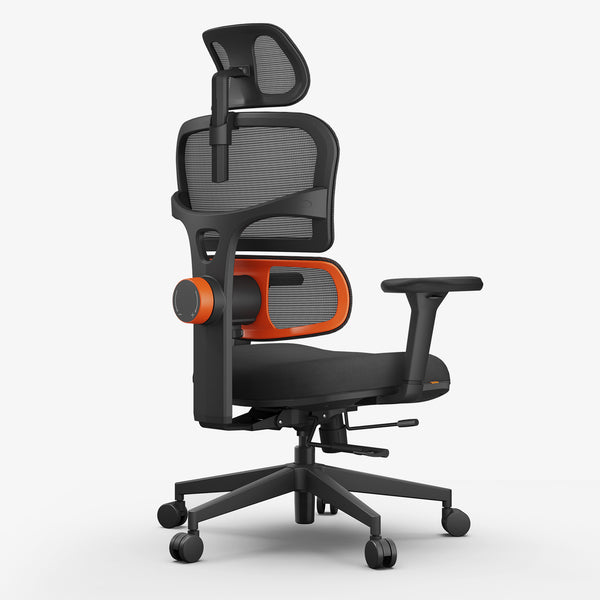
Newtral NT001 – Reliable Comfort for Office and Study
A compact, balanced design built for long focus hours. The NT001 features a breathable mesh back, an adaptive lumbar system, and 3D armrests that reduce shoulder tension. It fits seamlessly under adjustable desks, making posture correction effortless.
blog18
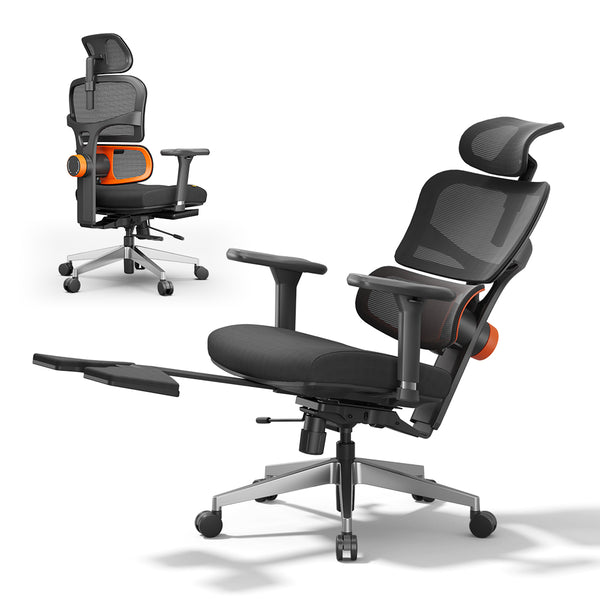
Newtral NT002 – Flexible Comfort for Remote and Hybrid Work
The NT002 blends relaxation with performance. Its multi-angle recline, adjustable headrest, and smooth casters adapt to home and hybrid setups. It transitions easily between sitting and perching heights — silent, stable, and sleek.
blog18
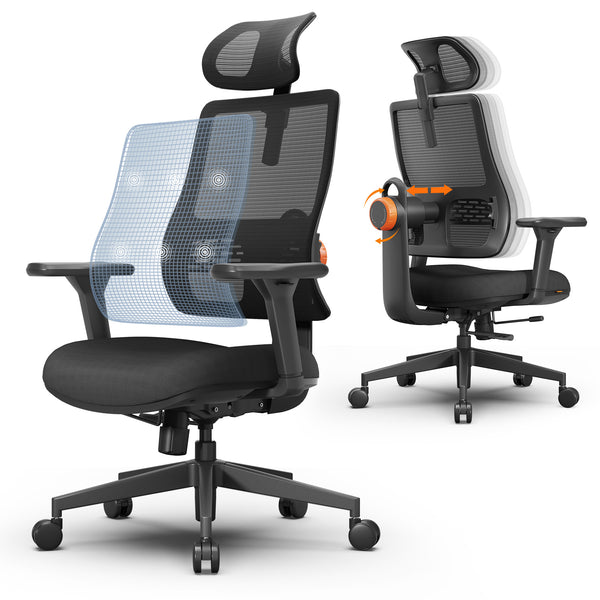
Newtral Magic H – Designed for Motion and Creativity
For gamers, designers, and makers who think with their whole body. The Magic H supports micro-movement through a floating lumbar system. You stay active, your back stays supported, and your mind stays sharp.
Newtral Magic H002 – Smart Comfort with Auto-Following Lumbar
The Magic H002 redefines ergonomics. Its auto-following lumbar reacts instantly as you lean or twist. No adjustments, no settings — just natural, intelligent support that feels almost alive.
Newtral Magic H003 – Executive Elegance with Lasting Support
Built for leadership and longevity. The Magic H003 multi-adjust: back (3 heights/96°-126°), headrest, seat, 3D armrests and refined mesh for precision comfort. Perfect for long meetings, heavy calls, or deep thinking sessions.
Every Newtral model shares one promise: support that moves as you move.
Buying Guide – How to Find Your Perfect Fit
Choosing the best ergonomic chair for standing desk setups is personal. It depends on your height, desk style, and daily habits.
Start by testing adjustability. The chair should match both your seated and standing desk heights. Check lumbar adaptability — does it follow your back or stay fixed? Feel the seat contour. It should relieve pressure, not create it.
If you manage a team, prioritize certified quality. Look for BIFMA safety ratings, strong warranties, and service options. Ergonomics isn’t just comfort; it’s a long-term investment in productivity and health.
Your chair should fit you like a tool, not a trap. Once it does, every task feels lighter.
Conclusion – Move Better, Work Smarter
A standing desk gives you the freedom to move. The right chair turns that freedom into balance.
You’ve seen how the best ergonomic chair for standing desk setups transform comfort and focus. You’ve learned the rules that keep posture healthy and energy high.
Now, it’s time to experience the difference. Explore Newtral ergonomic chairs— designed to follow your body, fuel your focus, and make every day feel effortless.
Your desk moves. Your chair should too.
FAQs About Standing Desk Chairs
How tall should my chair be for a standing desk?
Choose a seat height that lets elbows rest at 90 degrees and feet touch the floor or footrest. Typically, adjustable chairs reaching 31–33 inches work best.
Can an ergonomic chair replace standing completely?
No. Even the most advanced ergonomic chair supports alternating posture, not replacing movement. Sit–stand cycles promote blood flow, reduce fatigue, and sustain focus throughout long work sessions.
What type of chair works best with adjustable desks?
Look for drafting or active chairs with broad height ranges, dynamic lumbar support, and stable bases. Models like Newtral’s Magic H series match adjustable desks perfectly.
Is it healthy to lean while working?
Yes, if the chair is designed for leaning. Slight forward or backward motion keeps core muscles active and relieves spinal pressure, improving comfort during creative or focused tasks.
How can I make my standing workstation more comfortable?
Combine your ergonomic chair with an anti-fatigue mat, adjustable monitor arm, and foot rail. These accessories balance weight distribution and enhance comfort for both sitting and standing periods.





Leave a comment
All comments are moderated before being published.
This site is protected by hCaptcha and the hCaptcha Privacy Policy and Terms of Service apply.