
Table of Contents
By 3 p.m., your back aches, your feet dangle, and your shoulders creep up. The problem usually isn't you. Most ergonomic chairs are built around the average male body, so they fit many women poorly. Here's how to find one that fits, and set it up right.
Why Women Need Chairs Built for Their Bodies
Body Proportion Differences That Affect Comfort
On average, women tend to be shorter in overall height and to have a shorter lower-leg length, narrower shoulders, and a different hip-to-shoulder ratio than men. Those differences sound minor on paper, but they change how a chair should fit. A seat that is too deep forces you to either slouch back or sit forward with no back support. A backrest curve set for a taller spine can land too high and miss the lumbar region entirely.
Common Posture and Pain Points
When a chair does not fit, the body compensates, and those compensations show up as aches by the end of the day. The most common problems include:
- Feet that cannot reach the floor, which cuts off circulation and puts pressure under the thighs
- A seat that is too deep, which pulls you into a slouch and strains the lower back
- Armrests set too high, which lift the shoulders and create neck and upper-back tension

Why a "One-Size" Office Chair Falls Short
A generic office chair gives you one fixed set of dimensions and hopes your body matches. For many women it does not. The features that close that gap are adjustability and support that adapts to you rather than the other way around. Color and style matter for a space you use every day, but they come after fit.
Key Features to Look For
Before comparing models, it helps to know which adjustments make the biggest difference. The table below summarizes the features worth prioritizing and why they matter.
|
Feature |
Why It Matters for Women |
|
Adjustable seat height |
Lets your feet rest flat so the thighs stay supported and circulation stays healthy |
|
Adjustable seat depth |
Stops a too-deep seat from forcing a slouch, which is key for shorter legs |
|
Adaptive lumbar support |
Keeps contact with the lower back as you move instead of in one fixed spot |
|
3D or 4D armrests |
Move inward to match narrower shoulders and a smaller frame |
|
Recline and tilt |
Relieve spinal pressure during breaks and longer sessions |

Seat Height and Depth
Seat height and depth are the foundation of a good fit, so look for a wide adjustment range in both. A chair that drops low enough to bring your feet flat to the floor, and that lets you shorten the seat for shorter legs, can adapt to a smaller frame. A fixed seat that is too high or too deep cannot. The precise way to set these is covered later in the setup section.
Lumbar Support That Adapts
Static lumbar support sits in one spot and waits for your back to find it. Adaptive lumbar support follows your spine as you shift, lean, and recline, so contact stays consistent. The Magic H003, for example, uses an auto-following lumbar system that keeps pressure on the lower back from the moment you sit down to the moment you stand up, which helps if you tend to move around or change postures through the day.
Armrests and Headrest
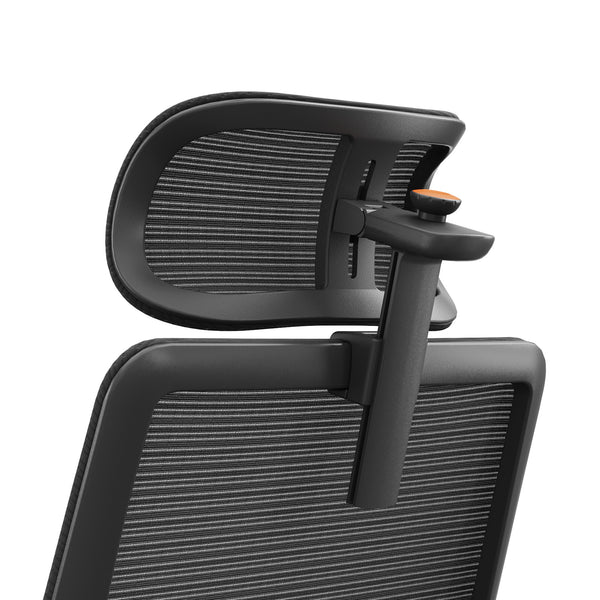
Armrests should bring your forearms into a relaxed position without lifting your shoulders, so look for ones that adjust in several directions and can move inward for a narrower frame. A height-adjustable headrest, such as the Newtral 5D Headrest, supports the neck during recline and takes strain off the upper back.
blog18
Recline and Multi-Posture Options
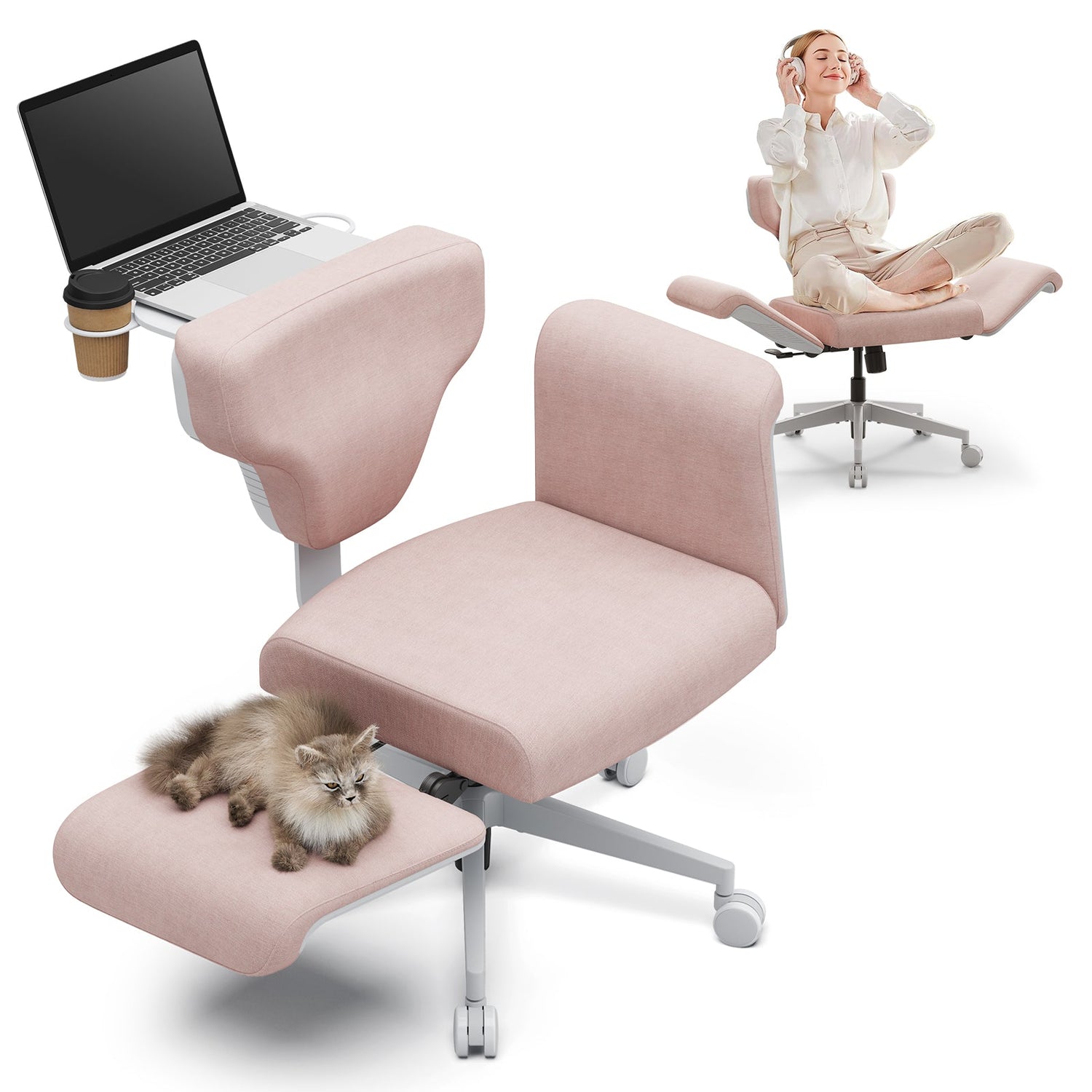
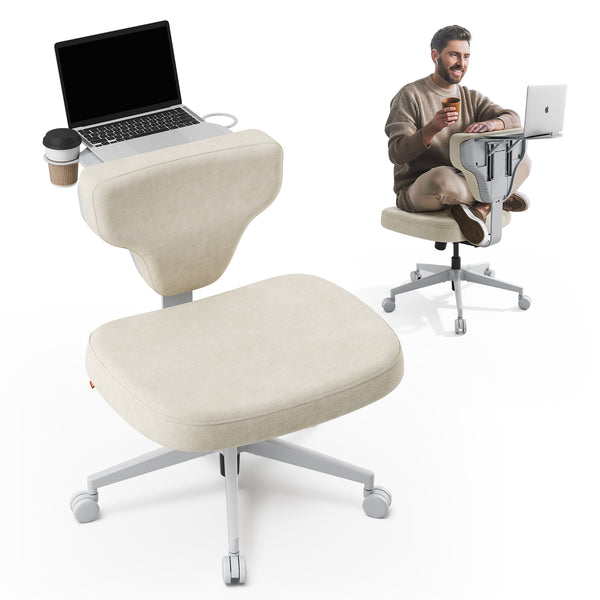
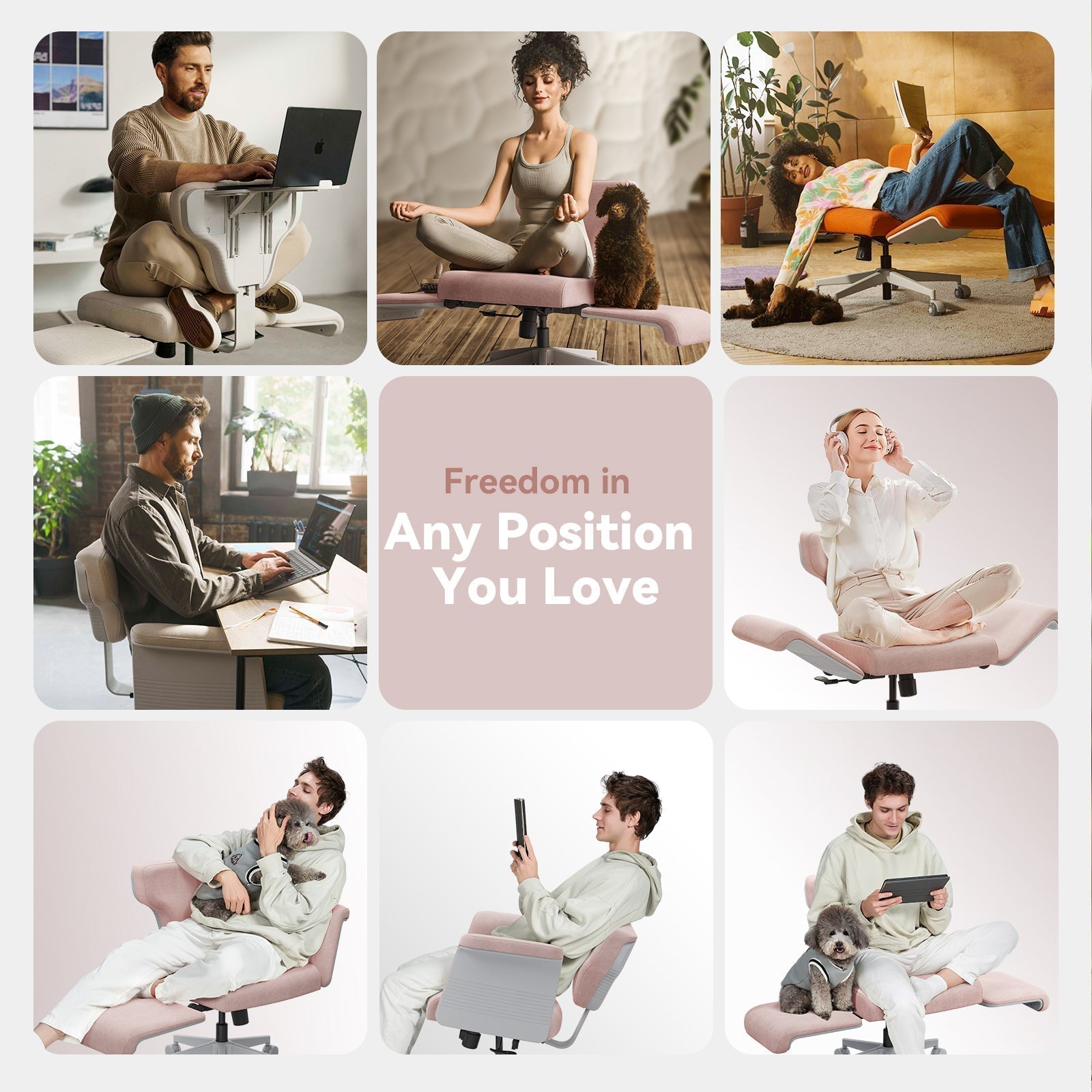
Sitting bolt upright all day is not the goal. The healthiest posture is usually your next one. A chair that reclines and supports several positions lets you move between focused work and relaxed leaning. The Freedom-X Multi-Posture Pro Chair is built around this idea and supports upright sitting, cross-legged sitting, and semi-reclined rest in one chair.
Weight Capacity and Durability
A well-built chair should feel stable and last for years. Reputable manufacturers test their chairs against recognized durability and safety standards. In North America, many quality office chairs are tested to standards published by BIFMA, which cover strength, stability, and durability. A solid base, a quality gas lift, and a clear warranty are good signs that a chair will hold up.
Blog18

Matching the Chair to Your Body Type
Features matter, but the best choice also depends on your body and your stage of life. Use the guide below as a starting point, then fine-tune from there.
|
Body Type or Situation |
What to Prioritize |
Suggested Starting Point |
|
Petite frames |
Low minimum seat height, short seat depth, a footrest if needed |
|
|
Pregnancy |
Easy posture changes, adaptive lumbar, recline |
|
|
Taller frames |
Adjustable backrest height, full-spine support |
Petite Frames
If you are on the shorter side, the number that matters most is the minimum seat height, since the seat has to drop low enough for your feet to rest flat with your knees level with or slightly below your hips. Several models help here.
The Magic H-Bpro and the NT002 both lower to roughly 17 inches (about 43 to 44 cm), are rated for users from 5'1", and include a footrest that supports shorter legs when the seat still sits a little high. A shorter, adjustable seat depth helps too, so check that figure alongside seat height. An ergonomic height calculator can suggest a target seat height for your measurements before you decide.
Support During Pregnancy
During pregnancy, comfort needs change week to week, and being able to shift positions easily matters more than holding any single "correct" posture. A practical choice lets you change postures freely, recline to take pressure off the lower back, and adjust lumbar support as the body changes.
The Freedom-X Multi-Posture Standard Chair supports several sitting positions, including upright and cross-legged, which makes it easier to stay comfortable through the day. A chair that reclines and locks the angle, paired with a footrest to raise the legs, can also ease lower-back and leg pressure during longer breaks.
This is general comfort guidance rather than medical advice, so check with a healthcare provider about what suits you.
Taller Frames
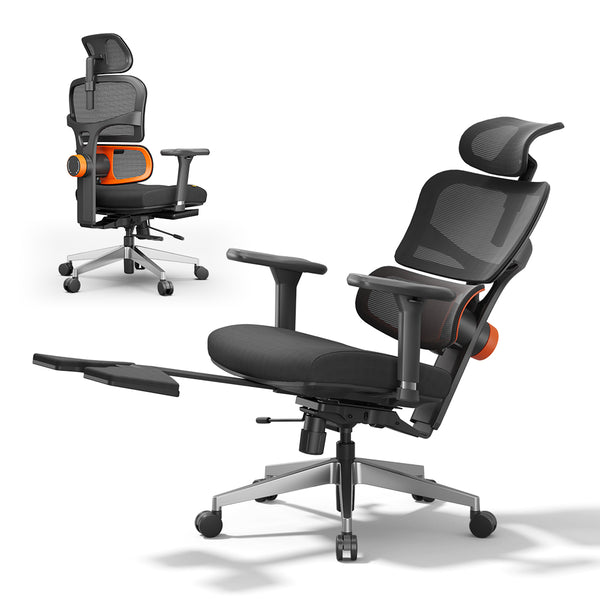
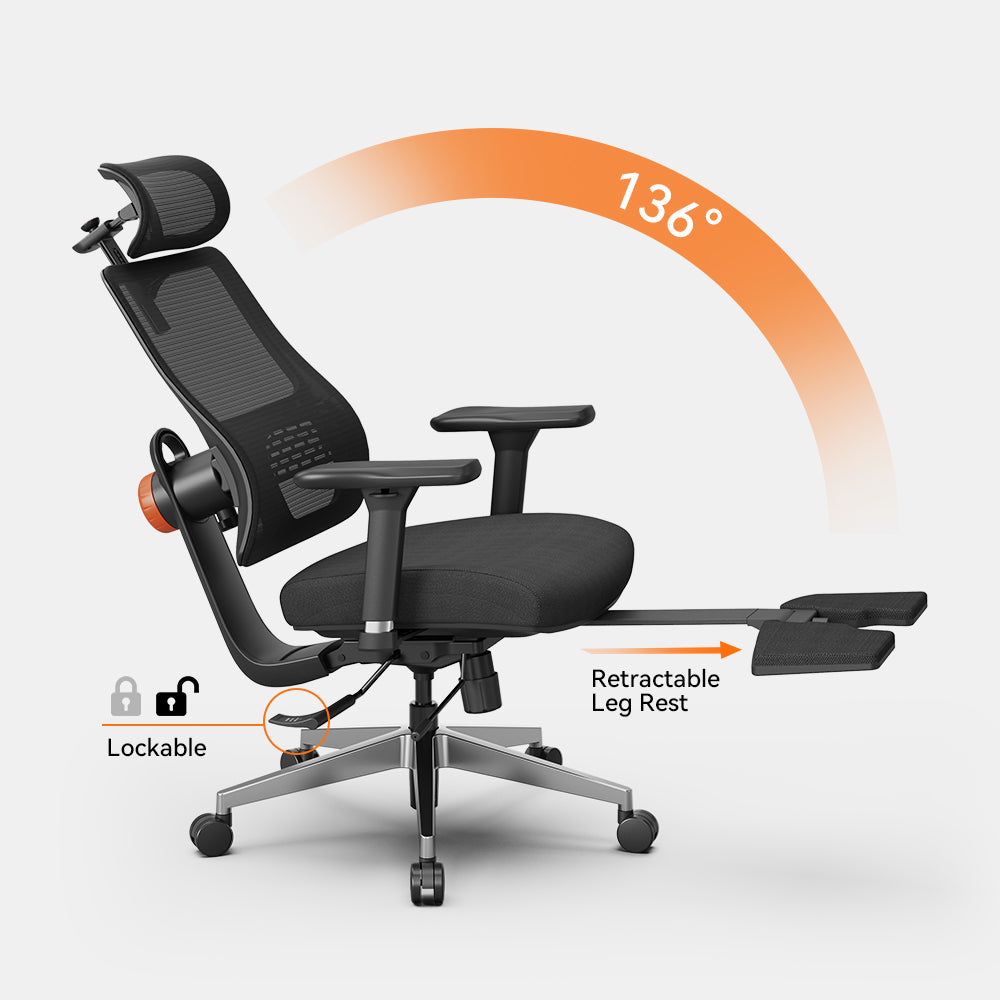
If you are taller, prioritize a backrest that adjusts in height so it supports your full spine. The NT002 offers five backrest-height positions and is rated for users up to 6'3", with an extendable footrest and a recline to 136 degrees for relaxed breaks. For anyone over six feet, height-increasing wheels add a few centimeters of clearance.
blog18

Style and Material Choices
With fit and body type settled, the remaining choices come down to feel and appearance.
Breathable Mesh vs Cushioned Seats
Material affects both comfort and temperature:
- A breathable mesh back, like the one on the NT001, keeps air moving and feels cooler during long sessions, which suits warmer rooms.
- A cushioned seat, like the molded foam on the Magic H-Bpro, offers a softer, more enveloping feel that many prefer for extended sitting.
Neither is better in the abstract. The right pick comes down to your climate and your preference.
Colors and Aesthetics
A chair lives in your space all day, so it should look like it belongs there. Softer tones are available beyond standard black and gray, including a pink Freedom-X and a warm orange Freedom-X, so a home office or bedroom can stay coordinated without giving up ergonomics.

Setting Up Your Chair the Right Way
Even the best chair only works once it is set up for you, and a few minutes of adjustment makes a clear difference. For a thorough walkthrough of workstation posture, the OSHA computer workstations guide is a helpful, free reference.
Dialing In Seat Height and Depth
- Lower or raise the seat until your feet are flat on the floor and your knees sit at about 90 degrees.
- Set the seat depth so a small gap, roughly two to three finger widths, remains between the front edge of the seat and the back of your knees.
These two steps fix the most common fit problems on their own.
Fine-Tuning Lumbar and Armrests
- Position the lumbar support so it fills the natural inward curve of your lower back.
- Adjust the armrests so your shoulders stay relaxed and your forearms rest lightly, with your elbows close to your sides and your wrists straight while typing.
Pairing With Desk and Footrest
A chair works best as part of a full setup. If your desk height is fixed, a laptop table can bring the screen and keyboard to a better level. If you like to alternate between sitting and standing, the DE-A Smart Standing Desk pairs well with an ergonomic chair and keeps you moving through the day.

Recommended Chairs for Women
To make the choice easier, here are three picks for common needs, with the specs that affect fit most.
|
Model |
Best For |
Sale Price |
Key Specs for a Good Fit |
|
Magic H-Bpro |
Daily office work |
From $379 |
Seat to 17.1", 4D armrests, footrest, recline to 136° |
|
Freedom-X Cross Legged Chair |
Home and relaxation |
$129 |
Armless, multi-posture, cross-legged friendly |
|
Magic H003 |
Best value |
From $279 |
Seat depth 16.5 to 18.5", auto-following lumbar, recline to 126° |
Best for Daily Office Work
For full workdays at a desk, the Magic H-Bpro pairs a cushioned, pressure-distributing seat with 4D armrests and a backrest that reclines and locks up to 136 degrees. The seat lowers to 17.1 inches, so it suits shorter and average heights alike, and a foldable footrest is included for breaks.
Best for Home and Relaxation
For a relaxed home setup, where you might fold your legs up or lean back with a book, the Freedom-X Cross Legged Chair is armless and built for flexible, casual sitting across several postures.
Best Value Pick
For the core ergonomic features at an approachable price, the Magic H003 adjusts its seat depth from 16.5 to 18.5 inches to suit shorter or longer legs, reclines up to 126 degrees, and uses the same auto-following lumbar system as the pricier models. The armrests are 3D rather than 4D, which is the main trade-off at this price.
Conclusion
The right ergonomic chair is the one that fits your body, your space, and the way you work. Prioritize an adjustable seat height and depth, adaptive lumbar support, and armrests that suit a smaller frame, then spend a few minutes setting everything up properly. Whether the goal is a busy office, a quiet home corner, or a setup that supports you through pregnancy, a chair exists to fit it. Compare the options in the ergonomic chair collection to find the right match.
FAQs
Are ergonomic chairs really different for women?
The chairs are not gender-specific, but the fit is. Because women on average have shorter legs and narrower shoulders, the adjustments that matter most are a low seat height, an adjustable seat depth, and armrests that move inward. A chair with a wide adjustment range, rather than a "women's" label, is what actually fits.
What should petite women look for in an office chair?
Start with the minimum seat height. A seat that lowers to around 17 inches, like several models rated from 5'1", lets most petite users sit with their feet flat. Pair that with an adjustable seat depth, and add a footrest if the seat still sits a little high.
Is an ergonomic chair safe to use during pregnancy?
Many women find an adjustable, reclining chair more comfortable during pregnancy because it supports frequent position changes, and a footrest can raise the legs to ease pressure. This is general comfort guidance, so check with a healthcare provider for advice specific to you.
Mesh or cushioned seat, which is better?
Neither is better overall. Mesh breathes and stays cooler, while a cushioned seat feels softer over long sessions. Choose by your climate and how firm you like a seat.
How do I know if my chair is set up correctly?
Your feet should rest flat, your knees should sit at about a right angle, your lower back should feel supported, and your shoulders should stay relaxed with your forearms resting lightly. If any of those feel off, revisit the seat height first, since it affects everything else.



Leave a comment
All comments are moderated before being published.
This site is protected by hCaptcha and the hCaptcha Privacy Policy and Terms of Service apply.