
Table of Contents
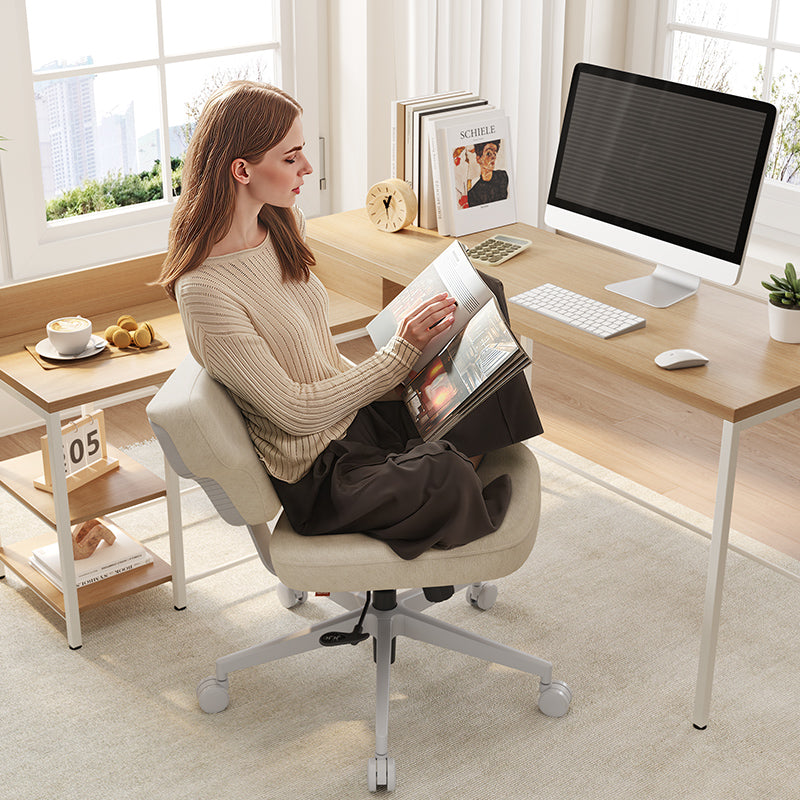
A good book deserves a good chair. But most of us end a long reading session with a stiff back, numb legs, or a sore neck. The chair you work in all day is rarely built for the way your body wants to read.
Why Most Chairs Fail for Reading
Most office chairs are engineered for one purpose: keeping you upright at a desk. That works well for focused work, but reading is a different activity. Your body wants to shift, settle, and relax, and a chair that resists those urges quickly becomes uncomfortable.
-
The upright posture problem. Sitting fully upright places continuous load on the lumbar spine. During short bursts of work this is manageable, but over a reading session that stretches to an hour or more, the compression becomes fatiguing. Most standard chairs offer lumbar support in one fixed position, which loses contact with your spine the moment you naturally lean back or shift your weight.
-
What unsupported legs do over time. When a chair cannot recline far enough, your feet end up planted hard on the floor or the seat edge presses into the backs of your thighs. Both scenarios restrict circulation to your lower legs. Over a long session, this shows up as heaviness, tingling, and the familiar urge to keep standing up and stretching.

What Is a Good Chair for Reading?
Recline angle and lockability
The most important feature for reading is a wide recline range with a lockable position. When reading, most people naturally settle somewhere between 110 and 135 degrees. Ergonomic research consistently identifies this range as one that reduces lumbar disc pressure compared to sitting fully upright at 90 degrees, which is why the body gravitates toward it during any extended rest activity.
A lockable recline matters because a chair that floats freely will shift under you as you move, forcing your muscles to brace rather than relax. For reading, you want to set the angle and have the chair hold it.
Footrest support
A footrest is not optional once you recline past about 110 degrees. At that angle, your feet naturally rise and lose comfortable floor contact. Without a footrest, your thighs carry the full weight of your raised legs and circulation suffers quickly.
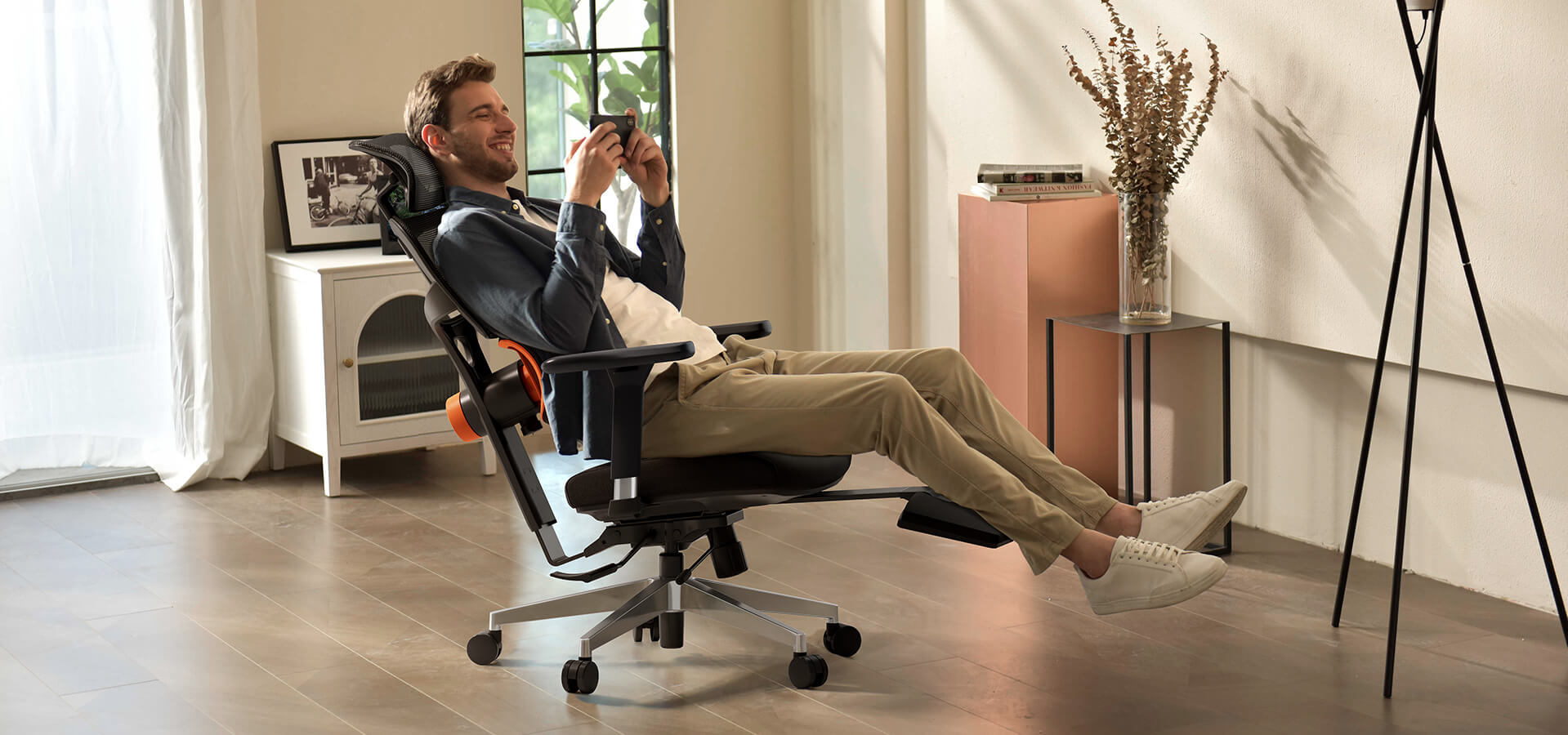
A built-in extendable footrest solves this cleanly. It moves with the chair, matches your recline, and keeps your legs in a supported, relaxed position throughout the session without requiring a separate accessory.
Lumbar support that follows you
Standard lumbar support is fixed in one place. When you recline to read, your torso shifts and the fixed cushion either digs into the wrong part of your back or loses contact with your spine entirely. Neither is comfortable for extended sessions.
An auto-following lumbar system tracks your back as you recline and shift, maintaining continuous contact whether you are at 100 degrees or 130. This makes a meaningful difference across an hour or two of reading.
Headrest for neck relief
Reading usually means your eyes are angled slightly downward at a page or screen, and your neck flexes to follow. Without a headrest at the right height and angle, your neck and upper back muscles work continuously to hold your head in position. Over time, this builds into the tight, heavy feeling most readers recognize by the end of a long session.
An adjustable headrest that allows both height and angle changes lets you find a position where your neck can genuinely relax rather than just partially unload.
Not every chair combines all four of these features. Most are optimized for upright desk work and lack the recline range or built-in footrest that extended reading demands. Newtral’s chairs for reading collection includes models purpose-built for long sitting, each with a lockable recline and leg support included as standard.

Upright vs. Reclined: Which Is Better for Reading?
When upright makes sense
An upright position works well when reading requires active engagement: taking notes, annotating a text, or studying material you need to absorb quickly and critically. Sitting closer to a desk in a more alert posture aids concentration and makes it easier to switch between reading and writing.
For sessions under thirty minutes, or when reading alongside active work, upright is the more practical choice.
Why reclined works better for long sessions
For longer, more immersive reading, a reclined position consistently outperforms upright sitting in terms of comfort and endurance. When you recline, body weight distributes across a larger surface area of the backrest, reducing pressure on the lumbar discs and releasing the muscles that hold you upright. Your body stops working and starts resting.
The difference becomes noticeable around the forty-five minute mark. An upright reader typically starts shifting, stretching, or standing up around this point. A properly reclined reader can stay comfortable for significantly longer without interrupting the session.
The role of a footrest in reclined reading
Reclining without leg support trades one problem for another. A footrest completes the reclined reading position by keeping your legs at a comfortable angle and maintaining circulation from the waist down.
Without it, the discomfort that starts in your legs will eventually pull you out of the recline anyway. With it, the position becomes genuinely sustainable for as long as the reading session lasts.
Best Chairs for Long Reading Sessions
Newtral NT002
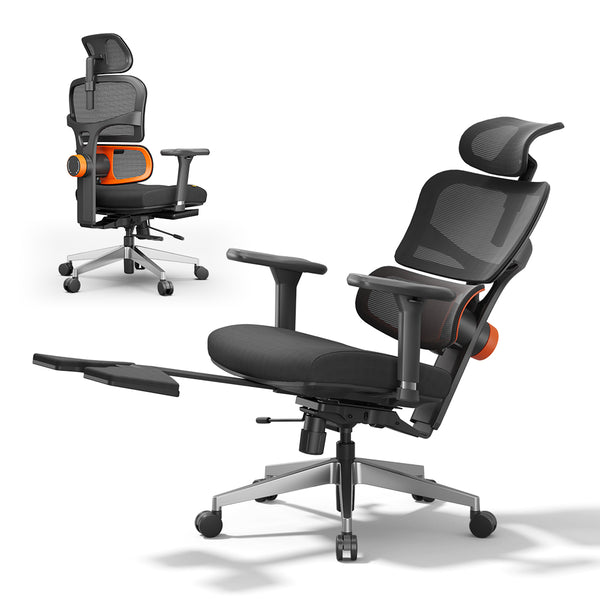
The Newtral NT002 is built for people who spend long hours in one chair, and its features translate directly into a capable reading setup. The backrest reclines from 96 to 136 degrees and locks at any point in that range, giving you a stable angle rather than one that drifts as you shift weight. The built-in extendable footrest deploys when you recline, supports your legs, and promotes circulation during extended sessions, then retracts when you return to an upright working position.
What sets the NT002 apart for reading is its auto-following lumbar support. Rather than staying fixed in one spot, it moves with your spine as you recline and adjust, maintaining continuous lower back contact throughout the session. The 2D adjustable headrest allows both height and angle changes, letting you support your neck properly at your preferred reading angle. The NT002 accommodates users from 5'1" to 6'3" and supports up to 300 lbs.
blog18

Newtral MagicH-BPro
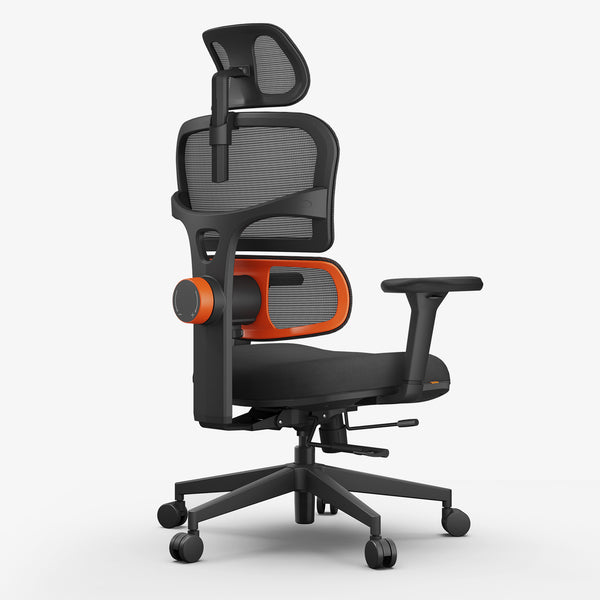
The Newtral MagicH-BPro takes the reading setup further with a more advanced headrest and a backrest designed around full back movement. Its 5D auto-following headrest extends 1.57 inches and locks into three positions, making it easier to find the right neck support angle for reclined reading without repeated manual adjustment.
The auto-following backrest dynamically adapts to your posture rather than providing a single fixed contact point, reducing spinal pressure by up to 50% compared to a fixed backrest design. The seat uses a divided stress zone cushion that distributes weight away from the thighs and hips, directly addressing the circulation issues that build up over an extended reading session. The foldable footrest locks in the extended position to keep your legs steady, and the backrest angle locks independently so your full reading setup stays set until you choose to change it.
For those who read with a tablet nearby, the optional detachable laptop table attaches directly to the chair and holds your device at a comfortable angle without a separate surface. The MagicH-BPro accommodates users from 5'1" to 6'3" and supports up to 300 lbs.
|
Newtral NT002 |
Newtral MagicH-BPro |
|
|
Recline range |
96° – 136°, lockable |
96° – 136°, lockable |
|
Footrest |
Extendable, built-in |
Foldable, built-in |
|
Lumbar support |
Auto-following lumbar cushion |
Auto-following full backrest |
|
Headrest |
2D adjustable |
5D auto-following |
|
Laptop table |
Optional add-on |
Optional detachable |
|
Best for |
Work and reading in one setup |
Extended reclined reading, tablet use |
Both models may be eligible for HSA/FSA reimbursement for U.S. customers seeking relief from back, neck, or spinal discomfort. Details on submitting a claim are available on the HSA/FSA reimbursement.

How to Set Up Your Chair for Reading
Choosing the right recline angle
Start by finding a recline angle where your back fully relaxes without feeling as if you might slide forward. For most readers, this lands somewhere between 110 and 125 degrees. If you are reading something that requires focus and occasional note-taking, stay closer to 110. For longer, more immersive sessions, moving toward 120 to 130 degrees allows the muscles along your spine to release more completely.
Both the NT002 and MagicH-BPro lock at any point within their 96 to 136 degree range.
Extending the footrest correctly
-
NT002: Pull the extendable footrest outward until your legs rest at a comfortable angle with knees slightly bent rather than fully straightened. Your legs should feel supported and still, not propped up steeply.
-
MagicH-BPro: Unfold the footrest and lock it in the extended position. Aim for the same gentle knee bend. If your feet feel pushed upward, pull the footrest back slightly and check again.
Adjusting the headrest
-
NT002: Set the height so the pad sits at the base of your skull, then tilt the angle inward until it makes light, steady contact. You should feel support, not pressure.
-
MagicH-BPro: Position the headrest so it contacts your neck just below the skull at your chosen recline angle. The auto-following mechanism handles small adjustments as you shift, but the starting position determines how well it works throughout.
Conclusion
Most reading discomfort is a chair problem, not a posture problem. Once you have a genuine recline with a lock, a footrest that supports your legs at that recline, and lumbar and neck support that moves with you, the session takes care of itself. The chair stops being something you fight and becomes something that works in the background while you read.
blog18
blog18
FAQs
Is an ergonomic chair good for reading?
Yes, but with one condition: it needs to recline far enough to allow a genuinely relaxed reading position. Many standard ergonomic office chairs are designed primarily for upright desk work and do not recline past 110 to 115 degrees. For reading, look specifically for a chair with a wide recline range, a lockable backrest, and a built-in footrest. Those three features are what separate a chair that works for reading from one that simply tolerates it.
What recline angle is best for reading?
Most readers find between 110 and 130 degrees comfortable for extended sessions. At 110 degrees you remain alert and can easily reach a nearby surface. At 120 to 130 degrees your back and core muscles relax more fully, which suits longer, more immersive reading. The right angle also depends on what you are reading: active study sessions tend to work better closer to 110, while fiction or long-form reading is more comfortable toward 125 or beyond.
Do you need a footrest to read comfortably?
Once you recline past about 110 degrees, yes. At that angle your feet lose natural floor contact and your legs need support to avoid thigh compression and restricted circulation. A built-in footrest that extends with the chair is the cleanest solution, keeping your legs at a comfortable angle without requiring a separate piece of furniture.
Recommended reading:



Leave a comment
All comments are moderated before being published.
This site is protected by hCaptcha and the hCaptcha Privacy Policy and Terms of Service apply.