
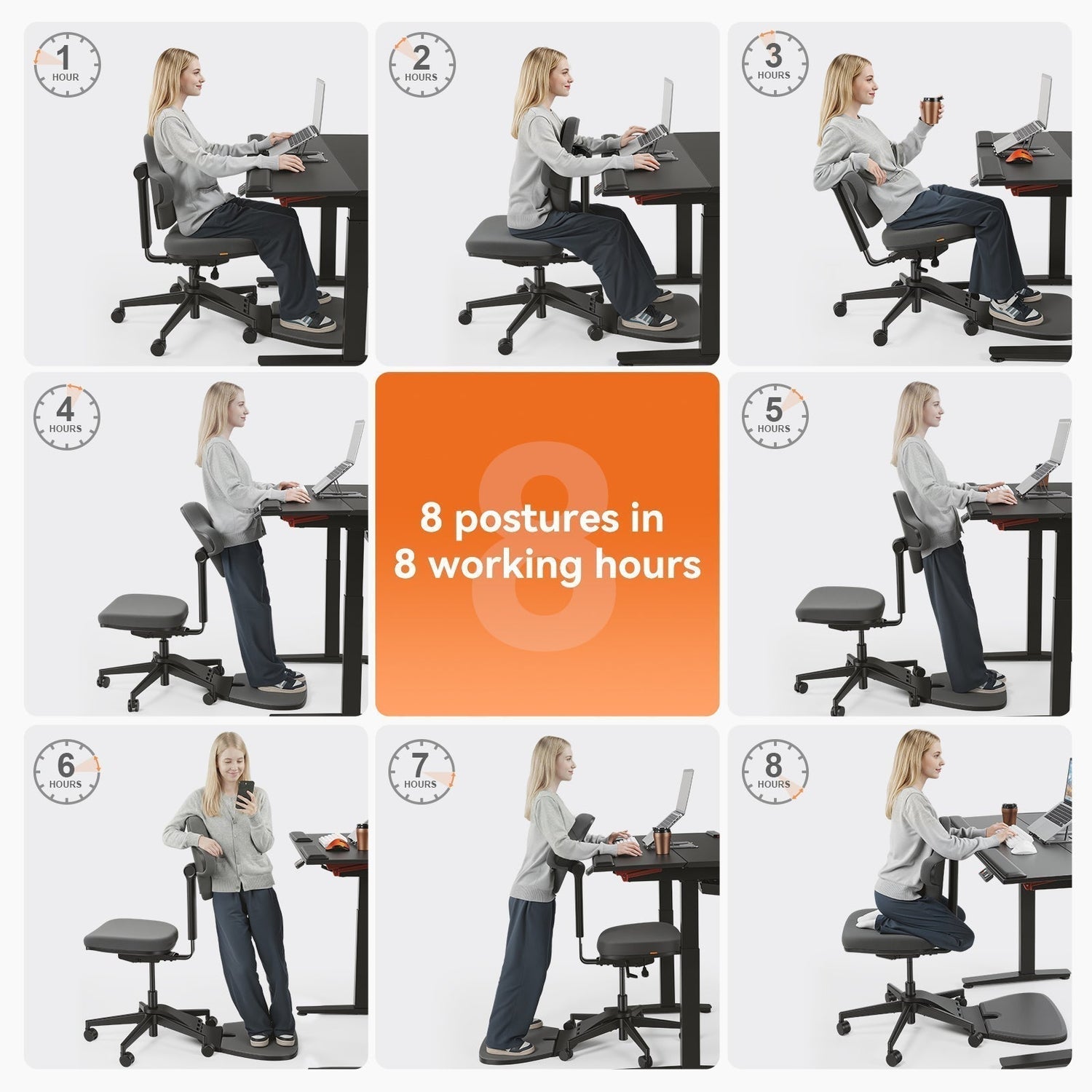
Switching from a fixed desk to a height adjustable desk can make the workday more flexible, comfortable, and movement-friendly. Instead of staying locked into one posture, you can alternate between sitting, standing, and light movement based on your body, energy level, and task.
What Is a Height Adjustable Desk?
A height adjustable desk lets you raise or lower the work surface so you can work comfortably while sitting or standing. Most modern models use an electric motor and a control panel, allowing the desktop to move up or down in seconds. Manual crank desks and desktop converters are also available for simpler setups.
The main benefit is not standing all day. It is having more control over your working posture. A fixed desk forces every user into the same height, while a height adjustable desk can be adapted to your body, chair, monitor setup, and daily workflow.
Sit-stand vs. fixed desks
|
Feature |
Fixed-height desk |
Height adjustable desk |
|
Posture options |
Sitting only |
Sitting, standing, and posture changes |
|
Ergonomic fit |
Often limited by one fixed height |
Adjustable to different users and setups |
|
Daily movement |
Usually encourages long sitting periods |
Makes posture changes easier |
|
Workspace flexibility |
Best for simple setups |
Better for varied tasks and shared workspaces |
|
Upfront cost |
Usually lower |
Usually higher, with more adjustment features |
Health Benefits
The strongest reason to consider a height adjustable desk is physical comfort. Long desk sessions can create stiffness and strain, especially when the workstation does not fit your body well. A sit-stand setup helps by making posture changes easier throughout the day.
Less back and neck pain
Sitting in one position for hours can increase pressure on the lower back and encourage forward head posture. Standing for short periods can help redistribute load and give your back, hips, and shoulders a change of position.
A height adjustable desk is not a treatment for chronic pain, but it can support a more comfortable workstation. Ergonomics resources from OSHA recommend adjusting computer workstations to fit the user and changing posture during the workday to reduce discomfort.
Better posture
A height adjustable desk does not automatically create good posture, but it makes proper alignment easier. When the desk is set correctly, your forearms can stay close to parallel with the floor, your shoulders can relax, and your wrists can remain in a neutral position while typing.
For standing work, the screen should be high enough that you do not need to bend your neck downward. For seated work, the desk and chair should work together so your feet are supported and your elbows stay close to your sides.
Lower sedentary risks
Long periods of uninterrupted sitting are associated with lower daily movement and poorer overall activity patterns. Standing at a desk is not a substitute for exercise, but it can help break up sedentary time.
The World Health Organization identifies physical inactivity as a major health concern and recommends regular movement as part of a healthy lifestyle. In a desk-based routine, small changes such as standing, stretching, and walking briefly between tasks can make the workday less static.
Energy, Focus, and Productivity
A height adjustable desk can also change how the workday feels. By adding more movement options, it helps create a more active rhythm without forcing you away from your workstation.
Movement boosts alertness
Changing posture can help reset your attention, especially during routine tasks. Standing for short periods may feel useful during calls, quick email sessions, file reviews, or planning work.
The benefit is practical rather than dramatic. A standing session will not replace sleep, breaks, or good time management, but it can help reduce the sluggish feeling that comes from sitting still for too long.
Beating the afternoon slump
The afternoon, 2 to 4 PM energy dip often feels stronger after several hours of sitting. Raising the desk for 15 to 30 minutes after lunch or during a low-energy work block can create a useful change of pace.
The key is moderation. Standing should feel like a reset, not a test of endurance. If your legs, feet, or lower back start to feel tired, sit down or take a short walking break.
Flexibility across tasks
Different tasks often work better in different postures. Detailed writing, design work, and spreadsheet tasks may feel easier while seated. Calls, reading, reviewing documents, and brainstorming may feel more natural while standing.
A height adjustable desk lets you match your posture to the task instead of forcing one position to handle everything.
Pairing With the Right Chair
A height adjustable desk works best when the rest of the workstation supports the same flexible approach. The chair still matters because sitting remains an important part of a healthy sit-stand routine.
Standing all day isn't the goal
A common mistake is assuming that more standing is always better. Standing for too long can create foot fatigue, leg strain, and lower-back tension. The goal is alternation, not maximum standing time.
A practical starting point is to stand for 15 to 30 minutes at a time, then return to sitting or take a short movement break. Over time, you can adjust the pattern based on comfort, task type, and energy level.
What makes a good standing desk chair
A standard office chair can work with a height adjustable desk if it offers enough support and adjustment. However, users who frequently switch between sitting, leaning, and perching may benefit from a chair designed for more dynamic movement.
Key features to look for include:
- Adjustable seat height
- Stable base
- Support for sitting, perching, or leaning
- Comfortable cushioning
- Lumbar or back support
- Foot support for higher seated positions
- Easy transitions between posture modes
- Compatibility with the desk’s height range
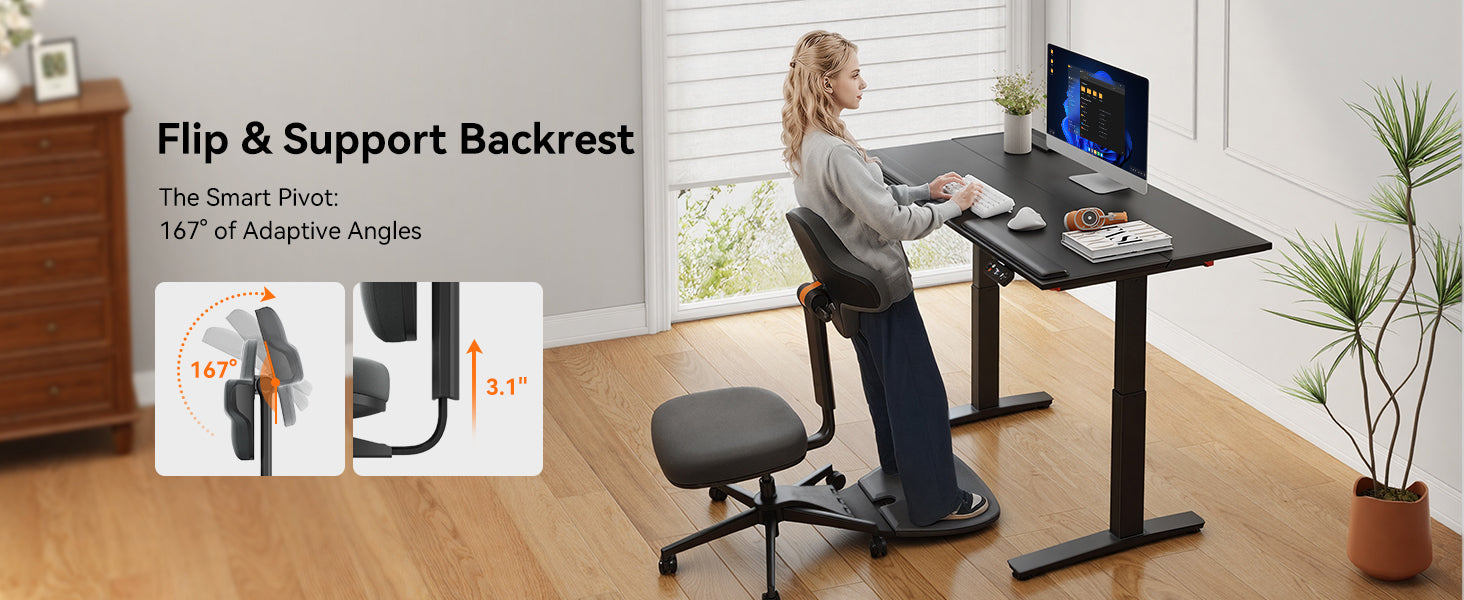
For users who want a chair built for sit-stand workflows, the Newtral Standing-Mate offers support for sitting, perching, and leaning. Its adjustable backrest and built-in standing mat help reduce fatigue during posture changes, making it easier to alternate between sitting and standing throughout the day.

What to Look for When Buying
Not every height adjustable desk offers the same experience. The right model should fit your body, work equipment, available space, and daily habits.
Height range and motor
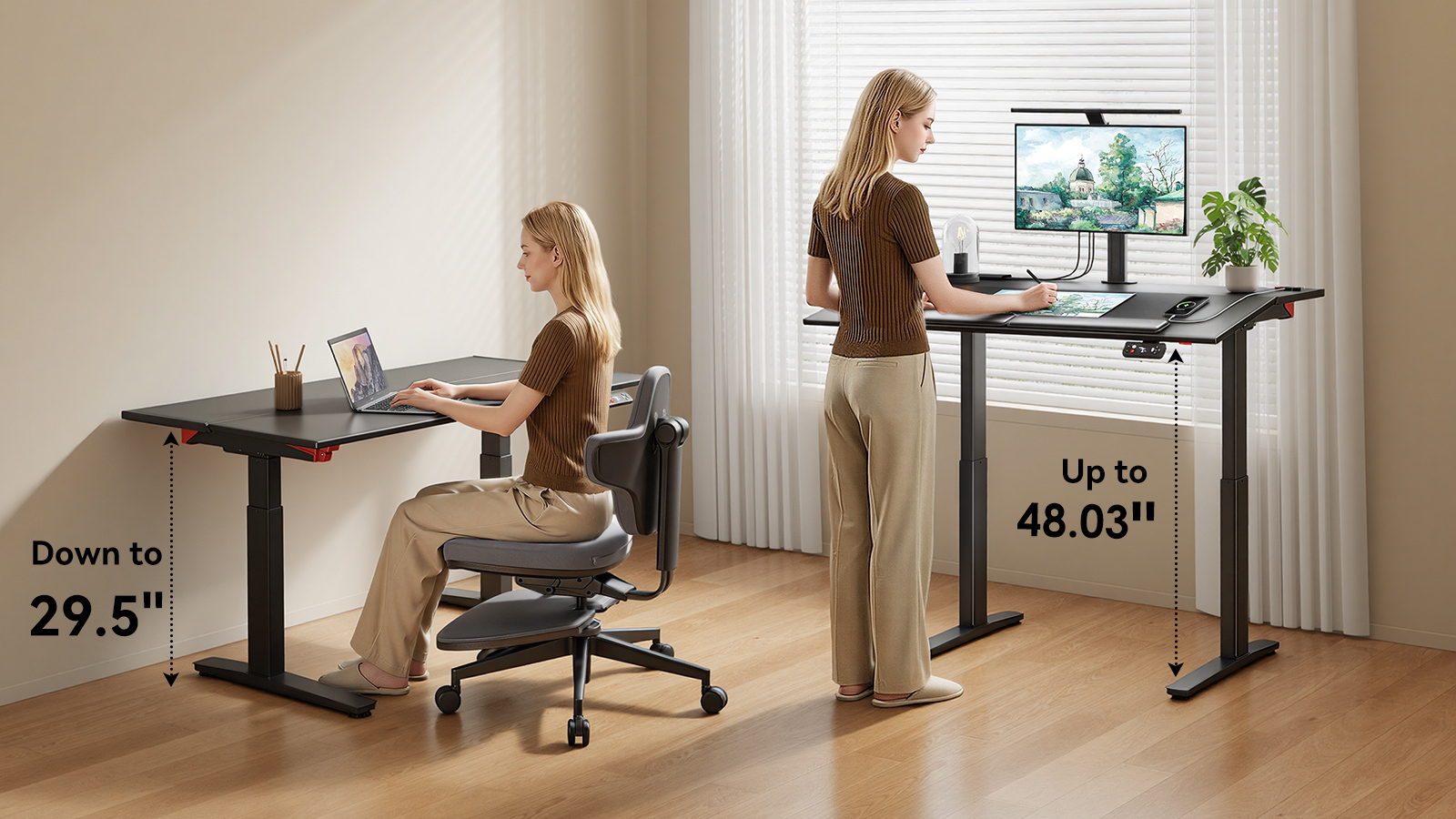
Height range is one of the most important specifications. The desk should go low enough for comfortable seated work and high enough for relaxed standing work. If the desk does not match your body height, you may end up raising your shoulders, bending your wrists, or looking down at the screen.
Motor quality also matters. A good electric desk should move smoothly, remain stable during adjustment, and support the weight of your monitors, laptop, desk lamp, and accessories. Dual-motor systems are often preferred for larger desktops or heavier setups.
Tabletop size and tilt
The tabletop should be large enough for your actual workflow. A laptop-only setup may need less space, while a dual-monitor setup requires more width and depth. In most cases, enough depth is important because it helps keep the monitor at a comfortable viewing distance.
A tilt function is not necessary for every user, but it can be useful for reading, sketching, drawing, studying, or reviewing physical documents. The Newtral DE-A Smart Standing Desk combines electric height adjustment with a tilting tabletop, which may suit users who need both standard desk work and angled-surface tasks.
Smart controls and presets
Memory presets make a height adjustable desk easier to use consistently. Instead of manually adjusting the desk each time, you can save your preferred sitting and standing heights and switch between them with one touch.
Safety and convenience features are also worth checking, especially in shared homes or offices.
|
Feature |
What to look for |
|
Height range |
Low enough for seated work and high enough for standing work |
|
Motor system |
Smooth, quiet, and stable lifting |
|
Tabletop depth |
Enough space for monitor distance and daily tools |
|
Tilt function |
Useful for reading, drawing, writing, or document review |
|
Memory presets |
At least 2 to 4 saved height positions |
|
Safety features |
Anti-collision and child lock where needed |
|
Warranty and returns |
Clear coverage, service terms, and return window |

Conclusion
A height adjustable desk is a low-effort, high-impact upgrade for anyone who spends long hours working at a desk. Pairing one with a purpose-built standing desk chair delivers the full benefit. A 60-day return policy makes the full setup a low-risk way to test the change before fully committing.
FAQs
How long should you stand each day?
Start with short standing sessions, such as 15 to 30 minutes at a time, and alternate with seated work. Once your body adapts, a total of 2 to 4 hours of standing spread across the day may work well for many users. Comfort should guide the final routine.
Do you need a special chair?
A special chair is not required for every sit-stand setup. A good ergonomic office chair can work well if it supports proper height, back support, and relaxed arm positioning. A standing desk chair may be useful if you want to switch between sitting, leaning, and perching more often.
What's the ideal desk height?
The ideal desk height lets your elbows stay close to a 90-degree angle while your shoulders remain relaxed. Your wrists should stay straight when typing, and your monitor should be positioned so you can look forward comfortably without bending your neck.
|
User height |
Approx. seated desk height |
Approx. standing desk height |
|
5'0" / 152 cm |
23.5" |
38" |
|
5'5" / 165 cm |
25" |
41" |
|
5'10" / 178 cm |
27" |
44" |
|
6'2" / 188 cm |
28" |
46" |
|
6'5" / 196 cm |
29" |
48" |
More reading: Standing Desk Chair Selecting Guide

Laisser un commentaire
Tous les commentaires sont modérés avant d'être publiés.
Ce site est protégé par hCaptcha, et la Politique de confidentialité et les Conditions de service de hCaptcha s’appliquent.