
Table of Contents
Sitting in the wrong chair for a few hours is uncomfortable at any age. Sitting in the wrong chair for a few hours every day after 60 is a different problem, one that quietly shapes how much pain a person carries through the rest of the day. Choosing an office chair later in life is not just about style or price. It comes down to seat height, cushioning, and back support working together so daily computer time is something the body can actually tolerate.
This guide covers what changes about seating needs with age, which features genuinely matter, and how to match a chair to specific conditions such as lower back pain or limited mobility.
Why Seniors Need a Different Office Chair
Age-Related Seating Challenges
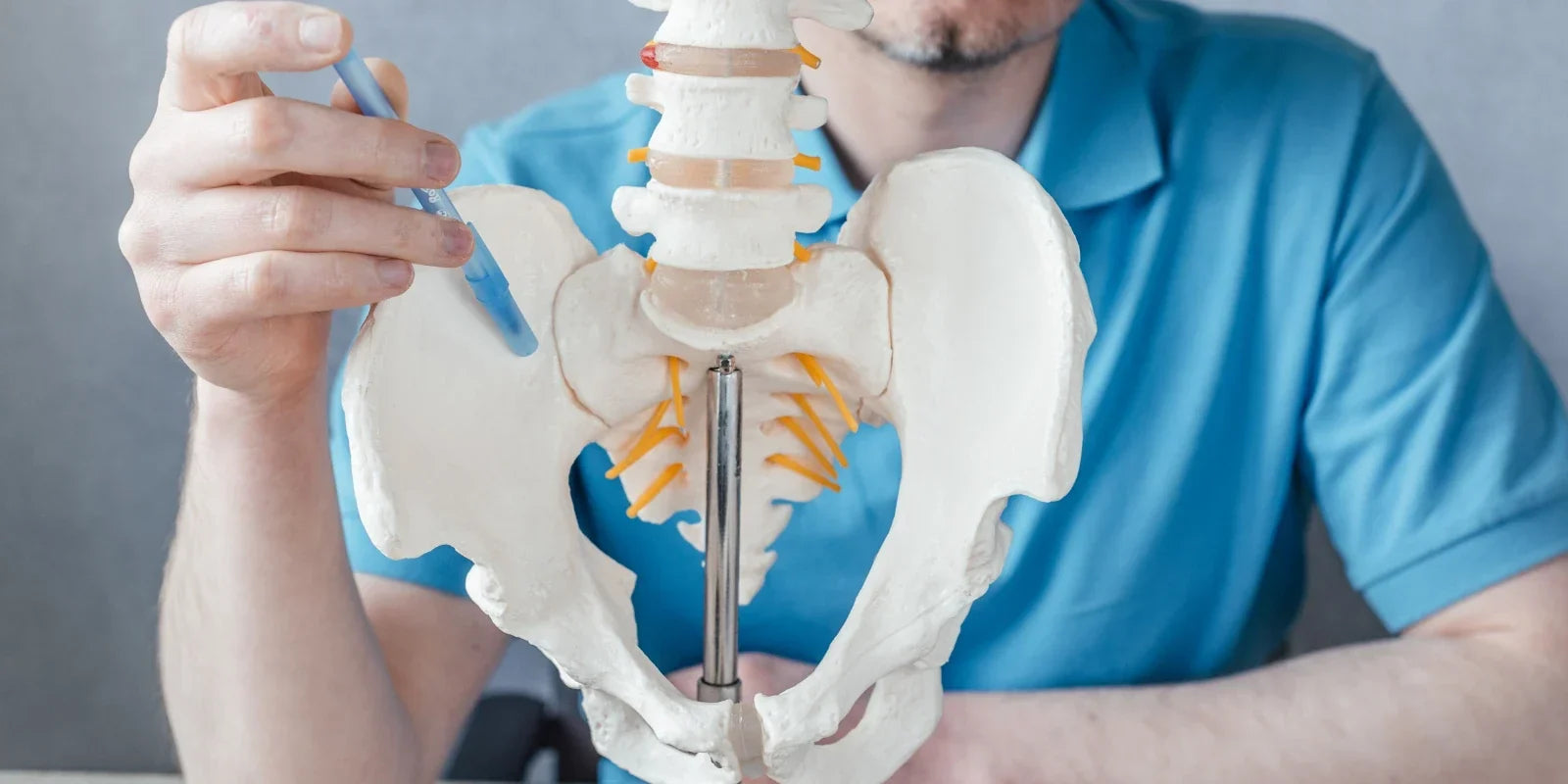
Joints stiffen, spinal discs lose some of their cushioning, and the muscles that once held posture in place for hours start to tire faster. None of this happens overnight, but the effect shows up clearly in a chair that was never designed with any of it in mind. A seat that felt fine at 35 can start causing hip and tailbone discomfort at 65, simply because the padding and support points no longer match the body sitting in them.
Low back pain is especially common in this age group. Research on low back pain in older adults points to spinal degeneration, reduced physical activity, and existing health conditions as major contributing factors. A chair cannot reverse any of that, but the right one can reduce how much strain gets added to an already sensitive spine during long periods of sitting.
How Ergonomic Needs Change With Age?
A few priorities shift consistently as seating needs change with age:
1. Support over firmness. A very firm seat that felt supportive at a younger age can start to translate into pressure points instead of comfort.
2. Built-in range of motion. Recline angles, adjustable armrests, and headrest positioning matter more, since the chair needs to accommodate movement the body no longer supplies on its own.
3. Stability. A wobbly base or armrests that shift under weight go from a minor annoyance to a genuine safety concern.
Key Features to Look For
When comparing chairs, five features make the biggest difference for older adults: lumbar support, seat height and depth, cushioning, armrest and base stability, and weight capacity.
Lumbar and Lower Back Support
The lower back is where most age-related sitting discomfort concentrates, so lumbar support should be adjustable rather than fixed. A lumbar system that moves with the body as posture shifts throughout the day holds up better over a full workday than a static pad that stays in one position regardless of how the sitter moves.
Easy Sit-to-Stand Seat Height
Getting in and out of a chair repeatedly during the day should not require extra effort. Two things help most: a seat height that adjusts low enough for shorter users, and a seat depth that lets the feet rest flat on the floor. A chair with a slight forward seat tilt option can also make the transition from sitting to standing noticeably smoother.
Pressure-Relief Cushioning
Extended sitting concentrates pressure on the tailbone and hips, which can become genuinely painful over a full workday. Cushioning that distributes weight evenly across the seat, rather than concentrating it at the coccyx, makes a measurable difference for anyone dealing with tailbone sensitivity. The office chairs for tailbone pain are built specifically around this kind of pressure-relief cushioning.

Stable Armrests and Base
Armrests that wobble or a base that rocks slightly under weight undermine confidence in the chair, which matters more for older users who may lean on the armrests to push themselves up. Worth checking before buying:
- A wide, stable base
- Locking casters, where the flooring calls for them
- Armrests rated to hold real weight without flexing
Weight Capacity and Durability
A published weight capacity is one of the more reliable indicators of how a chair was engineered, since a higher rated capacity generally reflects a sturdier frame, base, and gas lift throughout. Durability matters just as much over time: a chair used daily for years should hold its cushioning and mechanisms without the seat sagging or the recline function loosening.
Matching Chair Features to Common Conditions
|
Condition |
What Helps Most |
|
Lower back pain |
Adjustable, following lumbar support and a recline range for position changes |
|
Limited mobility |
Lower minimum seat height, stable armrests, and an easy-to-reach recline lever |
|
Arthritis and joint sensitivity |
Soft-touch controls, padded armrests, and cushioning that reduces pressure points |
Lower Back Pain
Chronic or intermittent lower back pain responds best to a chair that actively supports the spine's natural curve, combined with a recline option for shifting weight off the lower back during the day rather than sitting upright for hours without a break. The office chairs for back pain are organized around this exact need.

Limited Mobility
For anyone who moves more slowly or finds frequent position changes difficult, the chair should do more of the work. A few details reduce the physical effort involved in everyday use:
- Armrests positioned for an easy push-up
- A seat that does not sink too low when sat in
- Controls that are simple to reach without twisting
Arthritis and Joint Sensitivity
Stiff or painful joints make small details disproportionately important. Padded, adjustable armrests reduce pressure on the elbows and wrists, while cushioning with a softer initial contact eases the discomfort of sitting down and standing up repeatedly through the day.
Top Ergonomic Chair Picks for Seniors
For a full side-by-side look at how the two main collections differ in backrest design and lumbar positioning, the NT vs. Magic Collection comparison is a useful starting point before choosing a specific model.
Best for Lower Back Support
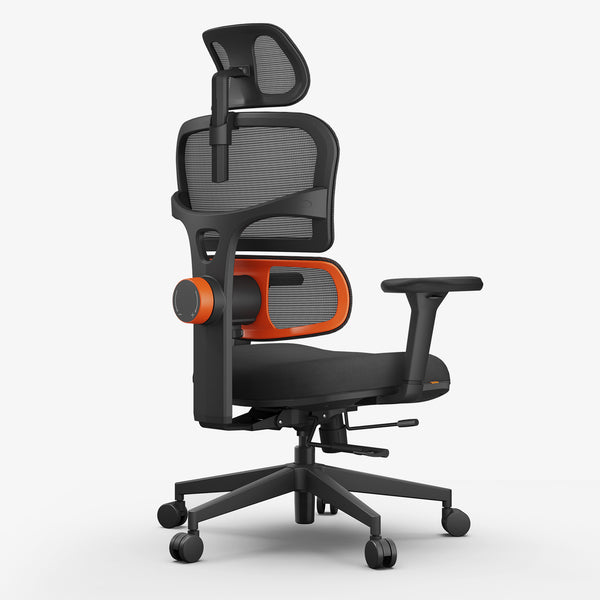
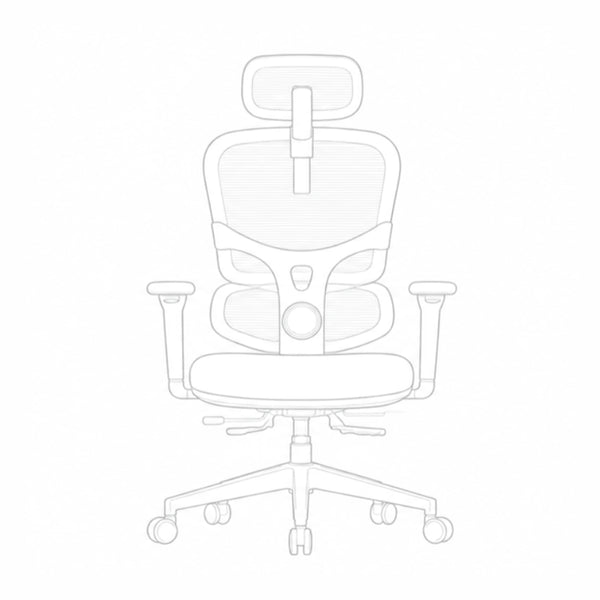
The Newtral NT001 is built around a two-piece backrest with a lockable lumbar system that tracks lower back movement instead of staying fixed in place, making it a strong entry point for anyone whose main concern is targeted lumbar relief.
- 5 lockable lumbar height positions for targeted lower back support
- 5 cm seat depth adjustment, useful for shorter users who want a proper sit-to-stand fit
- Starting price around $349, the lower entry point in the NT Collection
blog18
Best for Recline and Rest Breaks
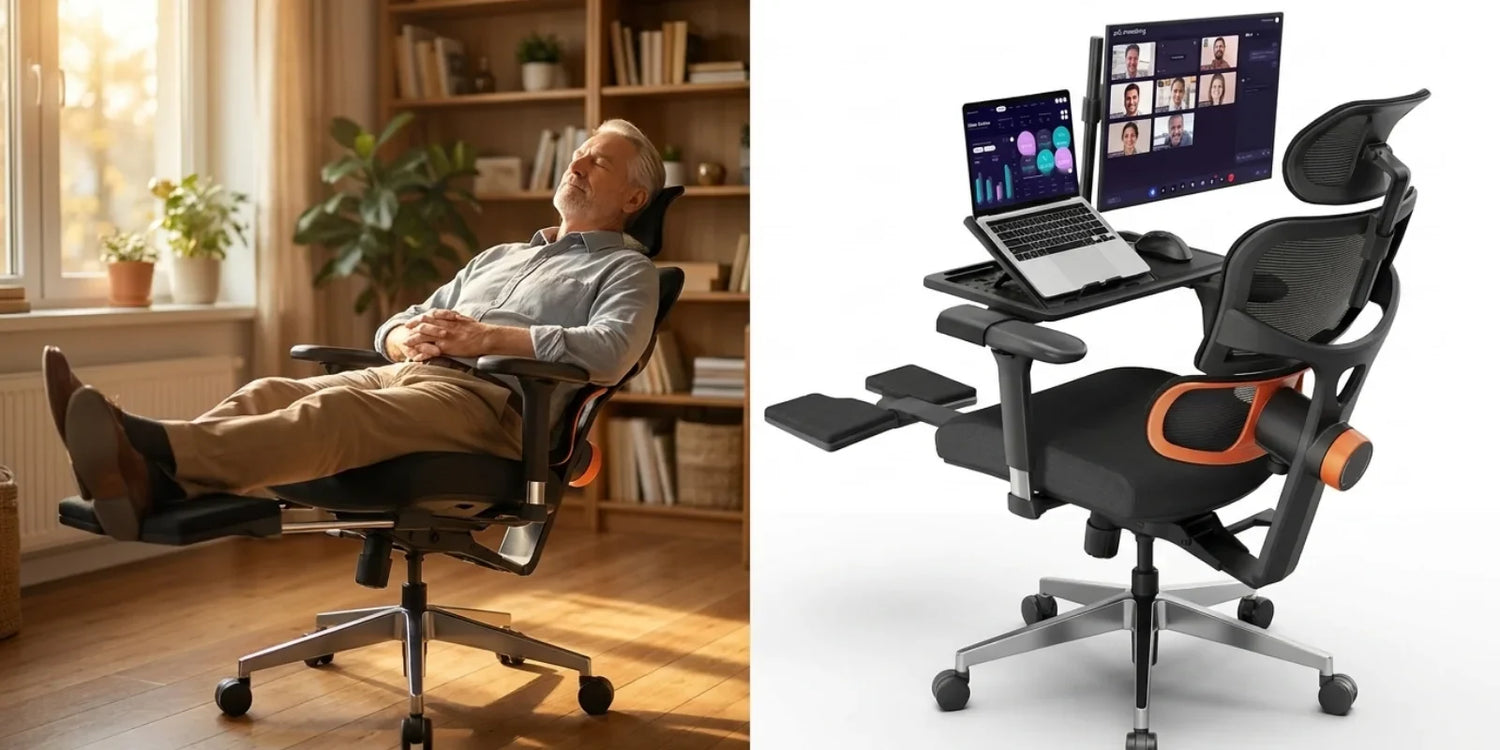
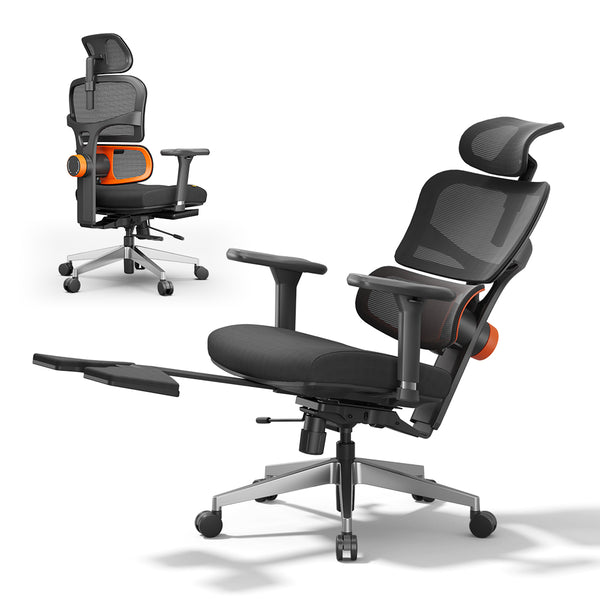
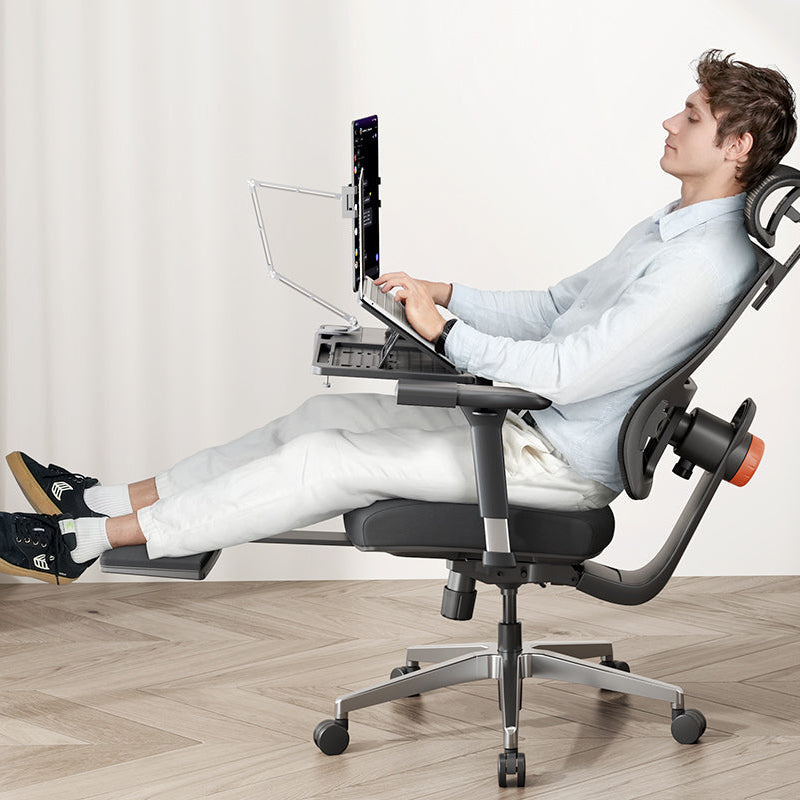
The Newtral NT002 adds a lockable recline range up to 136 degrees along with an extendable footrest, making it easier to take a genuine rest break during the day without leaving the chair.
- Recline range up to 136 degrees, locked in place for rest breaks
- Extendable footrest
- 300 lb weight capacity on an aluminum alloy base
- Backrest height adjusts across 5 positions to fit users from about 5'1" to 6'3"
blog18
Best Budget-Friendly Option
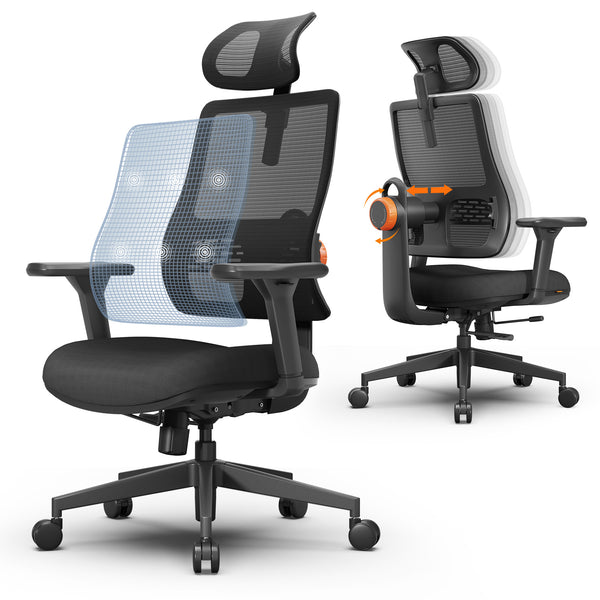
The Newtral Magic H003 offers the same auto-following lumbar technology as the NT Collection at a lower price point, with quick assembly that makes it an easy first chair to set up without help.
- Auto-following lumbar support starting around $279
- 3D adjustable armrests and adjustable backrest height
- Typical assembly time of 20 to 25 minutes
|
Model |
Best For |
Key Feature |
Starting Price |
|
NT001 |
Targeted lumbar support |
Two-piece tracking backrest |
$349 |
|
NT002 |
Recline and rest breaks |
136-degree recline with footrest |
$499 |
|
Magic H003 |
Budget-conscious buyers |
Auto-following lumbar at entry price |
$279 |
Setting Up an Ergonomic Home Office
Desk and Monitor Height
A chair only solves part of the equation. Elbows should rest at roughly a 90-degree angle when typing, and the top of the monitor should sit at or just below eye level so the neck does not need to tilt down for long stretches. For anyone using a laptop, a raised stand or a laptop table attachment helps avoid the forward head posture that laptops tend to encourage.
Supportive Accessories
Small additions extend the benefit of a well-chosen chair. Footrests, lumbar cushions, and adjustable laptop stands are available in the chair accessories collection and can be added individually to fine-tune comfort without replacing the chair itself.
Easy Assembly for New Buyers
Assembly is a fair concern for anyone setting up a new chair without help. Most models come with a step-by-step product assembly guide, and typical setup takes well under half an hour with the tools included in the box.
Finding the Right Fit
The right chair for an older adult comes down to a short list of priorities: adjustable lumbar support, a seat that makes standing up easy, pressure-relief cushioning, and a stable, durable base. Matching those priorities to a specific condition, whether that is chronic back pain, limited mobility, or joint sensitivity, narrows the choice down from the full catalog to a small handful of realistic options.
FAQs
Can HSA or FSA funds be used to buy an ergonomic office chair?
An ergonomic chair can qualify as an HSA or FSA eligible expense when it is medically necessary and supported by documentation such as a letter of medical necessity from a healthcare provider. Eligibility rules are outlined in IRS Publication 502, and the HSA and FSA Guide has more detail on how this applies to chair purchases.
What is the best type of chair for elderly people?
The best chair for older adults combines adjustable lumbar support, a seat height low enough for an easy stand, and cushioning that relieves pressure on the tailbone and hips. Stability and a reasonable weight capacity matter just as much as comfort features.
How high should an office chair be for seniors?
Seat height should allow the feet to rest flat on the floor with the knees at roughly a 90-degree angle. For most seniors, this falls in the 16 to 20 inch range, though the right number depends on individual height and the desk being used.
Are swivel chairs safe for elderly users?
Swivel chairs are generally safe when the base is stable and the casters suit the flooring, such as locking or low-rolling casters on hard surfaces. The main risk comes from chairs with a narrow base or worn casters that can shift unexpectedly during a sit-to-stand transition.
What features matter most in a chair for back pain?
Lumbar support that tracks the sitter's movements matters more than any other single feature. A close second is a recline function, which allows short position changes without leaving the desk and gives the lower back periodic breaks from sustained pressure.




Leave a comment
All comments are moderated before being published.
This site is protected by hCaptcha and the hCaptcha Privacy Policy and Terms of Service apply.