

Table of Contents
Writing code is mostly a stillness sport. A debugging session can stretch for hours without a single break, and a sprint deadline can turn eight hours at a desk into eleven. The body pays for that stillness gradually, through fatigue and tension that build long before they become obvious pain. An ergonomic chair will not fix a tight deadline, but it changes how the body holds up through one.
Why Programmers Need an Ergonomic Chair
Hours of Sitting and Posture Strain
Most developers spend the bulk of their workday seated, often in the same position for long stretches while focused on a screen. Static posture reduces blood flow to the muscles supporting the spine, and over time that leads to stiffness that no amount of stretching after work fully undoes. A chair that keeps the spine supported through hours of sitting reduces how much recovery the body needs at the end of the day.
Common Pain Points for Developers
A few complaints come up again and again among programmers, and they usually trace back to the same root cause: a chair that does not adjust to the person sitting in it.
- Lower back pain, often from slouching forward toward the monitor
- Neck and shoulder tension, usually tied to a keyboard or screen set at the wrong height
- Wrist discomfort, common among developers who rest their forearms on a hard desk edge instead of a properly positioned armrest

What to Look for in a Programming Chair
A chair built for programming work needs to support the body through long, low-movement sessions rather than short bursts of activity. A few features matter more than the rest.
Lumbar Support and Spine Alignment
The lower back naturally curves inward, and a chair without support in that region forces the spine to round outward as the hours pass. Auto-following lumbar support tracks the spine as a person shifts position, rather than locking support to a single fixed point. Chairs with this feature, such as those in the auto-following lumbar support chairs collection are built for people who move between leaning forward to type and leaning back to think through a problem.
Seat Height and Depth Adjustment
One of the most common concerns among developers is finding a chair that fits a shorter or taller frame correctly. Seat height affects whether the feet rest flat on the floor and whether the knees sit at a comfortable angle relative to the hips. Seat depth matters just as much: too deep, and the backrest never touches the lower back; too shallow, and the thighs lack support. The ergonomic chair height calculator is a useful starting point for programmers who are unsure what dimensions to look for based on their height.
|
Height range |
Recommended seat height |
|
Under 5'4" (162 cm) |
15 to 17 inches |
|
5'4" to 5'9" (162 to 175 cm) |
17 to 19 inches |
|
Over 5'9" (175 cm) |
19 to 21 inches |
Armrest Position for Keyboard Work
Armrests that adjust in height and width let the forearms rest naturally while typing, taking weight off the shoulders and wrists. For programmers who type for hours at a stretch, an armrest set too low or too far apart can quietly contribute to shoulder tension without ever feeling like the obvious cause.
Breathable Material for Long Sessions
Mesh backing allows airflow during long coding sessions, which matters more than it might seem after several hours in the same seat. Chairs upholstered in dense foam without ventilation tend to trap heat, adding a layer of discomfort on top of any postural strain.

Newtral Chairs Built for Programming Work
Office chairs designed for programming work are typically tested against furniture industry standards for durability and structural safety, such as the BIFMA X5.1 standard for general purpose office chairs. Chairs that meet this standard have gone through repeated stress testing on the base, casters, and mechanism, which matters for anyone planning to sit in the same chair for years of daily use.
NT Collection for Focused Coding Sessions
The Newtral NT001 chair is BIFMA certified and built around auto-following lumbar support, with a lockable recline range of 96° to 136°, 4D armrests, and a seat depth that adjusts between 15.7 and 18.8 inches. The aluminum alloy base carries a 300-pound weight capacity, and the chair height adjusts from 43.7 to 54 inches, which covers most desk heights without additional risers. For programmers who spend most of the day at a single desk, this combination lets the chair track posture changes automatically instead of requiring constant manual readjustment.
Magic Collection for Everyday Office Coding
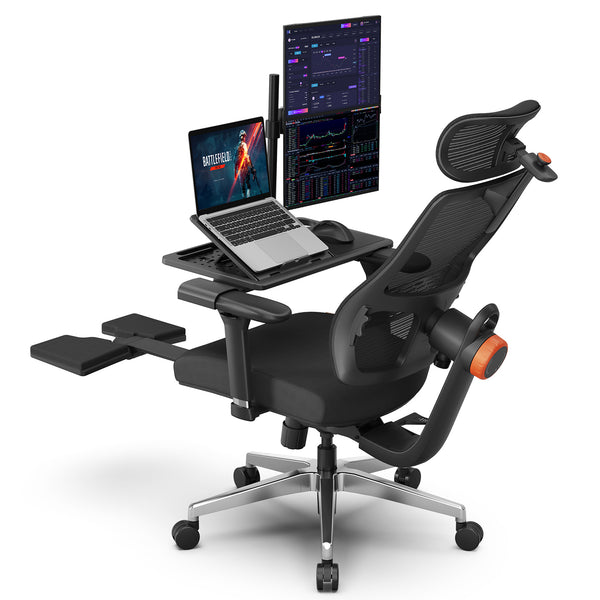
The Newtral Magic H-Bpro chair uses the same auto-following backrest technology, rated to cut spinal pressure by up to 50 percent during extended sitting, paired with a detachable laptop table that attaches directly to the chair. Its 5D headrest extends 1.57 inches across three lockable positions, and the backrest height adjusts across three settings to fit users between 5'1" and 6'3". The chair has been recommended by ergonomics expert Iris Sokol, which adds some outside validation to a chair aimed at developers who split time between a fixed desk and shorter, laptop-based coding sessions elsewhere in the home or office.
Blog18
Comparing NT and Magic for Your Setup
The two collections share the same lumbar tracking system but differ in frame and intended use. The NT & Magic collection comparison covers the full breakdown, and the table below summarizes the core differences for programmers choosing between the two.
|
Feature |
NT001 |
Magic H-Bpro |
|
Base material |
Aluminum alloy, 300 lb capacity |
Steel frame |
|
Recline range |
96° to 136°, lockable |
Auto-following backrest, no manual lock |
|
Armrests |
4D adjustable |
Adjustable, lockable |
|
Headrest |
Auto-following, height adjustable |
Auto-following, extends 1.57", 3 positions |
|
Laptop table |
Not included |
Detachable, included |
|
Starting price |
$349 |
$379 |
Chair Options for Different Programmer Needs
For Programmers Who Sit for Long Stretches
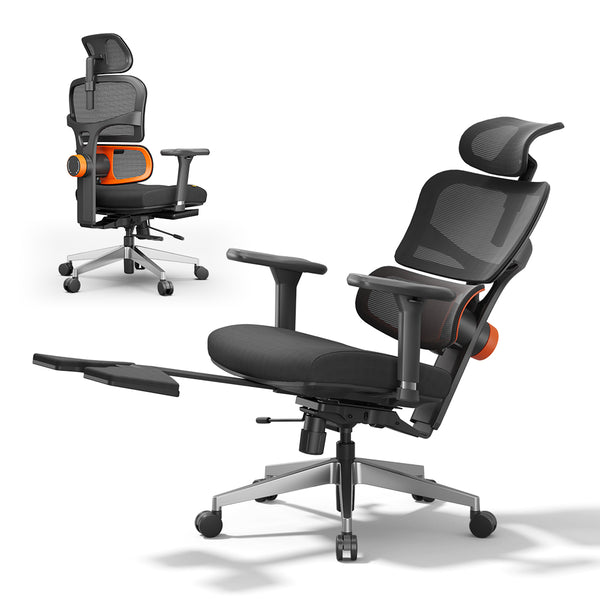
For developers whose work rarely includes a natural break, such as running long test suites or monitoring live deployments, the Newtral NT002 chair is built for that pattern specifically. It shares the NT001's lumbar system but adds a 350-pound weight capacity, five lumbar lock positions instead of four, breathable Korean Filo mesh across the backrest, and a foldable footrest that extends for recovery breaks during a long build or a slow deployment. The broader back support ergonomic chairs cover additional options built around the same kind of continuous, low-movement sitting.
blog18
For Small Home Office Setups
Not every developer works from a dedicated office. For those working from a bedroom corner or a shared living space, a compact chair that still delivers proper support matters as much as one built for a full sized office. The Newtral home chairs are suited to smaller footprints without giving up adjustability.
Setting Up a Healthy Coding Workstation
A well chosen chair only solves part of the equation. The rest of the workstation needs to work with it, not against it.
Desk and Monitor Height Pairing
A chair set at the correct height only helps if the desk and monitor are set to match it. When the desk sits too high or too low relative to the chair, the shoulders and wrists compensate, undoing much of what the chair is meant to fix. The ergonomic workstation collection covers setups designed to pair properly with an adjustable chair.
Standing Options for Coding Breaks
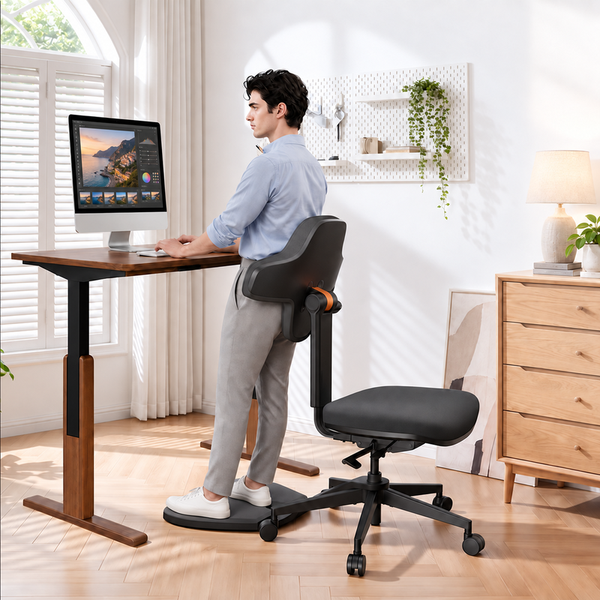
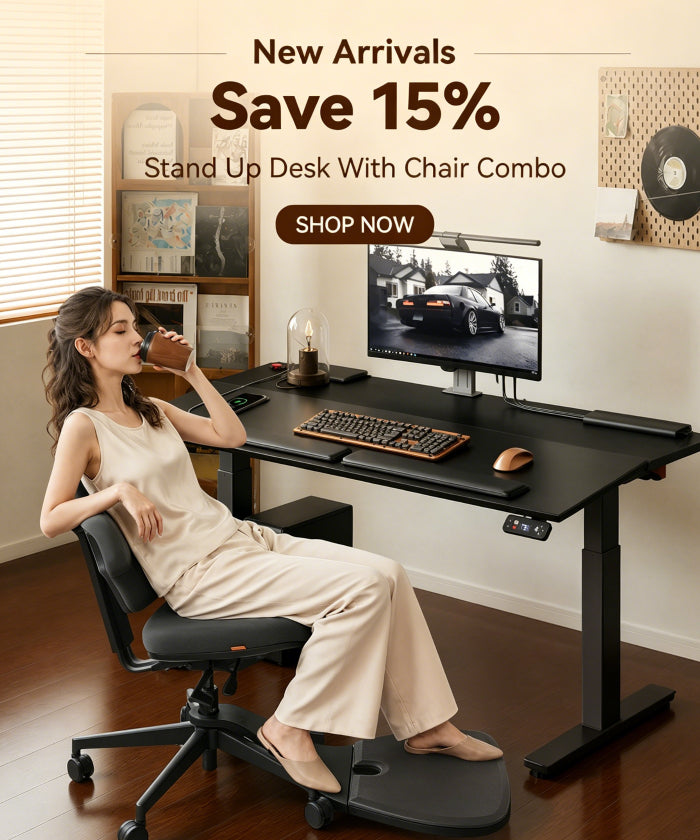
Swapping between sitting and standing at set intervals gives the spine periodic relief from constant load, which is different from stepping away entirely and works well during tasks like waiting on a long build. Developers who want that option built into their setup, rather than switching to a separate standing desk, can look at the stand up desk with chairs, which combines both in one unit.
Blog12
Habits That Support a Healthy Coding Routine
Movement Breaks During Long Sessions
Stepping away from the desk every hour, even just to refill a water glass, resets circulation in a way that sitting adjustments alone cannot. This matters even with a well designed chair, since no chair fully replaces movement.
Stretches for Neck and Wrist Relief
A few minutes of neck rolls, shoulder shrugs, and wrist stretches between coding sessions can ease tension before it turns into persistent pain. These take almost no time and fit naturally into the short breaks between compiling, testing, or waiting on a build.
FAQs
How often should programmers stand up while coding?
A short break every 30 to 60 minutes is generally enough to reduce stiffness from long sitting sessions. Even a two minute walk around the room makes a difference over the course of a workday.
What chair height is best for short programmers?
Seat height should allow the feet to rest flat on the floor with the knees at roughly a 90 degree angle. Programmers under 5'4" typically need a seat height in the 15 to 17 inch range, and a chair with a wide adjustment range makes it easier to find the right fit.
Can an ergonomic chair prevent back pain from coding?
An ergonomic chair reduces the strain that contributes to back pain by supporting the natural curve of the spine, but it works best alongside regular movement and a properly set up desk. A chair alone cannot undo the effects of sitting still for an entire day.
How long does an ergonomic chair typically last?
A well built ergonomic chair tested to furniture industry standards generally lasts several years of daily use, though the exact lifespan depends on how heavily it is used and how well it is maintained over time.
Is a gaming chair suitable for programming work?
A gaming chair can work for coding sessions, but most are built around reclining comfort rather than the sustained spinal support that long, focused typing requires. A chair with auto-following lumbar support and proper seat depth adjustment tends to hold up better over a full workday than a gaming chair designed primarily for shorter, more relaxed sitting.
What is the difference between an ergonomic chair and a regular office chair for coding?
A regular office chair typically offers fixed or limited lumbar support and few adjustment points, while an ergonomic chair adjusts seat height, seat depth, armrest position, and backrest support to match the individual sitting in it. For programmers who sit for most of the workday, that level of adjustability makes a measurable difference in fatigue by the end of a shift.




Leave a comment
All comments are moderated before being published.
This site is protected by hCaptcha and the hCaptcha Privacy Policy and Terms of Service apply.