
Table of Contents
Sitting at a desk for hours at a time can turn an ordinary chair into a source of pain rather than support. For anyone dealing with sciatica or hip discomfort, the wrong seat does more than feel uncomfortable. It can actively worsen symptoms, sending shooting pain down the leg or leaving the hips stiff and sore by the end of the day. The right chair, by contrast, can genuinely change how the body feels through a long workday. This guide covers why chair choice matters, which features actually help, and how to set up any chair so it works with the body instead of against it.
Why Chair Choice Matters for Sciatica and Hip Pain
How Poor Posture Triggers Sciatica
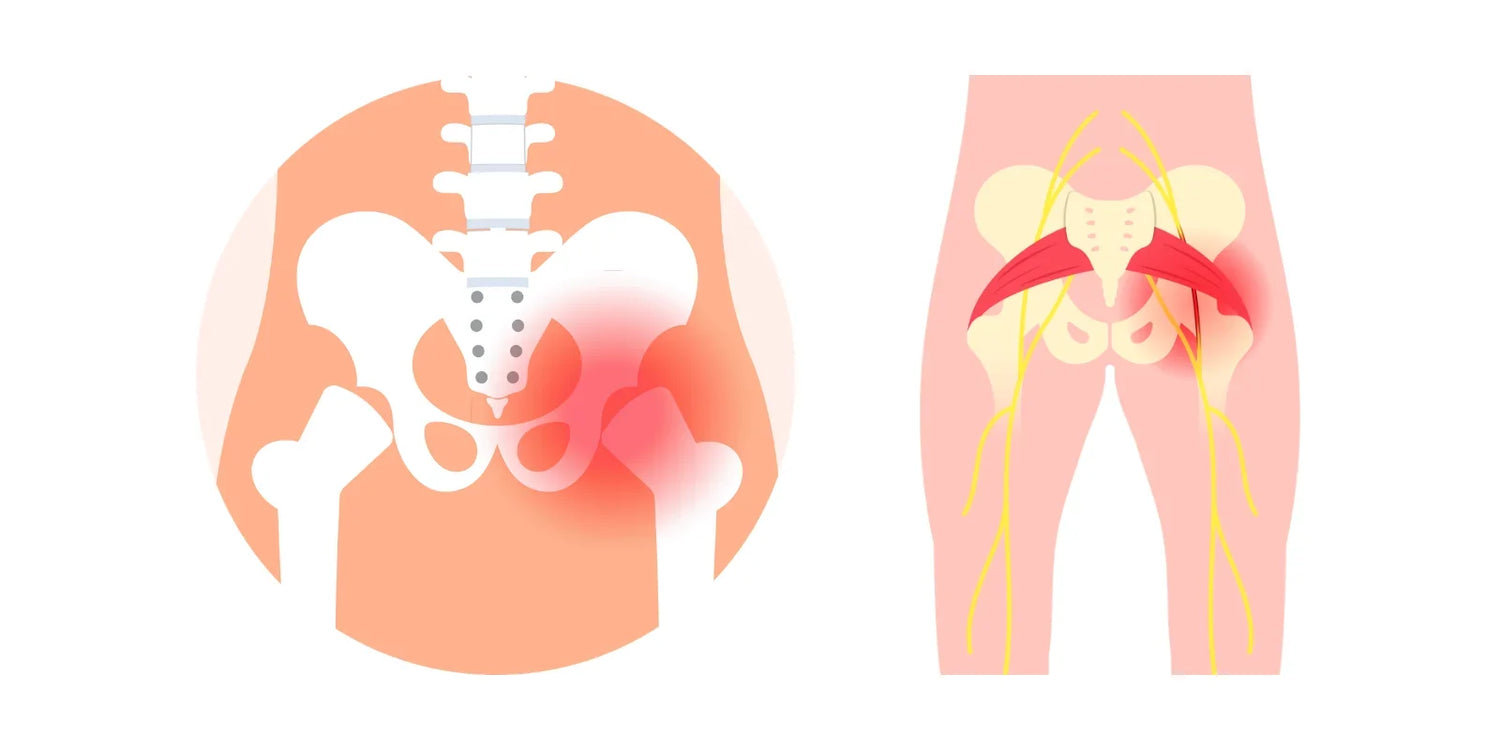
Sciatica occurs when the sciatic nerve, which runs from the lower back through the hips and down each leg, becomes compressed or irritated. Sitting for long stretches in a slouched position, or in a chair that fails to support the natural curve of the lower spine, adds pressure to the discs and muscles surrounding that nerve. Over time, this pressure can trigger the tingling, numbness, or sharp pain associated with sciatica. A chair that keeps the spine properly aligned reduces that pressure and gives the nerve room to function without interference.

Hip Pressure from Prolonged Sitting
Hip pain often stems from a related but distinct issue. When a seat cushion is too firm, too flat, or shaped in a way that concentrates weight on the sit bones, it can restrict blood flow and place uneven stress on the hip joints. This becomes especially noticeable for anyone sitting six, eight, or more hours a day. A seat that distributes weight evenly across the hips and thighs, rather than concentrating it in one spot, is the core design goal behind chairs with dedicated back support, and it makes a measurable difference in how the hips feel by the end of the day.

Key Features to Look For
Not every ergonomic chair is built the same way, and the features that matter most for sciatica and hip pain are not always the ones marketed the loudest. Many reputable manufacturers design their chairs to meet the American National Standard for General Purpose Office Chairs, which sets baseline requirements for durability and structural performance. Meeting that standard is a useful quality signal, but it does not guarantee comfort for someone managing chronic pain. The features below matter more for that purpose.
At a glance, prioritize:
- Lumbar support that adjusts to the lower back
- A seat with adjustable depth
- A cushion that relieves pressure rather than just cushioning it
- Adequate hip and thigh support
- A recline or tilt function with adjustable tension
Lumbar Support
Lumbar support is the single most important feature for anyone managing sciatica. Chairs with auto-following lumbar support adjust to the curve of the lower back as the body shifts position throughout the day, rather than requiring the sitter to stay still to keep the support in place. Fixed lumbar pads can help too, but only if positioned correctly for the individual spine, which is why adjustability tends to matter more than most people expect.

Adjustable Seat Depth
Seat depth is easy to overlook, yet it has a direct effect on hip and thigh support. A seat that is too deep pushes the front edge into the back of the knees and forces the sitter further back than is comfortable, which rounds the lower spine. A seat that is too shallow fails to support the thighs adequately. Look for a seat pan that slides forward or backward, so the depth can be adjusted until the hips sit at a right angle without pressure behind the knees.
Pressure-Relief Cushion
The seat cushion carries most of the body's weight, so its shape and density matter enormously. Cushions with contouring or cutouts, like those found in ergonomic chairs for tailbone pain, redistribute weight away from the areas most prone to pain. A cushion that is too soft may feel pleasant for a few minutes but tends to compress and lose support over hours of use. The better approach is a cushion that balances softness with structure rather than one built for pure plushness.
Hip and Thigh Support
Beyond the cushion itself, the width and contour of the seat pan should accommodate the hips without pinching or forcing an unnatural posture. A seat with a slight waterfall edge at the front, meaning it curves downward instead of cutting straight across, reduces pressure on the underside of the thighs and supports better circulation.
Recline and Tilt Function
A chair that locks the body into one rigid position all day rarely suits chronic pain management. A recline or tilt function allows periodic weight shifts, relieving pressure on the lower spine and hips without requiring the sitter to stand up every few minutes. Look for tilt tension that adjusts to body weight, along with a lock feature that holds a comfortable reclined angle when needed.
|
Feature |
Why It Matters |
What to Check |
|
Lumbar support |
Reduces pressure on the sciatic nerve by maintaining spinal curve |
Adjustable height and depth, ideally auto-following |
|
Seat depth |
Prevents pressure behind the knees and supports the thighs |
Sliding seat pan with a range of at least two inches |
|
Seat cushion |
Distributes weight evenly across the hips and sit bones |
Contoured shape with moderate firmness |
|
Recline and tilt |
Allows weight shifts throughout the day |
Adjustable tension with a reliable lock |

Best Chair Types for Sciatica and Hip Pain
Different chair styles approach comfort in different ways, and the right one often depends on body type and sitting habits. Chairs for back problems typically combine the features covered above, such as adjustable lumbar depth, a sliding seat pan, and tilt tension control, which makes this category a reasonable starting point since sciatica and hip pain frequently share the same underlying causes as general back pain.
Ergonomic Mesh Chairs
Mesh chairs remain popular for good reason. The breathable material flexes slightly to conform to the body while still providing enough resistance to support proper posture. Mesh also helps prevent the heat buildup that can make long sitting sessions even more uncomfortable, which matters for anyone who tends to run warm during the day.
Memory Foam Chairs
For those who find mesh too firm, memory foam seats offer a softer feel while still holding their shape over time, which suits people who prefer more cushioning under the hips. The tradeoff is that memory foam can retain heat, so it works best when paired with breathable upholstery elsewhere on the chair.
Kneeling Chairs
Kneeling chairs take a different approach by shifting some body weight onto the shins rather than the hips and lower back. This can relieve pressure for some people, though it is not a universal fix and tends to work best for shorter stretches rather than an entire workday. Alternating between a kneeling chair and a traditional supportive chair is generally more sustainable than relying on one exclusively.
|
Chair Type |
Best For |
Consideration |
|
Ergonomic mesh |
Warm environments, breathability |
Firmer feel than foam |
|
Memory foam |
Softer contouring around hips and thighs |
Can retain heat |
|
Kneeling |
Short-term posture variation |
Not suited for full-day use |
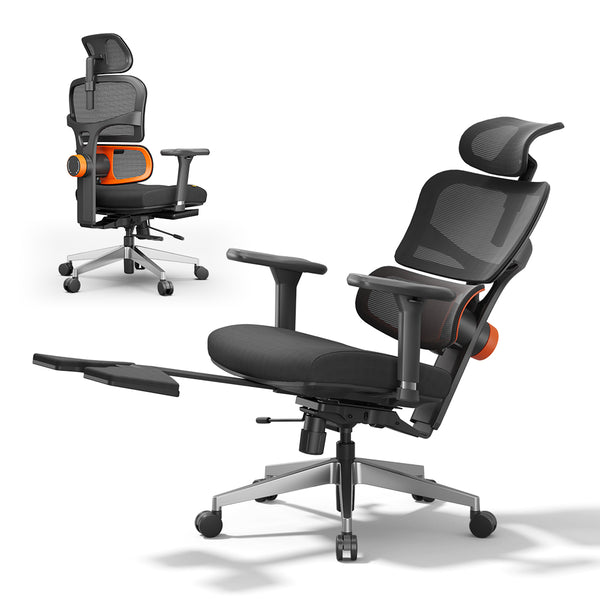
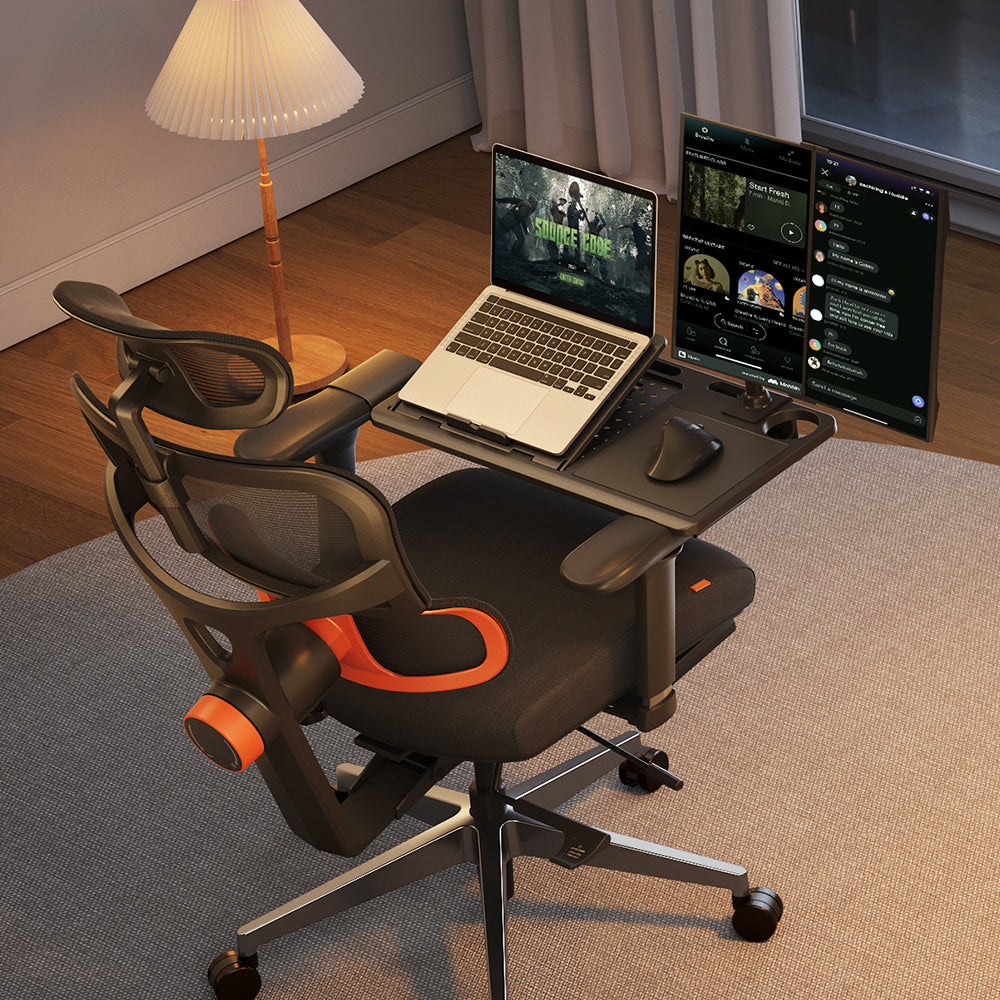
As a concrete reference point, the Newtral NT002 covers most of the features outlined above in a single chair: the lumbar support adjusts across a 5 cm range and locks in place, the seat depth and backrest height adjust independently, and the recline locks anywhere between 96 and 136 degrees. It is one example of how these parameters come together in practice, not the only option worth considering.
blog18
Setting Up Your Chair Correctly
Even the best chair will not help much if it is not adjusted properly. A few setup changes can make as much difference as switching chairs entirely.
1. Set the seat height and angle. Feet should rest flat on the floor with knees at roughly a ninety degree angle, and hips should sit slightly higher than the knees. This lines up with the neutral posture guidelines described in OSHA's Computer Workstations eTool, which is a useful reference for anyone setting up a desk from scratch. An ergonomic chair height calculator can help translate those general guidelines into exact measurements based on individual height and desk setup, rather than relying on guesswork.
2. Position the armrests correctly. Armrests set too high force the shoulders upward, which can indirectly affect how weight is distributed through the hips and lower back. Set them so the elbows rest at roughly a ninety degree angle with the shoulders relaxed rather than raised.
3. Add a support cushion if needed. If a chair lacks adequate lumbar or seat support, a well placed cushion can bridge the gap. A lumbar cushion positioned at the natural curve of the lower back, or a seat wedge that tilts the pelvis slightly forward, can both reduce pressure without requiring a full chair replacement.
Extra Tips to Ease Pain at Work
- Take movement breaks. No chair, however well designed, replaces movement. Standing up, walking a short distance, or simply shifting position every thirty to forty five minutes helps keep blood flowing and prevents stiffness from building up.
- Stretch the hips and lower back. Simple stretches, such as a seated figure four stretch or a standing hip flexor stretch, relieve tension that accumulates from sitting. Doing these a few times throughout the day, rather than only after work, tends to prevent pain from building up in the first place.

FAQs
Can a good chair help sciatica pain?
Yes. A well designed chair can meaningfully reduce sciatica symptoms by keeping the spine aligned and reducing pressure on the sciatic nerve. It will not resolve an underlying condition on its own, but it removes one of the most common daily aggravating factors.
Best seat cushion for hip pain?
A cushion with contouring or cutouts around the sit bones tends to work best, since it spreads pressure across a wider area instead of letting it build up in one spot. Density matters as much as shape: a cushion that is too soft breaks down quickly under daily use, while one with some structure holds its supportive shape for longer.
How often should I stand up?
A general guideline is to stand or move every thirty to forty five minutes, even if only for a minute or two. This keeps circulation moving and prevents the stiffness that builds up from prolonged static sitting.
Are gaming chairs good for sciatica?
Some gaming chairs offer decent lumbar support, but many are designed with recline and headrest comfort in mind rather than the specific adjustability sciatica requires, such as seat depth and pressure relief cushioning. An ergonomic office chair is usually the better choice for daily desk work.
Final Thoughts
Finding the right chair for sciatica and hip pain comes down to a combination of proper lumbar support, a seat that fits the body without creating pressure points, and enough flexibility to adjust as needs change throughout the day. Models like the NT002 mentioned earlier illustrate one way those parameters come together, and for anyone weighing it against other options, a comparison between the NT & Magic-H collections breaks down differences in lumbar mechanism type, seat depth range, and tilt tension across the lineup.
The chair is only part of the solution. Pairing it with good posture habits, regular movement, and simple stretches offers the best chance of staying comfortable through a long workday.



Laisser un commentaire
Tous les commentaires sont modérés avant d'être publiés.
Ce site est protégé par hCaptcha, et la Politique de confidentialité et les Conditions de service de hCaptcha s’appliquent.