
Table of Contents
Sitting for long periods is a part of everyday life—whether you're working from home, gaming, or studying. But if your posture isn’t right, it can lead to discomfort, fatigue, and even long-term back issues. That’s where the 90/90/90 rule comes in. This simple guideline helps you sit with better posture and reduce unnecessary strain on your body. Let’s break down what it means and how to set up your space to follow it.
What Is the 90/90/90 Rule?
The 90/90/90 rule is a basic sitting guideline used in ergonomics to promote better posture. It refers to keeping three parts of your body at 90-degree angles while seated:
- Hips at a 90° angle to your torso
- Knees bent at a 90° angle with your feet flat on the floor
- Elbows resting at a 90° angle while using your keyboard or mouse
When these three points are aligned, your body is in a neutral and relaxed position that minimizes stress on your muscles and joints.
Why Sitting Properly Really Matters
Bad posture might not feel like a big deal at first, but over time, it can lead to a range of problems—especially if you sit for hours every day. Common issues include:
- Lower back pain
- Tight shoulders or neck stiffness
- Poor circulation or numbness in the legs
- Fatigue or tension headaches
Sitting properly helps prevent these issues and supports better energy levels, focus, and comfort throughout your day. Whether you’re working at a desk or lounging on your laptop, small changes to your setup can go a long way.
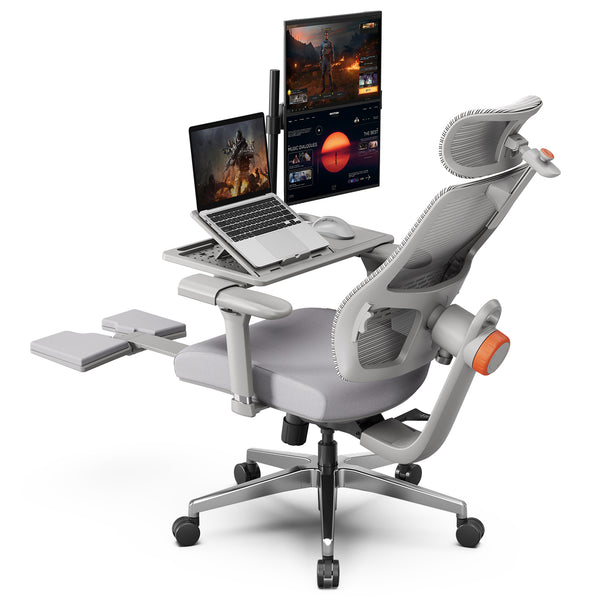
Blog18

How to Set Up Your Workspace for Better Posture
Getting into the 90/90/90 position isn’t complicated, but it does require some adjustments to your chair, desk, and accessories. Here’s how to get started:
Start with Your Chair
Sit all the way back so your hips are fully supported. Your knees should be bent at a 90-degree angle with your feet flat on the floor. If your feet don’t reach the ground, consider using a footrest or a stack of books. Your thighs should be parallel to the floor, and your lower back should feel supported—no slouching or sinking.
Adjust Your Desk and Monitor
Raise or lower your desk chair so that your elbows form a 90-degree angle when resting on your desk or using your keyboard. Your shoulders should be relaxed, not hunched. Next, lift your monitor to eye level so you're not bending your neck to look down. You can use a monitor riser or even a stack of books if needed.
Fine-Tune Keyboard and Mouse Position
Keep your keyboard and mouse close enough that you don’t need to reach or lean forward. Your forearms should stay level with the keyboard, and your wrists should remain neutral—not bent upward or downward.
Recommended Chairs to Help You Sit Better
If you want to stick with the 90/90/90 rule long term, a well-designed ergonomic chair can make it easier and more comfortable. Here are two excellent options:
Newtral NT002 Ergonomic Office Chair
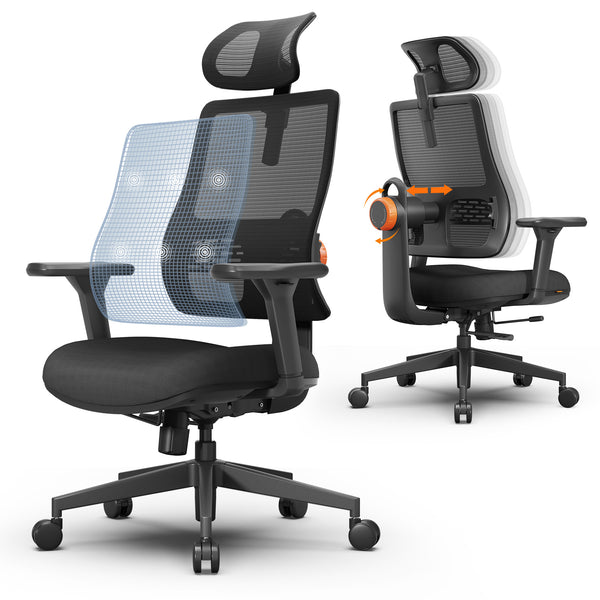
If you want the 90/90/90 rule to feel easy to maintain all day, the Newtral NT002 is a solid pick. The big highlight is its auto-following lumbar support, which stays with your lower back as you shift positions, so you’re not constantly readjusting. It also gives you 4D armrests to keep your elbows comfortably bent while typing, plus a recline and built-in footrest for breaks without slouching.
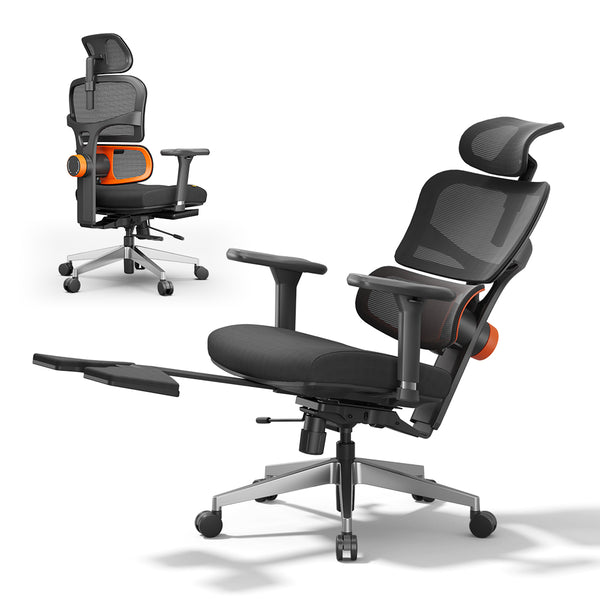
blog18
Key benefits
- Auto-following lumbar support that moves with you
- 4D armrests to keep shoulders relaxed and elbows in a comfortable position
- Recline with a built-in footrest for more comfortable breaks
- Adjustable headrest to reduce neck strain
Newtral Magic H Ergonomic Office Chair
The Newtral Magic H is great if you want strong support in a chair that feels practical for everyday home or office use. Its standout feature is auto-following back support designed to keep steady contact with your back. It also includes a highly adjustable headrest and armrests, so it’s easier to keep your neck and arms aligned instead of creeping into a forward-hunch posture.
Key benefits
- Auto-following back support for consistent lower-back comfort
- Adjustable headrest to help prevent neck fatigue
- Adjustable armrests to support better typing posture
- Footrest support for quick resets during long sitting sessions
 $279.00 $329.00Auto-tracking lumbar supportMulti-adjustmentCertified quality
Simple Habits That Keep You Comfortable
Good posture doesn’t stop at your chair—it’s about how you use your body throughout the day. Try adding these small habits into your routine:
- Stand up and stretch every 30 to 60 minutes
- Do a quick posture check each hour
- Use a reminder app or timer to stay consistent
- Add a lumbar pillow if your chair lacks back support
These simple steps help your body reset and prevent stiffness from creeping in.

Common Mistakes to Avoid
Even if your desk is set up perfectly, some habits can still sneak in and undo your progress. Keep an eye out for these:
- Slouching or leaning forward toward your screen
- Crossing your legs for long periods
- Holding your laptop or phone in your lap for too long
- Resting your elbows too low or too high, which can strain your shoulders
Being aware of these small habits can make a big difference.
Final Thoughts
Sitting properly doesn’t require expensive equipment or a complete overhaul of your routine. The 90/90/90 rule offers a simple, clear way to align your body and stay comfortable during long sitting sessions. With the right chair, a few adjustments, and some helpful habits, you can protect your body and feel better—day in and day out.
Further reading:






Laisser un commentaire
Tous les commentaires sont modérés avant d'être publiés.
Ce site est protégé par hCaptcha, et la Politique de confidentialité et les Conditions de service de hCaptcha s’appliquent.